
KDP Hardcover Cover: Wrap, Hinge and Printing Cost
KDP prints case laminate hardcovers, so the cover file wraps around the boards. The wrap, hinge, barcode and cost figures, all from KDP.
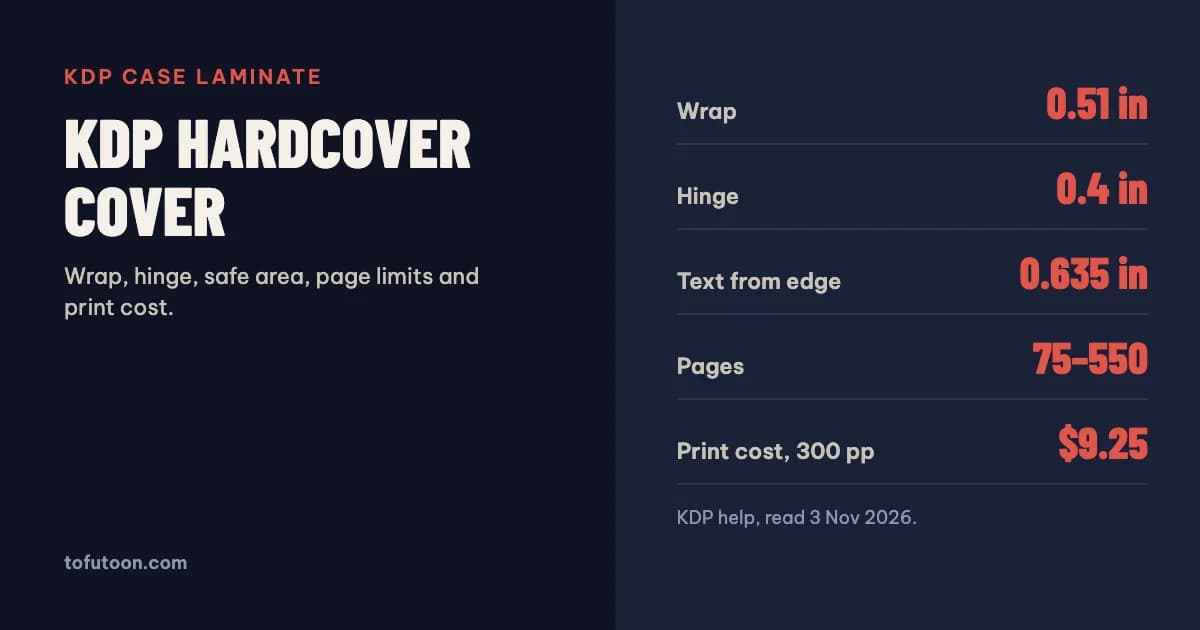
A KDP hardcover cover is a single PDF holding the back, spine and front, plus a 0.51 inch wrap that folds around the case boards and is glued inside. Keep text and images 0.635 inch from the edge, leave the 0.4 inch hinge beside the spine clear, and build it for one of five trims with 75 to 550 pages. Printing a 300-page hardcover in black ink costs $9.25 in the US. KDP revises these numbers from time to time; the ones here were checked on 3 November 2026.
How is a KDP hardcover made?
KDP prints case laminate hardcovers: the printed cover is wrapped around two millimetre-thick solid case boards and finished with a glossy or matte lamination (KDP: Hardcover Print Elements). There is no dust jacket; the artwork is printed directly on the case. Inside, endsheets in white or cream, matching the interior paper, are glued to the boards. The spine is flat, and books over 120 pages get a black-and-white headband at the top and bottom. This construction is why a hardcover file cannot be a paperback cover with a bigger canvas. Part of the image disappears around the board edges, part of it bends at the hinge where the book opens, and the visible front cover sits inside a margin. KDP also notes that its Amazon thumbnail is generated from the front cover area, using the spine edge and the outer book edges as guides.
What are the wrap, hinge and safe areas?
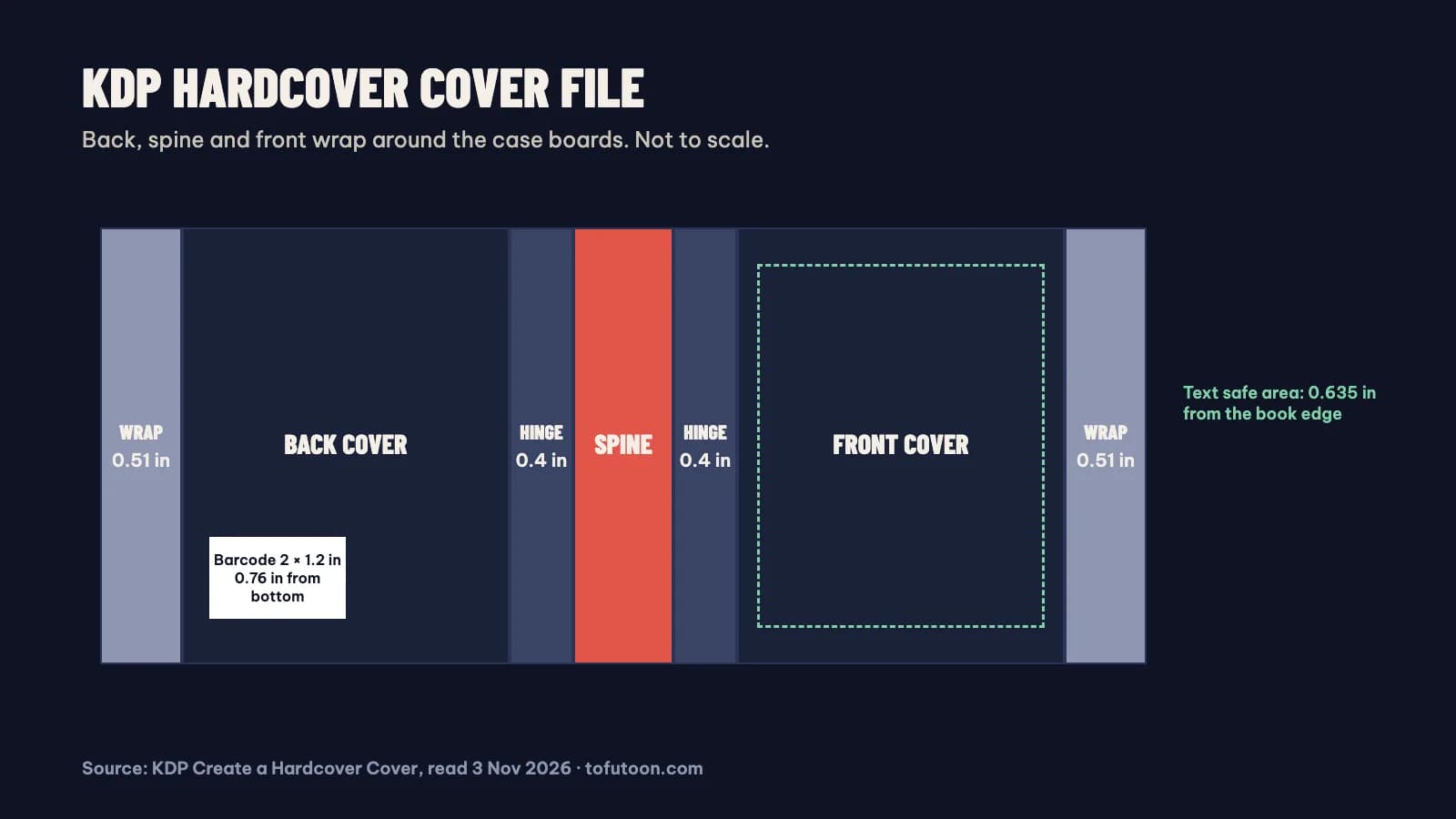
KDP gives three measurements for the hardcover cover background (KDP: Create a Hardcover Cover). The wrap: artwork must extend 0.51 inch (15 mm) past the edge of the front cover, because that strip folds around the case board and is glued to the inside cover. The text safe area: all text and important images must sit 0.635 inch (16 mm) from the edge of the book, which is 0.125 inch inside the margin line. The hinge: there is a 0.4 inch (10 mm) space between the spine and the safe area on both the front and the back, where the cover flexes when the book opens, so no text and no barcode go there. Spine text must stay inside the spine safe area so it does not slide onto the front or back. Paperback numbers do not carry over: a paperback only needs 0.125 inch of bleed, and its spine margin is far smaller.
Where does the barcode go on a hardcover?
The barcode works much as it does on a paperback, with hardcover distances. If you supply your own, KDP asks for 300 DPI, a size of 2 × 1.2 inches (50.8 × 30.5 mm), a position at least 0.76 inch (19 mm) from the bottom of the cover and at least 0.25 inch (6 mm) from the spine hinge. If you do not supply one, KDP places an ISBN barcode in a 2 × 1.2 inch white box in the lower right-hand corner of the back cover, and anything you placed there is covered when the book is printed. So the rule is the same either way: keep that corner empty of text and key artwork. Before upload, KDP’s checklist asks for a single PDF, flattened transparencies, embedded fonts, no crop marks or template text, images of at least 300 DPI, and no file security. A file of 40 MB or less is recommended; covers over 650 MB will not convert.
Which trims and page counts can be hardcover?
KDP offers five hardcover trims: 5.5 × 8.5, 6 × 9, 6.14 × 9.21, 7 × 10 and 8.25 × 11 inches (KDP: Set Trim Size, Bleed, and Margins). Every one of them takes 75 to 550 pages, on white or cream paper in black ink or on premium color, while standard color and groundwood paper are not available for hardcover. Two of the paperback-only habits do not work here. A short book under 75 pages cannot be a KDP hardcover at all. And the large paperback formats such as 8.5 × 11 or the square trims are not on the hardcover list, so a workbook designed at those sizes needs a different trim for its hardcover edition. KDP does not print hardcovers through its Japanese marketplace. Because the hinge, wrap and board thickness change the layout, build the hardcover cover from KDP’s own cover template generator for your exact trim, page count and paper, rather than adapting the paperback file.
How much does a KDP hardcover cost to print?
KDP charges a fixed cost plus a cost per page, and subtracts it from your royalty (KDP: Hardcover Printing Cost). On Amazon.com in black ink, a hardcover with 110 to 550 pages costs $5.65 plus $0.012 per page on a regular trim and $5.65 plus $0.017 per page on a large trim; from 75 to 108 pages it is a flat $6.80, or $7.49 on a large trim. KDP’s own example is a 300-page regular hardcover: $5.65 + 300 × $0.012 = $9.25. The same book as a 6 × 9 inch paperback costs $4.60 to print, so the hardcover costs $4.65 more per copy. Royalties work like paperbacks: 60% at a list price of $9.99 or more and 50% below that on Amazon.com, minus printing (KDP: Hardcover Royalty). The minimum list price for the 300-page example at the 60% rate is $9.25 ÷ 0.60, about $15.42.
FAQ
Does a KDP hardcover have a dust jacket?
No. KDP prints case laminate hardcovers, so the cover art is printed directly on the case and laminated in gloss or matte. There is no separate jacket to design.
Next step: check what a hardcover does to your earnings in the free KDP royalty calculator, and compare trims in the KDP trim size guide. For the paperback edition, the KDP cover calculator gives the exact cover size and template, and our guide to KDP cover size and spine width explains the math. Laying out one Word manuscript for both paperback and hardcover trims is one of the jobs of the pay-once book formatter we are developing for Windows and Mac. Join the waitlist to hear when it is ready.