
KDP Cover Size and Spine Width: How the Math Works
A KDP paperback cover is one PDF: back, spine and front plus bleed. KDP turns trim size and page count into its exact dimensions.
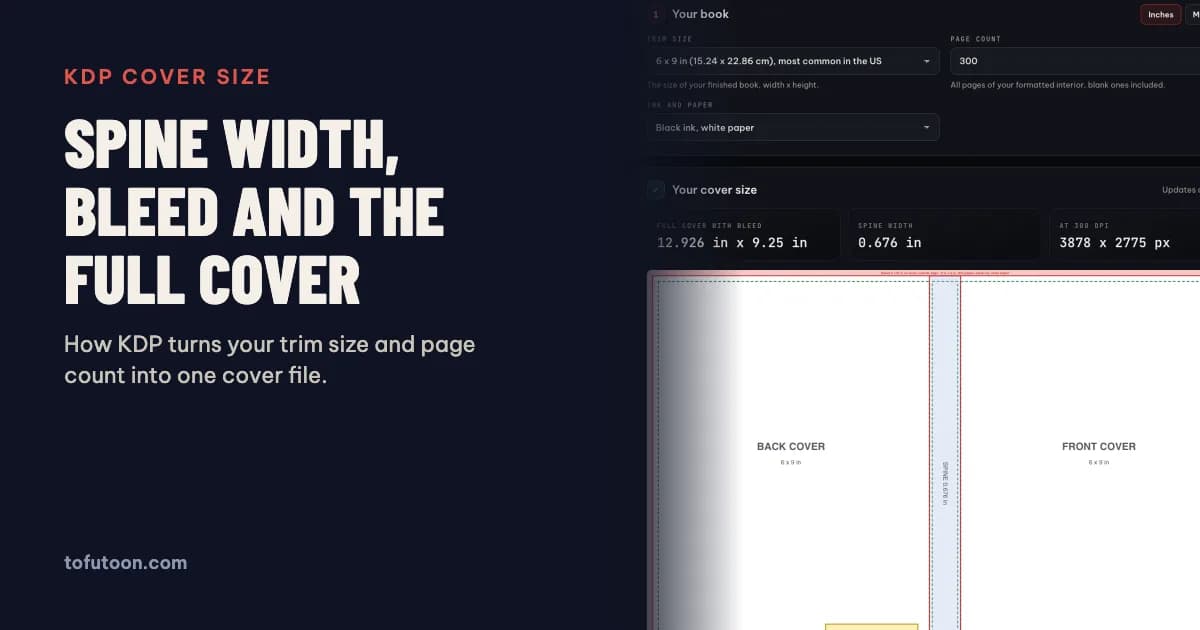
The KDP cover size is the trim width twice, plus the spine width, plus 0.125 inch of bleed on each outside edge; the height is the trim height plus 0.25 inch. Spine width is the page count times a fixed thickness per page that depends on the paper. A 6 × 9 inch book with 300 pages on white paper needs a cover of 12.926 × 9.25 inches with a 0.676 inch spine. Every figure here comes from KDP’s help pages, read on 3 November 2026.
What is the KDP cover size formula?
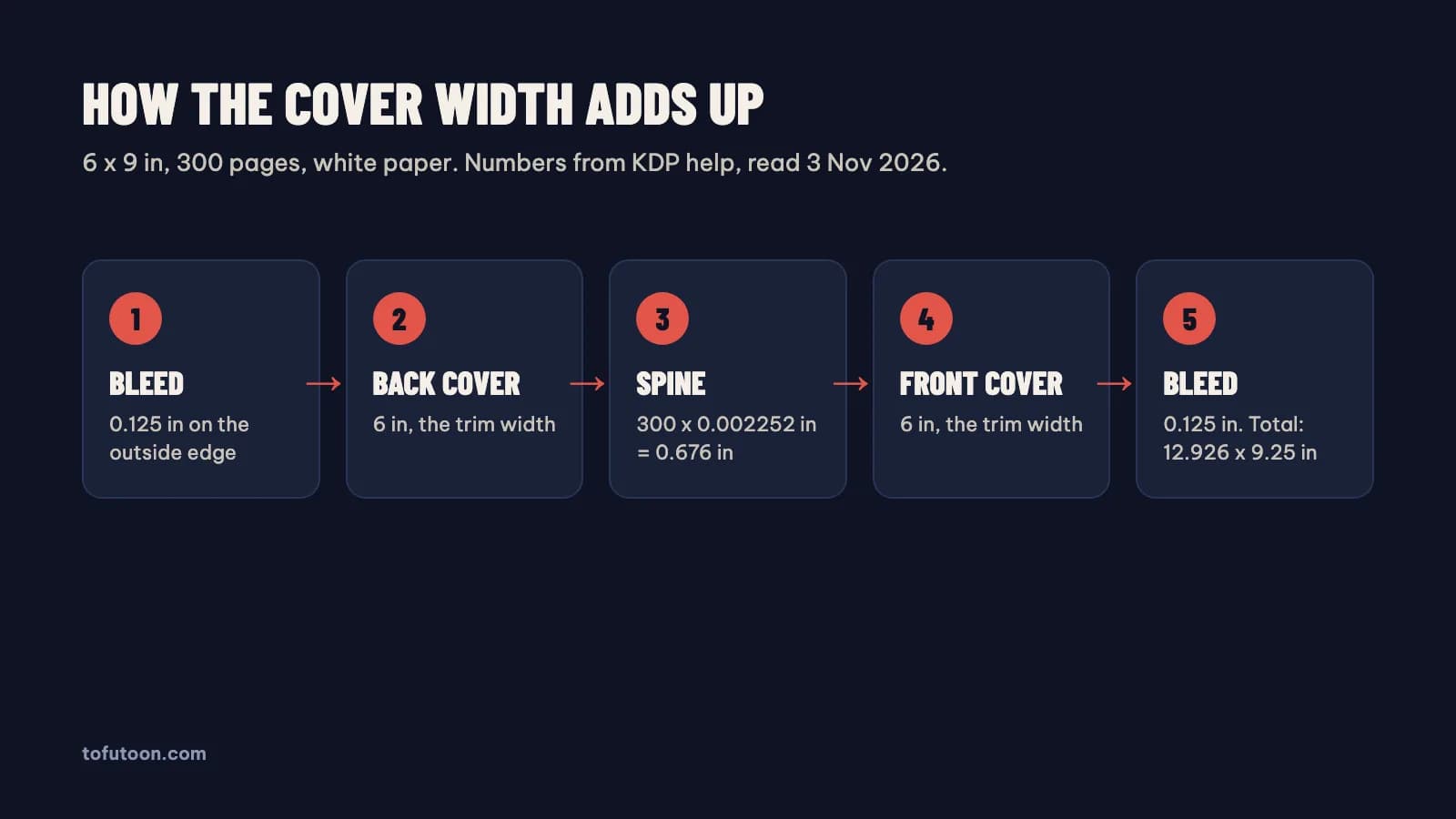
The KDP cover size formula adds five strips side by side. According to KDP, cover width = bleed + back cover width + spine width + front cover width + bleed, and cover height = bleed + trim height + bleed, with bleed fixed at 0.125 inch (3.2 mm) on the top, bottom and outside edges (KDP: Create a Paperback Cover). The front and back each equal the trim width you chose. For 6 × 9 inches and 300 pages on white paper: 0.125 + 6 + 0.676 + 6 + 0.125 = 12.926 inches wide, and 0.125 + 9 + 0.125 = 9.25 inches tall. The cover must be a single PDF holding back, spine and front as one image. KDP recommends keeping that file at 40 MB or less, because larger files slow printing, and files over 650 MB will not convert at all.
How is KDP spine width calculated?
Spine width is the page count multiplied by the thickness KDP assigns to one page of your paper. The values published by KDP are 0.002252 inch per page for white paper, 0.0025 inch for cream, 0.002347 inch for premium color and 0.002252 inch for standard color (KDP: Create a Paperback Cover). Groundwood paper is listed separately on the submission guidelines at 0.00235 inch per page (KDP: Paperback Submission Guidelines). Paper choice changes the result more than people expect. At 300 pages, white paper gives a 0.676 inch spine, groundwood 0.705 inch, premium color 0.704 inch and cream 0.75 inch. Switching from white to cream after the cover is designed therefore makes the whole cover 0.074 inch wider, enough for KDP to reject a file that was built for white paper. Decide the paper before the designer starts.
Which page count should you use?
The page count that matters is the total page count of the finished interior PDF, blank pages included. Count every page the printer will print: title page, copyright page, blank versos, and back matter. Estimates from a word count are risky because font size, margins, chapter openings on right-hand pages and front matter all change the total. KDP paperbacks need at least 24 pages, and the maximum depends on trim and paper: 828 pages for a 6 × 9 inch book on white paper, 776 on cream, and fewer for the largest trims, according to the KDP trim size table. A change of 20 pages on white paper moves the spine by 0.045 inch. The safest order is: finish and export the interior, read the page count from the PDF, then build the cover. If you edit the interior later, recheck the count before you upload a new cover.
When can a KDP spine have text?
KDP allows spine text on books with at least 79 pages, and a cover with spine text below that count is rejected (KDP: Create a Paperback Cover). The same help page also says spine text is printed on books with “more than 79 pages”, and Cover Creator, KDP’s own design tool, needs 80. That inconsistency is real, so 80 pages or more is the safe choice. Spine text also needs at least 0.0625 inch (1.6 mm) of space on each side, and KDP allows for a variance of 0.0625 inch on either side of the fold lines when the book is bound. On a 0.2 inch spine, those two margins leave about 0.075 inch for type, which is too thin for most fonts. A practical rule: keep thin spines plain, and avoid hard edges or stripes at the folds, because any small shift in binding makes them visible.
Where do the safe areas and the barcode go?
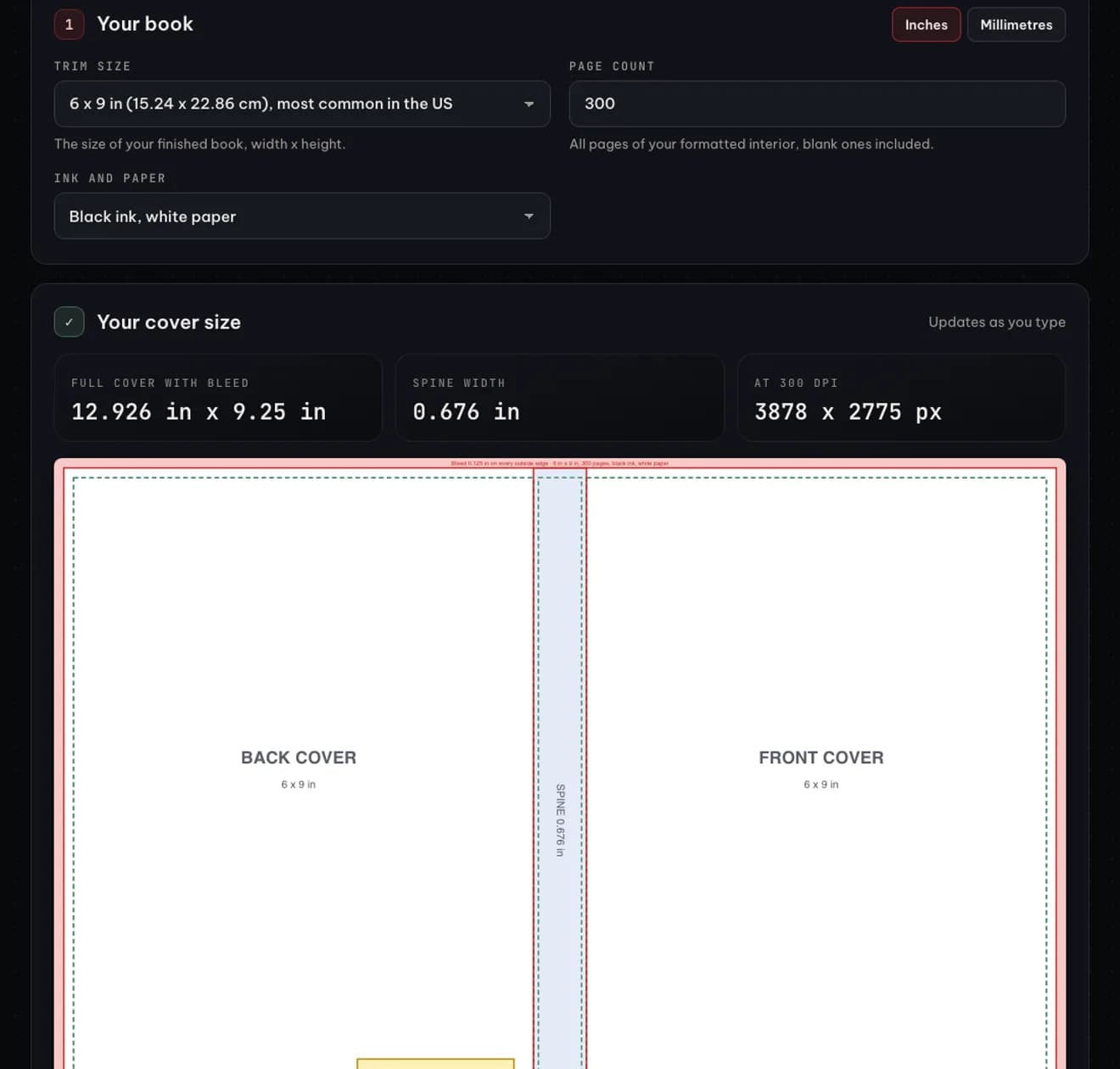
Safe areas keep important text from being cut off when the book is trimmed. KDP asks for front and back text at least 0.125 inch inside the trim lines, which is 0.25 inch from the edge of the file, and no front or back text running into the spine. Images and backgrounds must extend 0.125 inch past the trim line so no white edge shows. For the barcode, KDP suggests a box of 2 × 1.2 inches, accepts at least 1.4 × 0.8 inch, and wants it at least 0.25 inch from the spine and trim (KDP: Barcodes). A cover can be uploaded without a barcode: in that case KDP places one on the back cover at no cost. If you supply your own, our guide to ISBN barcodes explains the parts and the 5-digit price code. Leave that corner free of text and key artwork either way. Covers should be built at 300 DPI or more; for 12.926 × 9.25 inches that is about 3,878 × 2,775 pixels.
Which trim size suits UK and European authors?
KDP lists 16 paperback trim sizes in inches with centimetre equivalents (KDP: Set Trim Size, Bleed, and Margins). Three are close to familiar UK and European formats: 5.06 × 7.81 inches (12.85 × 19.84 cm), near the UK B-format; 6.14 × 9.21 inches (15.6 × 23.39 cm), near Royal; and 8.27 × 11.69 inches, which is A4. A5 (148 × 210 mm) is not on the list, but KDP accepts custom trims from 4 to 8.5 inches wide and 6 to 11.69 inches tall, so A5 can be entered as a custom size. One cost detail matters: KDP counts any trim wider than 6.12 inches or taller than 9 inches as a large trim, which raises the printing cost per page. The Royal-like 6.14 × 9.21 size falls just over that line, so a 6 × 9 book is cheaper to print at the same page count. The free KDP trim size guide lists every size in inches and millimetres.
Common reasons KDP rejects a cover
- The cover was built for the wrong page count or paper, so the spine width does not match the interior.
- Spine text on a book under 79 pages, or text too close to the spine edges.
- Background art that stops at the trim line instead of running 0.125 inch into the bleed.
- Title or author name on the cover that does not exactly match the book details entered in KDP.
- Text smaller than 7 point, images under 300 DPI, spot colors, or a locked PDF.
Our free KDP cover calculator applies the formulas above in your browser, shows the layout as you type, and exports a PDF and PNG template with bleed, spine, safe areas and the barcode box drawn in. It covers paperbacks only; hardcovers wrap around boards and use different numbers. Placing your own barcode for another printer? Use the ISBN barcode generator. To see what the page count does to your earnings, try the KDP royalty calculator.
FAQ
How wide is the spine of a 200-page KDP book?
A 200-page KDP paperback on white paper has a spine of 200 × 0.002252 = 0.450 inch, using the per-page value from KDP’s cover help page. On cream paper the same book is 0.500 inch, and on premium color 0.469 inch. The full 6 × 9 inch cover on white paper is then 12.70 × 9.25 inches.
Does KDP need bleed on a cover with a plain white background?
Yes. Every KDP paperback cover file includes 0.125 inch of bleed on the top, bottom and outside edges, whatever the design. A plain background still has to fill the bleed so the trimmed edge stays clean. KDP also advises against thin borders, because its 0.125 inch production variance can trim them unevenly.
Next step: export your interior, take the real page count, and get your exact cover size and template from the KDP cover calculator. Still formatting the interior? Our book formatter, a pay-once desktop app for Windows and Mac now in development, turns a Word manuscript into a print PDF and an EPUB offline and passes the page count straight to the cover size. Join the waitlist.