
ISBN Barcodes Explained: EAN-13, Bookland and Price Codes
A book barcode is your ISBN-13 drawn as an EAN-13, plus an optional 5-digit price code. Here is what each part means and what printers reject.
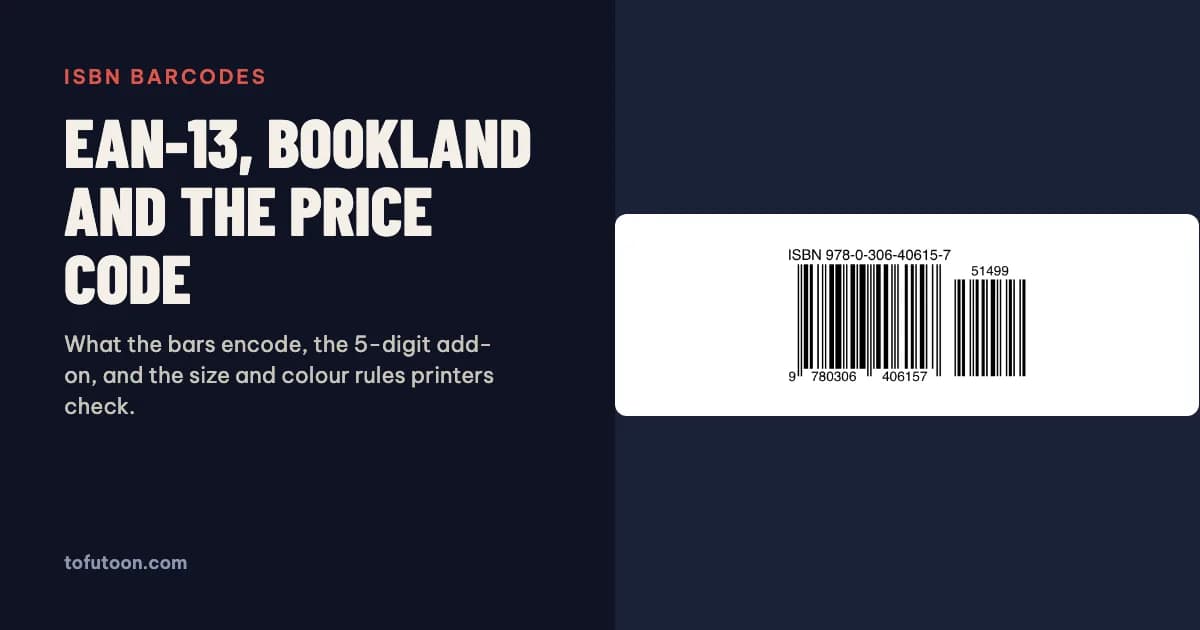
An ISBN barcode is the 13-digit ISBN encoded as an EAN-13 barcode, the same symbology used on groceries, with an optional 5-digit add-on that can carry the price. The ISBN-13 and the barcode number are identical, because ISBNs start with 978 or 979, the prefixes reserved for books. KDP and IngramSpark can place a barcode for you; you only make your own for another printer or a cover you lay out yourself. Sources: BISG and GS1, plus KDP and IngramSpark help, read on 3 November 2026.
What is an ISBN barcode?
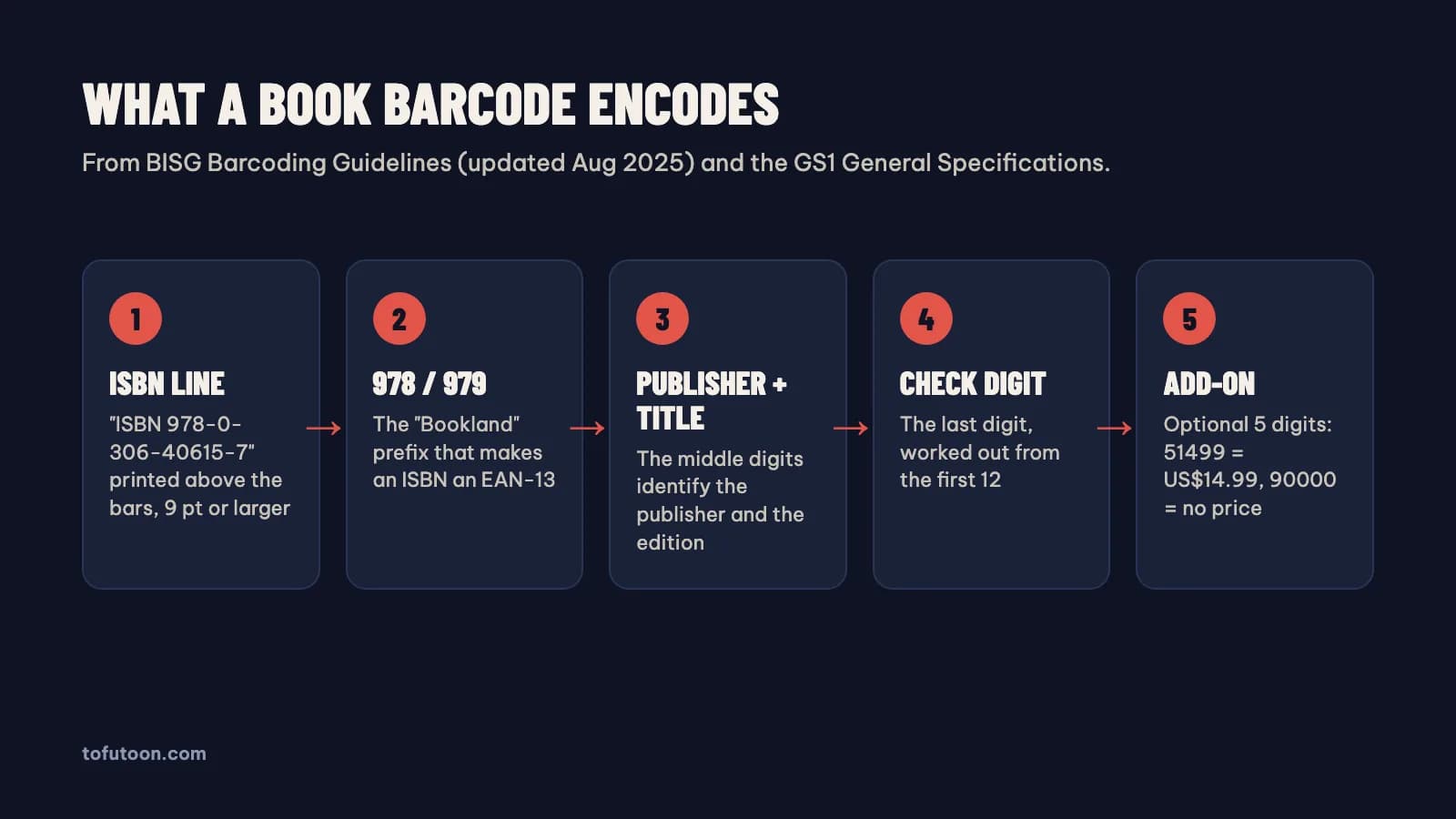
An ISBN barcode is a Bookland EAN: an EAN-13 symbol that encodes the book’s ISBN-13. According to the Book Industry Study Group, the EAN authority and the International ISBN Agency agreed in 1980 to reserve the prefixes 978 and 979 for a fictitious country called “Bookland”, so every ISBN could also be a valid retail product code (BISG: Barcoding Guidelines for the US Book Industry). When ISBN-13 took effect on January 1, 2007, the ISBN and the Bookland EAN became exactly the same 13 digits. That is why a bookshop scanner reads the ISBN straight from the bars. BISG also explains why barcodes matter: most bookstores reorder stock by scanning, and most retailers refuse books without a barcode. The symbol goes at the bottom of the back cover, with the bottom of the bars at least 1/4 inch above the bottom edge. On a KDP paperback, the size of that back cover comes from trim and page count, as set out in KDP cover size and spine width.
How is the ISBN-13 check digit calculated?
The check digit is the last digit of the ISBN-13, and it lets a scanner catch a misread number. Multiply the first 12 digits alternately by 1 and 3, add the results, and take the amount needed to reach the next multiple of 10. For 978-0-306-40615: 9 + 21 + 8 + 0 + 3 + 0 + 6 + 12 + 0 + 18 + 1 + 15 = 93, so the check digit is 7, giving 978-0-306-40615-7. An old ISBN-10 is converted by putting 978 in front, dropping its last digit and calculating a new check digit this way; 0-306-40615-2 becomes 978-0-306-40615-7. ISBN-10 check digits use a different rule (weights 10 down to 2, modulo 11), which is why some end in X. ISBNs starting with 979 have no ISBN-10 at all. A barcode built from an ISBN with a wrong check digit is rejected by KDP, so validate the number before you make the barcode.
What does the 5-digit price add-on mean?
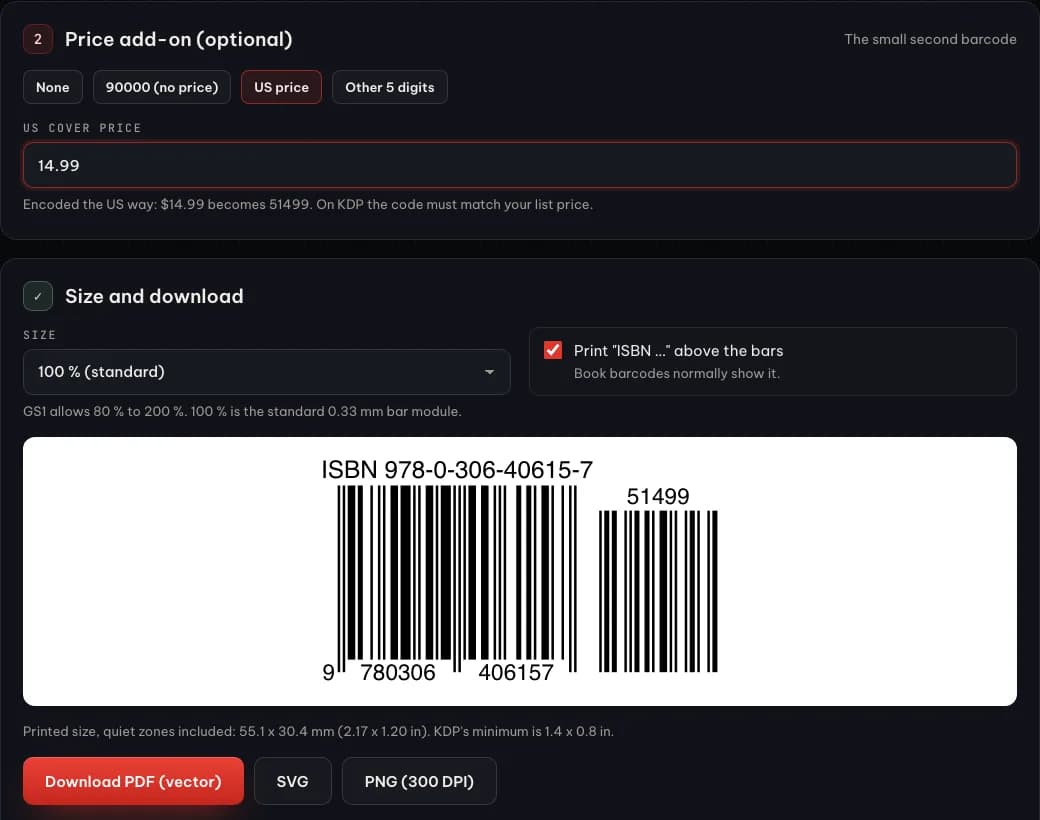
The add-on is a small second barcode to the right of the main one, and it is optional. Under BISG rules for the US market, a leading 5 means a price in US dollars: 51499 is US$14.99, and the range runs from 50001 (US$0.01) to 59998 (US$99.98). Prices from US$100.00 to US$499.99 use 10000 to 49999, so US$99.99 itself cannot be encoded. The code 90000 means no price is encoded, and BISG recommends it when there is no cover price. Some US retailers ask for the price add-on, so BISG suggests checking with trading partners. KDP adds one condition: if your barcode includes a price code, it should match your list price (KDP: Barcodes). These meanings are US conventions; outside the US, ask your distributor or printer whether they expect an add-on at all.
What size and colour must a book barcode be?
Size and colour decide whether the barcode scans. BISG gives the full Bookland symbol, with the add-on, as 1 inch high by 2-3/16 inches wide at 100% magnification, and allows 80% to 200%; the GS1 General Specifications define the same symbology in millimetres, with a 0.33 mm module at 100% (GS1 General Specifications). Printers add their own rules. KDP suggests 2 × 1.2 inches, accepts a minimum of 1.4 × 0.8 inch, wants 100% black bars on a solid white background, and keeps the barcode at least 0.25 inch from the spine and trim. IngramSpark asks for black only (0 cyan, 0 magenta, 0 yellow, 100 black) on a white box and recommends 1.75 × 1 inch (IngramSpark: title processing). BISG adds three common mistakes: reversed colours, shortened bars and a border around the code. The human-readable “ISBN 978-…” line goes above the bars, in 9 point or larger.
Do you need your own barcode for KDP or IngramSpark?
Usually not. KDP lets you upload a cover without a barcode, and then places one on the back cover itself; the same happens with Cover Creator. The catch is the space: according to KDP, covers with images or text in the barcode location are rejected, so that corner must stay clear. IngramSpark says barcodes are mandatory on all its titles, and provides one when you use its Cover Template Generator. A barcode of your own makes sense in three cases: you print with another service or a local printer, you sell to shops that expect a price add-on, or you want full control of the back-cover design. In that case keep it a separate vector element rather than flattening it into the cover image, which is one of the KDP requirements, and test-scan a printed proof with a phone app before a large run.
FAQ
Is an ISBN the same as a barcode?
No. An ISBN is the 13-digit number that identifies one edition of a book, issued by the ISBN agency in your country. The barcode is that same number drawn as EAN-13 bars so a scanner can read it. You buy or receive the ISBN; the barcode can be generated from it for free.
Can I put a price add-on on a book sold in the UK or EU?
The 5xxxx price meanings come from BISG and describe US dollars. Many UK and EU books carry no add-on or the neutral 90000. Ask the printer or distributor which they expect, and on KDP keep any price code consistent with your list price.
Next step: if you print outside KDP or IngramSpark, make the barcode with our free ISBN barcode generator, which checks the ISBN, encodes the optional add-on and exports a 100% black vector PDF, SVG or 300 DPI PNG in your browser. Then size the whole cover with the KDP cover calculator. We are also building a pay-once book formatter for Windows and Mac that exports the interior PDF and EPUB from a Word manuscript, offline; join the waitlist.