
Book Trim Sizes: How to Choose One for KDP
Trim size is the finished size of your printed book. On KDP it also decides which cost table you pay, so pick it before you format.
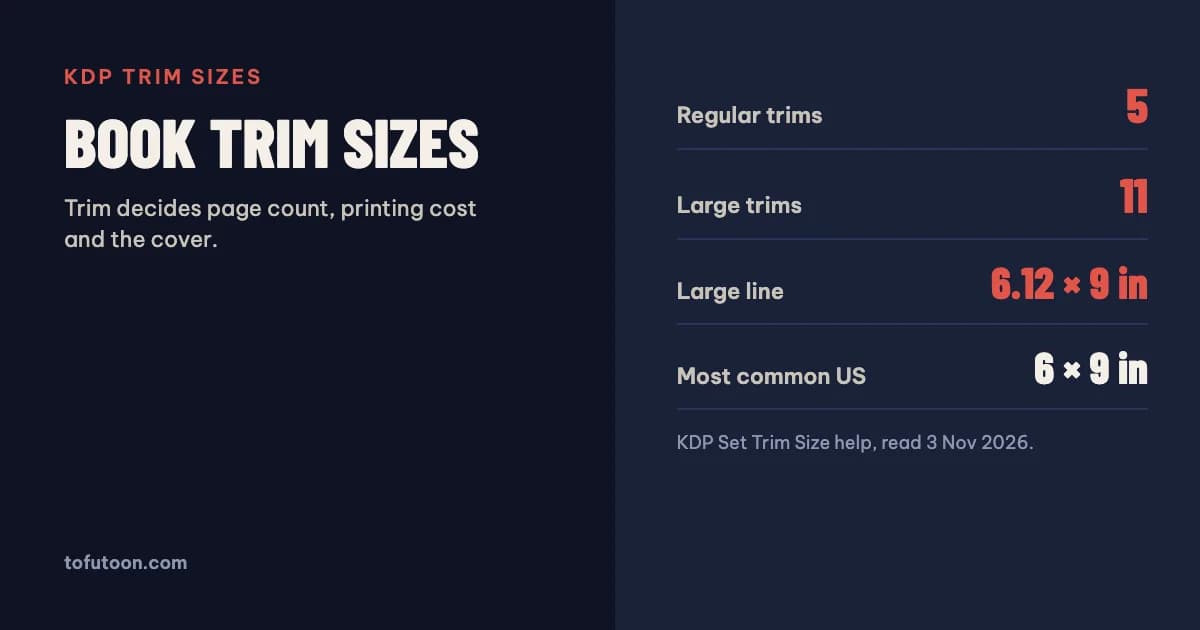
A book trim size is the width and height of the printed book after the pages are cut. KDP offers 16 paperback trim sizes; the most common in the US is 6 × 9 inches. Five sizes up to 6 × 9 count as regular, and anything wider than 6.12 inches or taller than 9 inches is a large trim with a higher printing cost. Choose the trim before you format the interior, because it changes the page count, the margins and the cover. All figures are from KDP’s help pages as of 3 November 2026.
What is a book trim size?
A trim size is the final page size of a printed book. Printers print on larger sheets and cut them down; KDP explains that all pages are trimmed by cutting 0.125 inch (3.2 mm) from the top, bottom and outside edges, which is why a book with images reaching the edge needs bleed (KDP: Set Trim Size, Bleed, and Margins). For a book with bleed the page size in your file is larger than the trim: add 0.125 inch to the width and 0.25 inch to the height, so a 6 × 9 inch book is set up at 6.125 × 9.25 inches. Without bleed, the page size equals the trim. In Microsoft Word the trim is set in the Page Size dialog. Trim size, page count and paper together also set the spine width, so the cover can only be finished once all three are fixed.
Which trim sizes does KDP offer?
KDP’s table lists 16 paperback trims. The five regular sizes are 5 × 8, 5.06 × 7.81, 5.25 × 8, 5.5 × 8.5 and 6 × 9 inches. The eleven large sizes are 6.14 × 9.21, 6.69 × 9.61, 7 × 10, 7.44 × 9.69, 7.5 × 9.25, 8 × 10, 8.25 × 6 (landscape), 8.25 × 8.25, 8.5 × 8.5, 8.5 × 11 and 8.27 × 11.69 inches, the last one being A4. Page limits depend on trim and paper. For every regular trim on white paper the range is 24 to 828 pages, or 24 to 776 on cream. The large square and letter sizes stop sooner: 8.5 × 11 inches allows up to 590 pages on white paper. Standard color ink starts at 72 pages and stops at 600. Hardcover has its own shorter list of five trims, all limited to 75 to 550 pages. KDP also accepts custom trims from 4 to 8.5 inches wide and 6 to 11.69 inches tall.
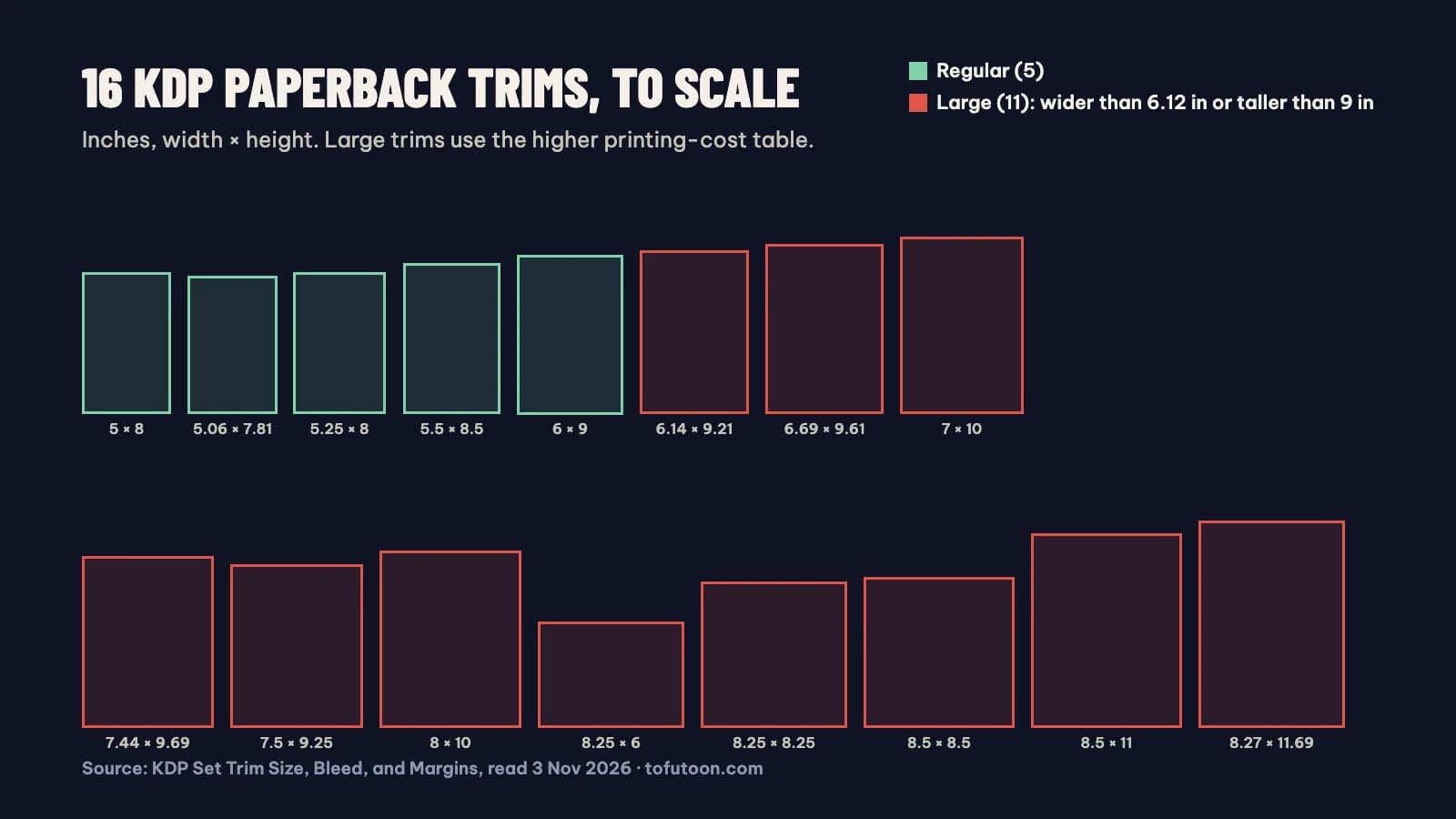
Why does the large-trim line matter for cost?
The large-trim line decides which cost table KDP uses. For a US paperback in black ink with 110 to 828 pages, the printing cost is a fixed $1.00 plus $0.012 per page on a regular trim, and $1.00 plus $0.017 per page on a large trim (KDP: Paperback Printing Cost). At 300 pages that is $4.60 for a 6 × 9 inch book and $6.10 for a 6.14 × 9.21 inch book, a difference of $1.50 on every copy, taken from your royalty. How KDP royalties work shows the full calculation. Short books pay a flat fee instead: $2.30 on a regular trim and $2.84 on a large trim for 24 to 110 pages. The trap is that 6.14 × 9.21 inches looks almost the same as 6 × 9 on the shelf. Unless the larger page saves enough pages to make up the difference, the regular trim keeps more money per sale.
How do you choose the right trim size?
Start from the books your readers already buy. KDP’s own advice is to find books with content similar to yours and see what readers expect (KDP: Manuscript Templates). Then weigh three things. Content: text-only books fit the regular trims well, while workbooks, cookbooks and picture books usually need the room of a larger page. Page count: a smaller trim adds pages, which raises the printing cost per copy and widens the spine, and very long books may run past the page limit for a size and paper. Cost: staying at or below 6.12 × 9 inches keeps you in the cheaper regular table. If you also want a hardcover edition, choose a trim that exists on both lists, such as 5.5 × 8.5 or 6 × 9 inches, so one interior can serve both. Whatever you choose, decide it once: changing trim later means a new layout and a new cover.
Quick guide by book type
- Novel or memoir: one of the five regular trims, from 5 × 8 to 6 × 9 inches.
- Nonfiction with headings and diagrams: 6 × 9 inches, the most common US size.
- Workbook, journal or textbook: 7 × 10 or 8.5 × 11 inches, large trims with higher per-page cost.
- UK and European look: 5.06 × 7.81 (close to B-format) or A4 at 8.27 × 11.69; A5 needs a custom trim.
- Paperback plus hardcover: pick 5.5 × 8.5, 6 × 9, 6.14 × 9.21 or 7 × 10 inches, the sizes on both KDP lists.
FAQ
Can I change the trim size after publishing?
Not as a simple update. KDP treats a change of trim size as a new edition, which means a new title setup, a re-formatted interior and a new cover with the new spine width.
Next step: compare every size side by side, in inches and millimetres, with the free KDP trim size guide, then see what the trim and page count do to your earnings in the KDP royalty calculator. Once the interior is done, size the cover with the KDP cover calculator. Choosing between two trims is easier when you can see the page count of each. The book formatter we are building (pay once, Windows and Mac, offline) lays out a Word manuscript for any KDP trim so you can compare before you commit. It is still in development; join the waitlist.