
Shunn Manuscript Format: The Checklist Editors Expect
The plain manuscript layout many fiction editors ask for, as one checklist, with the Modern and Classic versions and why it is not a book layout.
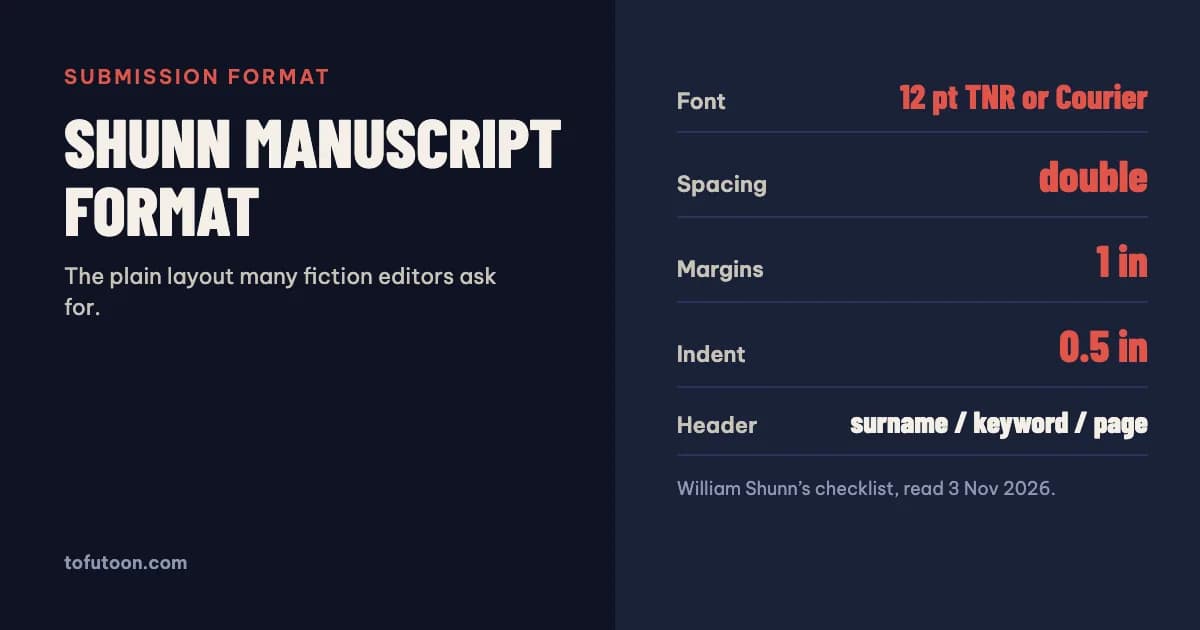
Shunn manuscript format is a submission layout described by author William Shunn in his guide “Proper Manuscript Format”: 12 point Times New Roman or Courier New in black, double spacing, 1 inch margins, 0.5 inch paragraph indents, a ragged right edge, and a header with your surname, a title keyword and the page number. Editors and magazines that ask for “Shunn format” mean this layout.
What is Shunn manuscript format?
The format is a set of layout rules for submitting fiction to editors, agents and magazines, published by William Shunn as “Proper Manuscript Format” (Shunn: Proper Manuscript Format). Its aim is readability for the person evaluating your work, not decoration. The guide starts from a plain white page, one-inch margins on every side, black type only and a 12 point font, and it advises against sans-serif or unusual fonts: the editor should notice your story, not your typeface. The guide exists in two versions with identical text. The Modern version uses Times New Roman; the Classic version uses Courier New, a monospaced font. If a market asks specifically for “Shunn Classic”, it means Courier. The guide is published under a Creative Commons licence and was last updated in July 2021, so the rules have been stable for years.
What is on the Shunn checklist?
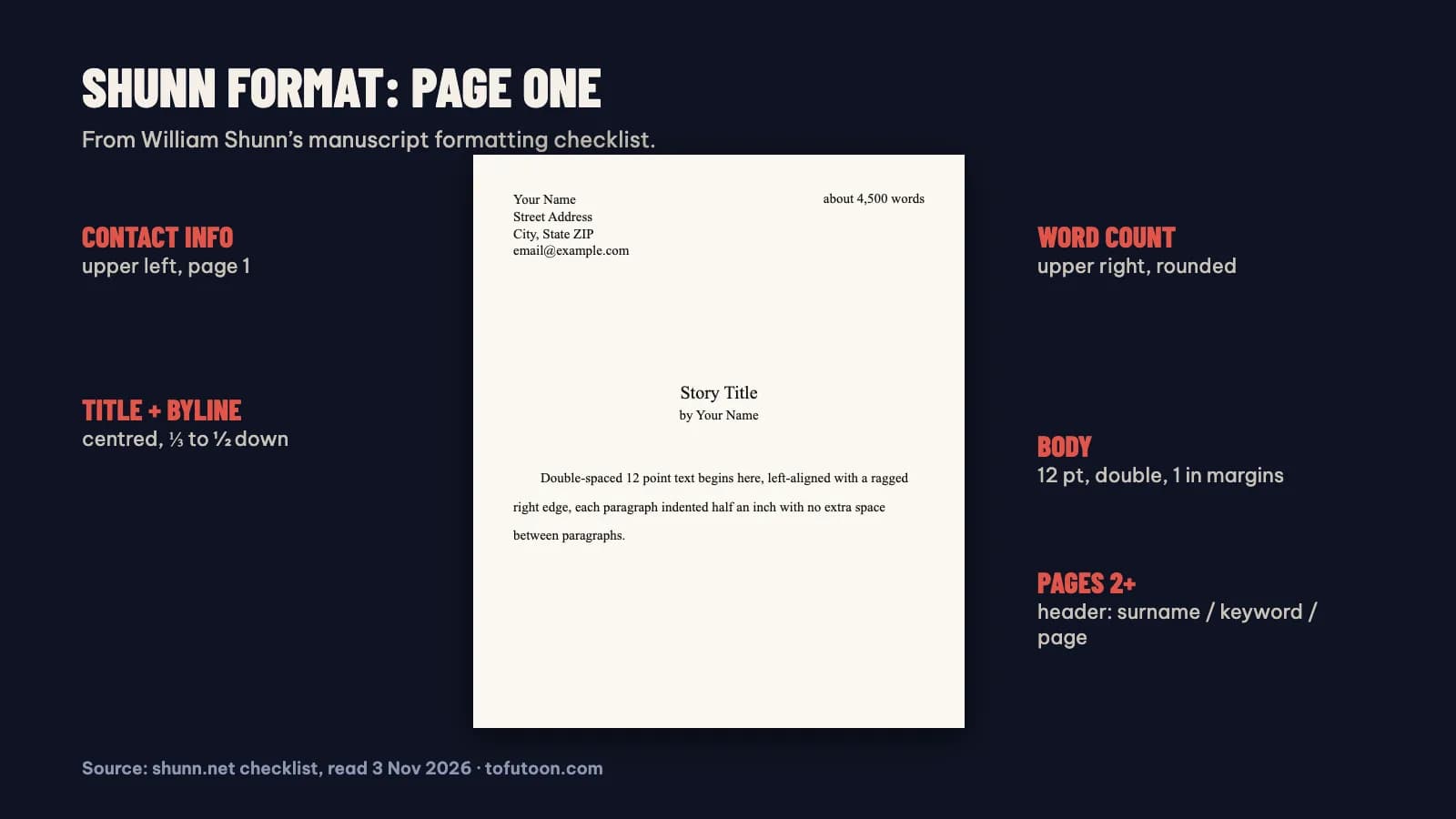
Shunn publishes a short checklist that covers the essentials (Shunn: A brief manuscript formatting checklist). Contact information goes in the upper left corner of the first page, and the word count in the upper right corner, rounded to the nearest hundred, or to the nearest 500 for longer manuscripts. The title and byline are centred one-third to one-half of the way down the first page. Text is in Times New Roman or Courier New at 12 points, in black, double-spaced, with 1 inch margins all round. Paragraphs are indented 0.5 inch, and text is aligned to the left margin only, leaving the right edge ragged. Emphasis uses italics, not underlining, and smart quotes are on, checked by eye because word processors sometimes get them wrong. Every page except the first has a header in the upper right corner with a keyword from the title, your surname and the page number.
How do you set up Shunn format in Word?
Most of the format lives in one paragraph style. In Word, modify the Normal style: Times New Roman or Courier New, 12 point, black, left-aligned rather than justified, line spacing Double, spacing before and after 0, and a first-line indent of 0.5 inch set in the paragraph settings instead of with the Tab key. Set all four margins to 1 inch under Layout → Margins. For the header, open the header area, align it right, type your surname and the title keyword, then insert a page number field; tick “Different First Page” so the first page stays clean for the contact block, the word count and the title. Put the title and byline in their own centred paragraphs with no first-line indent. Use Word’s word count and round it as the checklist says. Save a template from this file, and every new story starts in the right format.
How is a manuscript different from a formatted book?
A manuscript and a printed book follow opposite rules, and mixing them causes trouble at both ends. Shunn’s checklist says to leave out fancy elements such as drop caps and dingbats, because a manuscript is “a blueprint for a finished book, not the book itself.” A submission is double-spaced and ragged-right on plain pages, so an editor can read and mark it. A printed book is the reverse: KDP’s Word guide sets the page to the trim size, mirrors the margins with an inside gutter that grows with page count, justifies the text, and uses a 0.2 inch first-line indent with single spacing (KDP: Format a Paperback Manuscript). So keep your Shunn file for submissions, and when you self-publish, start the book layout from a copy. Sending a typeset book to an editor, or uploading a Shunn manuscript to KDP, both look wrong.
FAQ
Should I use Times New Roman or Courier for Shunn format?
Either is accepted in Shunn’s checklist. The Modern version of the guide uses Times New Roman and the Classic version uses Courier New. Follow the market’s guidelines; if it asks for “Shunn Classic”, use Courier.
Is Shunn format the same as standard manuscript format?
For fiction submissions they usually mean the same thing: a plain, double-spaced, 12 point manuscript with a header and word count. Shunn’s guide is one detailed, free description of it. Always check the specific market, because its own guidelines override any general format.
Next step: if you are self-publishing rather than submitting, read How to format a book in Word for a KDP paperback, then pick a size with the free KDP trim size guide. When a Shunn manuscript becomes a self-published book, the layout has to be rebuilt. Our pay-once book formatter for Windows and Mac, now in development, is meant to do that step offline, from your Word file to a print PDF and an EPUB. Join the waitlist to hear when it is ready.