
Can ChatGPT Plus Use Skills? Where SKILL.md Works
Not in the chat Skills tab: OpenAI lists that for Business, Enterprise, Healthcare and Edu. On Plus, a SKILL.md runs in Codex, and a Project can hold it as instructions.
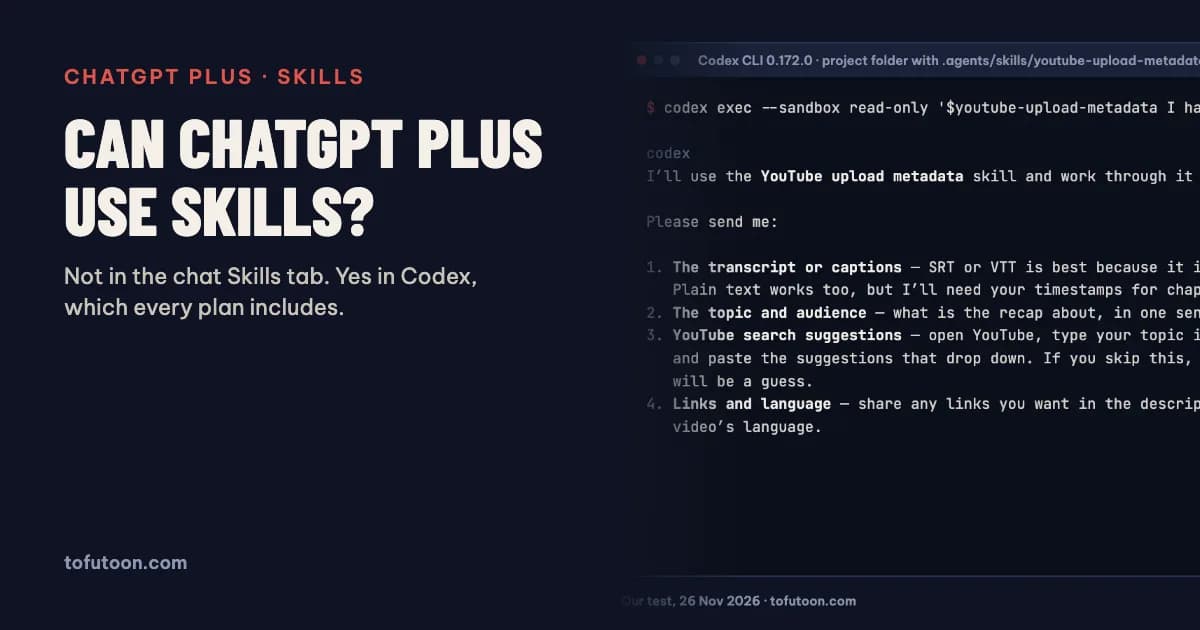
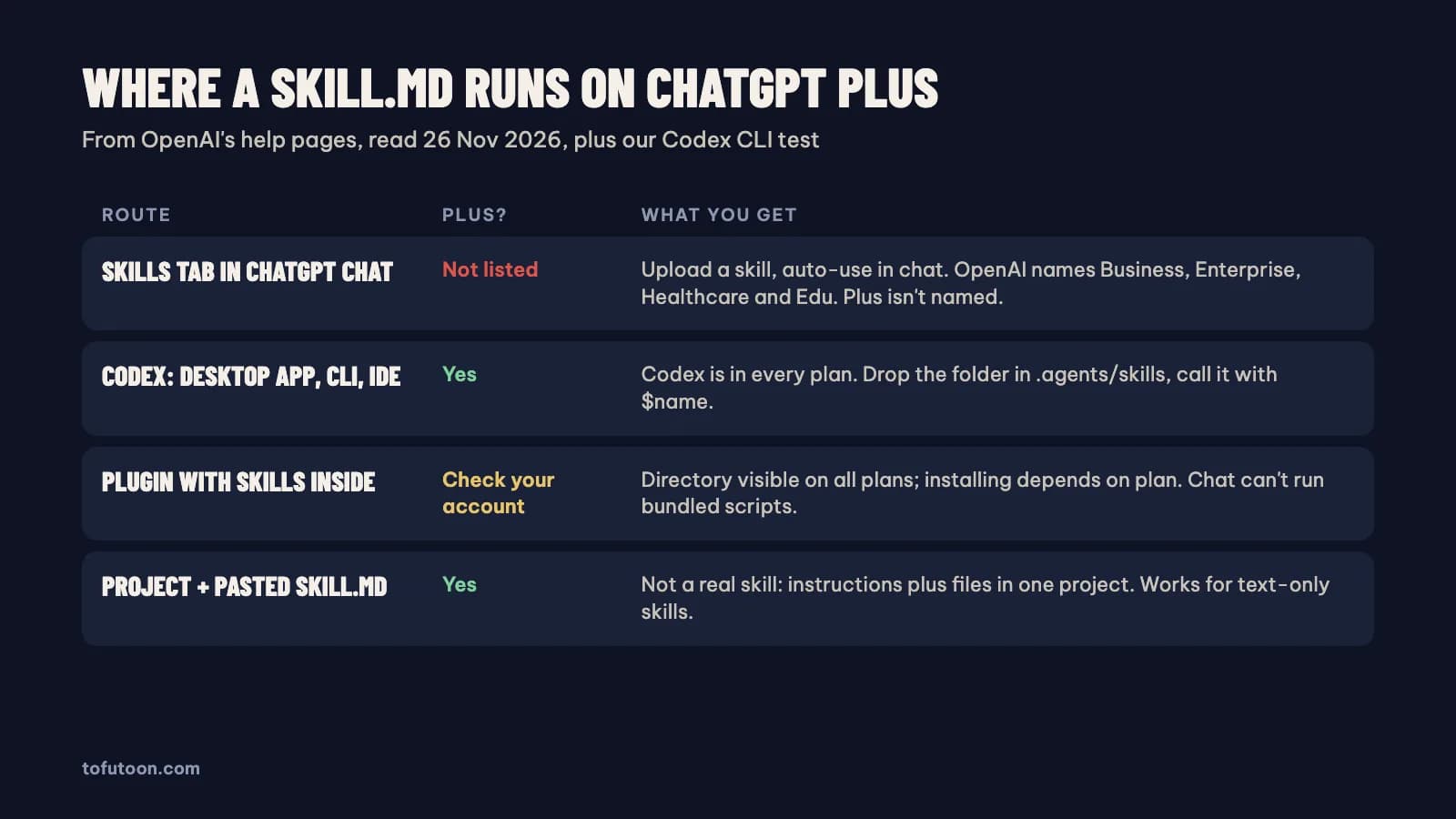
Not in ChatGPT chat itself. OpenAI's help page says skills are available to "eligible ChatGPT Business, Enterprise, Healthcare, and Edu users", and Plus isn't on that list (Skills in ChatGPT, read 26 November 2026). A Plus account can still run a skill, though. Codex is included in every ChatGPT plan, Free and Go too, and Codex loads SKILL.md files. We put one of our skills in a project folder and Codex CLI 0.172.0 found it and ran it. In ordinary chat, the closest thing on Plus is a Project that holds the SKILL.md as instructions.
Why the answers online disagree
Search "can chatgpt plus use skills" and you'll get a no from the AI Overview, a yes from a YouTube video titled "ChatGPT Plus users have access to Skills now!" (25 September 2026), and Reddit threads asking the same question. They are talking about different products that all carry the ChatGPT name. The Skills tab sits in ChatGPT chat, under Plugins, and that one is for work and school plans. Codex is a separate client: the ChatGPT desktop app has a Codex mode, and there is a CLI, an IDE extension and a web version (Using Codex with your ChatGPT plan). OpenAI's skills guide says standalone skills work in the desktop app, the Codex CLI and the IDE extension, while skills bundled inside plugins show up in Chat on web, desktop and mobile (Build skills). So "Plus can use skills" is true in Codex and false in the chat Skills tab. We didn't watch the YouTube video closely enough to say which one it shows.
Run a skill in Codex on a Plus plan
This is the route that works today. Codex looks for skills in a few folders, including .agents/skills inside the project you open and .agents/skills in your home folder. A skill is a folder with a SKILL.md in it, so installing one means copying that folder into place:
- Open Codex: the Codex mode in the ChatGPT desktop app, the CLI, or the IDE extension. Sign in with your ChatGPT account.
- Download a skill folder. Our free YouTube Upload Metadata skill is one SKILL.md.
- Put the folder at .agents/skills/youtube-upload-metadata/ in the project you open in Codex.
- Start a new session and call it by name: type $youtube-upload-metadata (or pick it from /skills), then say what you want.
We ran exactly that on 26 November 2026 with Codex CLI 0.172.0, signed in with a ChatGPT account. Asked to list its skills, Codex named youtube-upload-metadata and gave the path inside our test folder. Then we sent "$youtube-upload-metadata I have a 9-minute recap video. Start." It said it would use the skill and asked for the four inputs that the SKILL.md lists in Step 1: captions, topic and audience, YouTube search suggestions, links and language. It didn't write a title before getting them: the file says to work in steps and wait at each checkpoint.
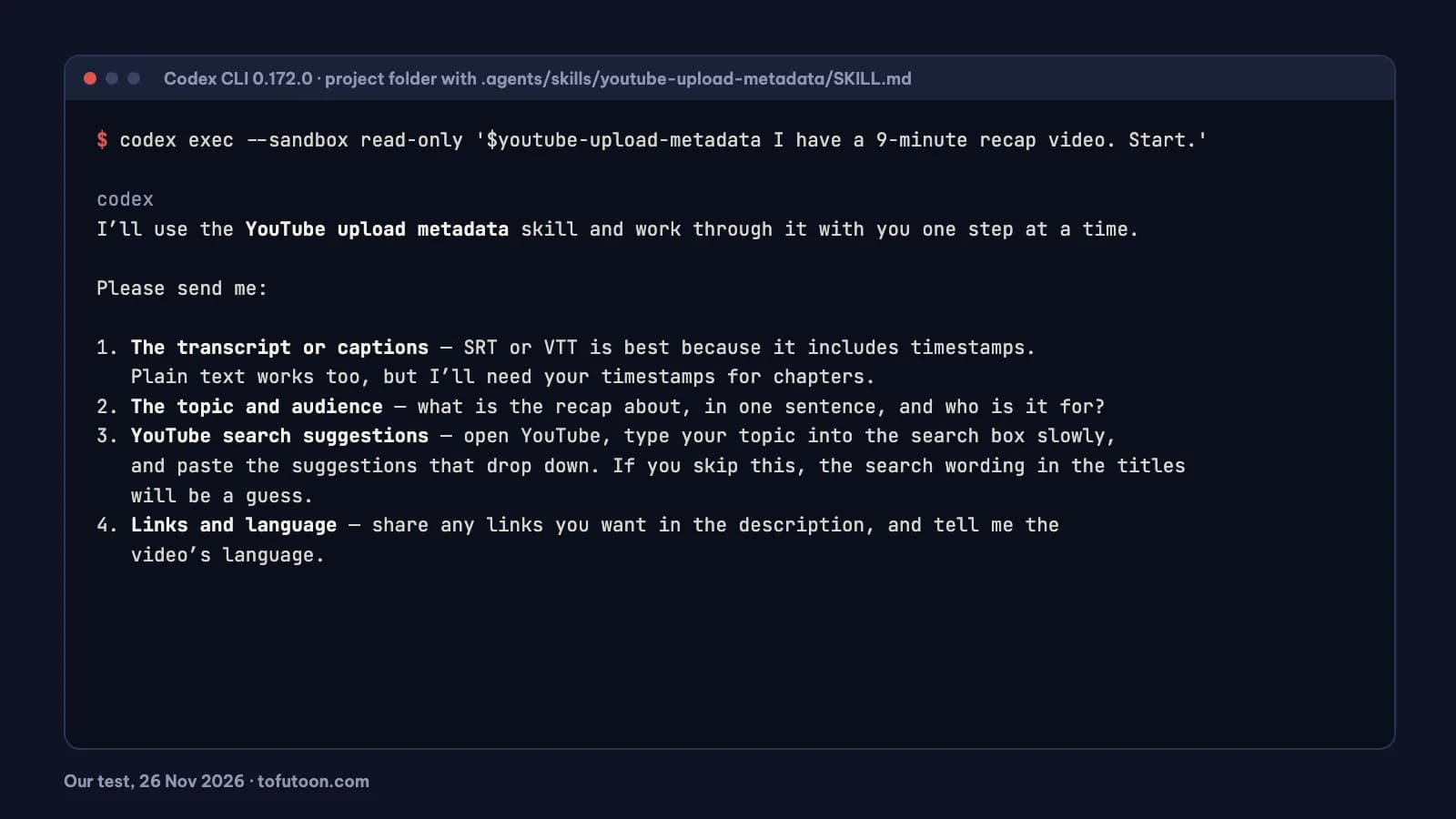
What we didn't test: the desktop app's Codex mode and the IDE extension (OpenAI's guide lists both), and the plan of the account doesn't show in the run, so read it as "Codex loads a project skill", not as a Plus test. The day before, Codex CLI passed every scripted scenario for both of our skills, from a folder and from a pasted file.
Plugins: the route that may open up
A plugin can hold skills, apps or both, and some hold only skills. OpenAI's plugin page says the directory "is available across ChatGPT plans", but installing a given plugin "depends on your plan, workspace, role, region" (Plugins in ChatGPT, updated 4 days before we read it). There's also Plugin Creator: install it from the directory, then start a chat with @plugin-creator and describe the plugin. Uploading a plugin ZIP needs upload permission or an admin role, so that path is for workspaces. We couldn't check what a Plus account sees there. Open Plugins in the sidebar and look before you plan around it.
This matters more after 11 December 2026. Custom GPTs are scheduled to retire that day on every plan, and OpenAI's migration turns a GPT's instructions into a skill inside a new plugin (Custom GPT retirement and migration FAQ). One limit from the same page: "Standard Chat, including Instant, does not currently support running scripts bundled with installed plugins." A skill that only gives instructions is fine there. A skill that runs a Python script needs Codex.
The Project workaround in plain ChatGPT
Never leave the chat window? A ChatGPT Project gets you most of a text-only skill on Plus. Projects keep chats, files and instructions together, and project instructions apply only inside that project (Projects in ChatGPT, updated 3 days before we read it). OpenAI's own GPT retirement FAQ points people who used a GPT for ongoing work to a Project. Set it up once:
- Select New project in the sidebar and name it after the skill.
- Upload the SKILL.md as a project file.
- Open the project menu (•••) → Project settings, and paste: "Read the attached SKILL.md and follow it step by step. Start with step 1 and wait for me at each checkpoint."
- Start every run as a new chat inside that project.
Be clear about what you lose. It isn't a skill to ChatGPT: it won't trigger on its own in other chats, it can't run scripts bundled with the skill, and you can't call it with @. The number of files a project can hold depends on the plan. For a skill like our YouTube one, which is a single file of steps and checkpoints, none of that hurts much. That's why we list the Project route next to every skill on our skills pages.
Which route should you use?
- The skill runs scripts or touches files on your computer: Codex. Chat can't run bundled scripts.
- It's a text-only workflow and you live in the ChatGPT window: a Project with the SKILL.md as instructions.
- You're on a Business, Enterprise, Healthcare or Edu workspace: use the real Skills tab (Plugins → Skills → Create → Upload from your computer). Uploads are scanned first, and some get marked Needs Review.
- You're replacing a custom GPT before 11 December: check My GPTs for a "Migrate to plugin" option, and keep a Project as the fallback.
The trade-off with Codex is that it's built for code. It opens a folder, it can read and change files in it, and its interface is a terminal or an editor panel. For someone who writes video scripts in a browser tab all day, the Project route is less friction even though it's the weaker setup. Already use Codex for anything? Put your skills in the home skills folder once and they show up in every project.
Skills are plain files, so the same SKILL.md also works outside ChatGPT. Claude and the Gemini app take an upload, and the recap workflow we sell was tested on Codex and Gemini before it went on sale. For comic recaps, the prompt guide for recap scripts shows what a skill like that has to cover.
FAQ
Can ChatGPT Plus users upload a SKILL.md in chat?
Not through the Skills tab. As of 26 November 2026, OpenAI lists the Skills tab (Plugins → Skills → Create → Upload from your computer) for eligible Business, Enterprise, Healthcare and Edu users only, and Plus isn't named ([Skills in ChatGPT](https://help.openai.com/en/articles/20001066)). On a Plus plan, put the skill folder in Codex, which reads SKILL.md files, or attach the SKILL.md to a ChatGPT Project as instructions.
Is Codex included in ChatGPT Plus?
Yes. OpenAI says Codex is included across ChatGPT plans, Free and Go included. Codex Cloud needs Plus or higher.
Where does Codex look for skills?
Codex reads skills from .agents/skills inside the project you open and from .agents/skills in your home folder, among other places listed in OpenAI's Build skills guide. Each skill is a folder with a SKILL.md. In our Codex CLI 0.172.0 run, a skill in the project folder showed up in the list and started when called as $youtube-upload-metadata.
Do skills work on ChatGPT Free or Go?
Through Codex, yes. OpenAI says Codex is included in every ChatGPT plan, Free and Go included, and Codex loads SKILL.md files. The Skills tab in ChatGPT chat is not listed for Free or Go. Projects are open to signed-in users, subject to plan, so check that the Projects option shows up on your account first.
What happens to custom GPTs?
They are scheduled to retire on 11 December 2026 (28 February 2027 for FedRAMP and approved deferrals). Migration turns the instructions into a skill inside a plugin, and old chats stay in your history.
Can a skill in ChatGPT chat run Python?
Not a script bundled with an installed plugin. OpenAI says standard Chat doesn't support running those yet. Codex can.
If you want something to try in Codex today, download the free YouTube Upload Metadata skill, drop the folder into .agents/skills and type $youtube-upload-metadata. The other skills are on the AI skills page.