
PDF to EPUB: Why Conversion Breaks and How to Fix It
A PDF stores lines at fixed positions; an EPUB needs paragraphs and chapters. That gap explains almost every broken conversion.
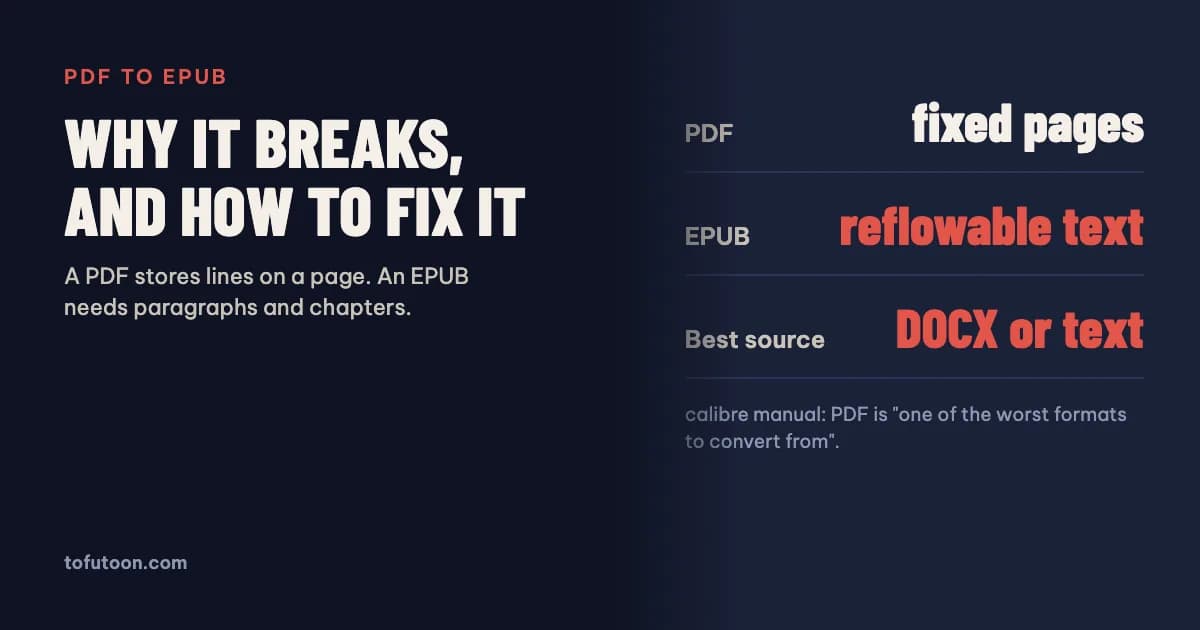
PDF to EPUB conversion breaks because a PDF stores text as lines placed on a fixed page, while an EPUB is reflowable text organised into paragraphs and chapters. A converter has to guess where each paragraph ends, which lines are headings and what is a page number. The calibre manual calls PDF “one of the worst formats to convert from”. The best result usually comes from converting the original Word or text file instead, and checking the EPUB before you upload it.
What is the difference between a PDF and an EPUB?
A PDF is a fixed-layout format: every character sits at an exact position on a page of a set size, so it looks the same everywhere and cannot reflow. An EPUB is a packaged website: XHTML files for the text, CSS for styling, images, and a navigation document, defined by the W3C EPUB 3 standard (W3C: EPUB 3.3). Most EPUBs are reflowable, which means the reader picks the font size and the text re-wraps to fit a phone, an e-reader or a tablet. That flexibility needs structure the PDF never stored: which text forms one paragraph, which line is a chapter heading, where a chapter starts. A converter has to rebuild that structure from the visual layout, and every guess can go wrong. That is the root cause behind joined paragraphs, broken lines and missing chapters.
Why does PDF to EPUB conversion break?
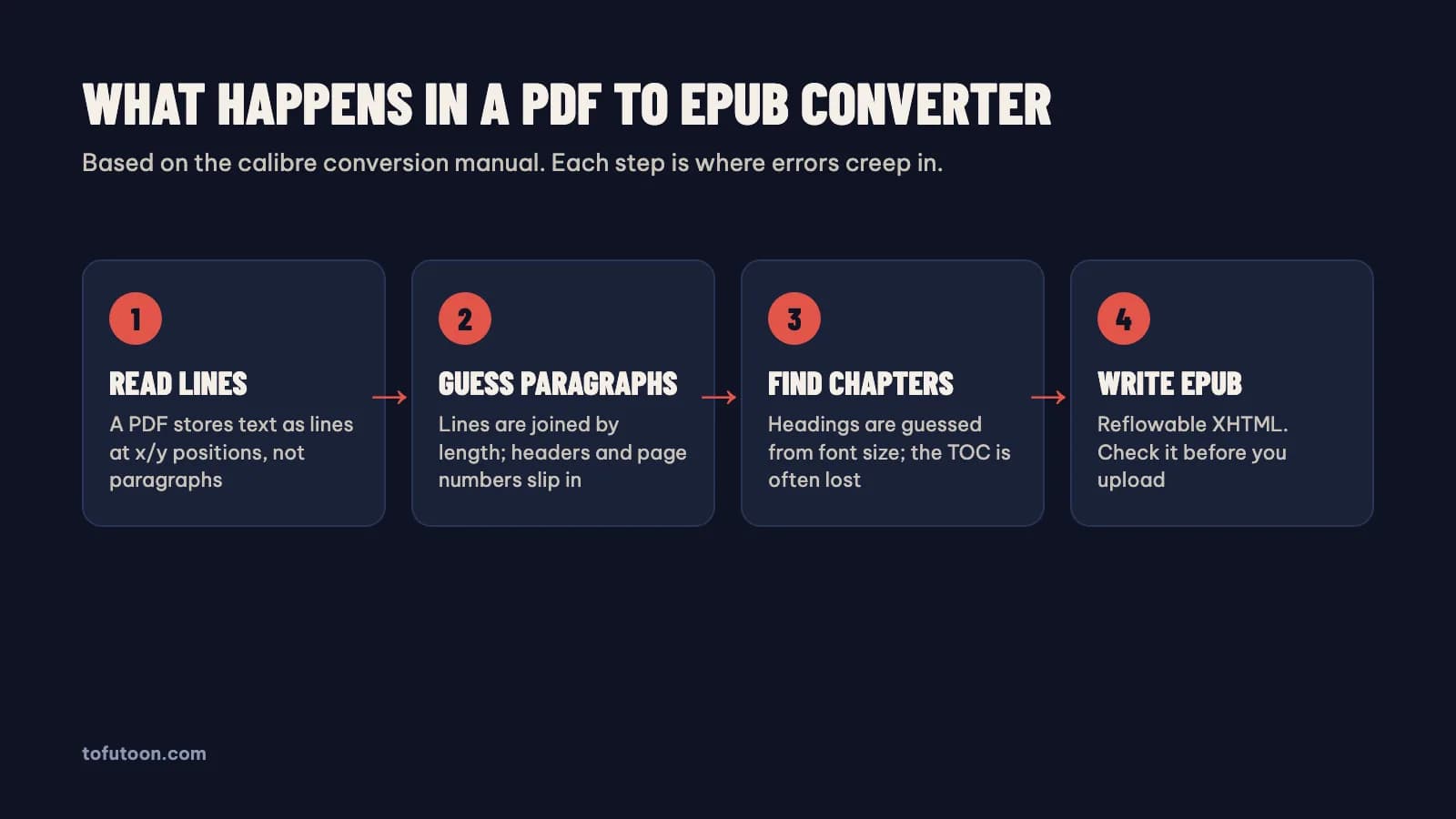
According to the calibre manual, PDF input has known limits (calibre: Convert PDF documents). Line breaks inside a paragraph look the same as paragraph breaks, so calibre unwraps lines with a “line un-wrapping factor”, by default 0.45 of the median line length. Running headers, footers and page numbers end up inside the text unless they are removed with search and replace. Multi-column layouts, tables and vector images are not supported. Links and the table of contents are lost. Ligatures such as “fi” and “ff” may come out wrong, and PDFs that embed non-Unicode fonts produce garbled characters. Scanned PDFs are photos of pages with a hidden OCR layer, so the converter copies that OCR text, which can differ from what you see. The manual’s own summary: expect output “anywhere from decent to unusable”, depending on the PDF.
What is the best way to convert a PDF to EPUB?
The best way to convert a PDF to EPUB is often not to convert the PDF at all. If you wrote the book, the PDF was exported from something: Word, Google Docs, Scrivener or an InDesign file. Converting that source keeps the real paragraphs, heading styles and chapter breaks, so the EPUB needs little repair. KDP itself lists DOCX, its own KPF format from Kindle Create, and EPUB as its recommended eBook formats, and accepts PDF only for a limited set of languages. When only the PDF exists, pick the route by type:
- Text PDF of a simple novel: convert with calibre, then fix headers, page numbers and joined paragraphs in its editor.
- Scanned PDF: run OCR first, proofread the text, then build the EPUB from that text. Our guide to scanned PDF to Word covers the OCR step.
- Picture book, comic, cookbook or textbook with complex layout: keep the page design and make a fixed-layout eBook, or rebuild the layout from the source files.
- Plain text, such as a web serial or notes: our free TXT to EPUB converter splits chapters and builds the EPUB in your browser.
Can you convert a PDF to EPUB for Kindle?
Yes, and the format question is simpler than it used to be. For publishing, KDP accepts EPUB files that meet its Kindle Publishing Guidelines and recommends checking them in Kindle Previewer before upload (KDP: supported eBook formats). KDP has also stopped accepting MOBI files for fixed-layout eBooks since March 2025, so there is no reason to convert an EPUB to MOBI for a new book. For reading your own documents, Amazon’s Send to Kindle service lists EPUB and PDF among its supported file types, along with TXT, RTF, HTML and common image formats, with a 200 MB limit for web uploads (Amazon: Send to Kindle). MOBI is not on that list. A PDF sent this way stays a fixed page, which is hard to read on a small screen; an EPUB reflows, so converting first gives a better reading experience on an e-reader.
How to check an EPUB after converting
- Open it in an e-reader app and change the font size. Text should re-wrap; if lines break mid-sentence, the paragraphs were not unwrapped.
- Open the table of contents. Every chapter should be listed and each link should land on the right heading.
- Search for page numbers and running headers that slipped into the text, such as the book title repeated every few pages.
- Look at every table and image. If a table became a block of loose words, rebuild it or replace it with an image and a text description.
- For KDP, preview the file in Kindle Previewer. For Apple Books, Google Play Books or Kobo, run the official EpubCheck validator, because those stores reject files that fail it.
Honest trade-off: a converted PDF rarely matches the quality of an EPUB built from the manuscript. A simple novel can come out clean after an hour of cleanup; a two-column textbook may not be worth converting. If the source exists, spend the time getting it instead of repairing the PDF output line by line.
FAQ
Why are my paragraphs broken after converting a PDF to EPUB?
Broken paragraphs after PDF to EPUB conversion come from line breaks: a PDF ends every printed line with a break, and the converter has to decide which breaks end a paragraph. In calibre, the line un-wrapping factor controls that guess; the manual says the default is 0.45, and lowering it unwraps more text. Removing headers and page numbers first also helps.
Is a fixed-layout EPUB better than a PDF?
A fixed-layout EPUB keeps the page design like a PDF but adds eBook features such as a navigation menu and store compatibility, so it suits picture books, comics and cookbooks. It still does not reflow, so text stays small on phones. For novels and most non-fiction, a reflowable EPUB built from the manuscript is the better choice.
Next step: if you have the manuscript, start from it; if you only have text, try the free TXT to EPUB converter, and you can turn an EPUB back into an editable document with EPUB to Word. Better still, skip the PDF step entirely: the pay-once book formatter we are building for Windows and Mac exports an EPUB and a print PDF from one Word manuscript, offline. Join the waitlist for the first release.