
Comic dub maker: how to choose one, with a real scene test
Generating the voices was the easy part of our test scene. Reading order, casting and timing are where a dub tool earns its price, so test those first.
A comic dub maker is any tool that turns comic pages into voiced audio or video. Under that name you'll find online apps that do the whole job, voice generators you pair with an editor, and desktop apps like ours that handle the text and the audio but stop before the video. They fail in different places, so before asking which one is best, decide which jobs you're willing to keep doing yourself.
To see where the work really goes, we voiced six speech bubbles from our own comic, The Crimson Vow, with edge-tts 7.3.1. Creating all six lines took under seven seconds. Making them sound like two people talking is a separate job, and that job is what you're paying a tool to do.
What does a comic dub maker have to do?
Five jobs, whatever the tool is called. Any it skips land on you:
- Read the page in order. Bubbles come out in reading order, including right-to-left manga.
- Keep speech apart from everything else. Sound effects, signs and captions stay away from the voice.
- Know who's talking. Without this you get one voice reading a conversation, or you label each line by hand.
- Keep each character on one voice, across pages and across chapters.
- Put the audio against the panels with timing that fits the scene, then export the video.
Job three is the one to press on. Online makers now advertise it. MemeReactor's comic dub maker, according to its page on 5 November 2026, detects panels, works out the speaker of each bubble, gives each character a voice and renders the video on its own servers, with prepaid credits priced per page. That's the job our own app doesn't do. Maybe it guesses your comic correctly and maybe it doesn't. Crowded pages, off-panel speakers and narration boxes are the hard cases, and only your own pages will tell you.
Three kinds of tool, and what each one costs you
All-in-one online makers
An all-in-one online maker takes an uploaded page and returns a video. It's the shortest road to a first result, and for a two-page strip we'd start here. The trade is that per-page credits grow with every chapter, your pages go to someone's server, and you can only change what the tool lets you change. Before committing a series, work out a month: price per page, times pages per chapter, times chapters.
A voice generator plus a video editor
Free voices and CapCut can make a good dub, and you control every beat. The catch is arithmetic: a chapter with 90 bubbles means 90 audio clips to create, name, trim and place. That's fine for one polished scene. Week after week, it's the reason people stop. Our step-by-step comic dub guide covers this route.
A desktop app for text and voice
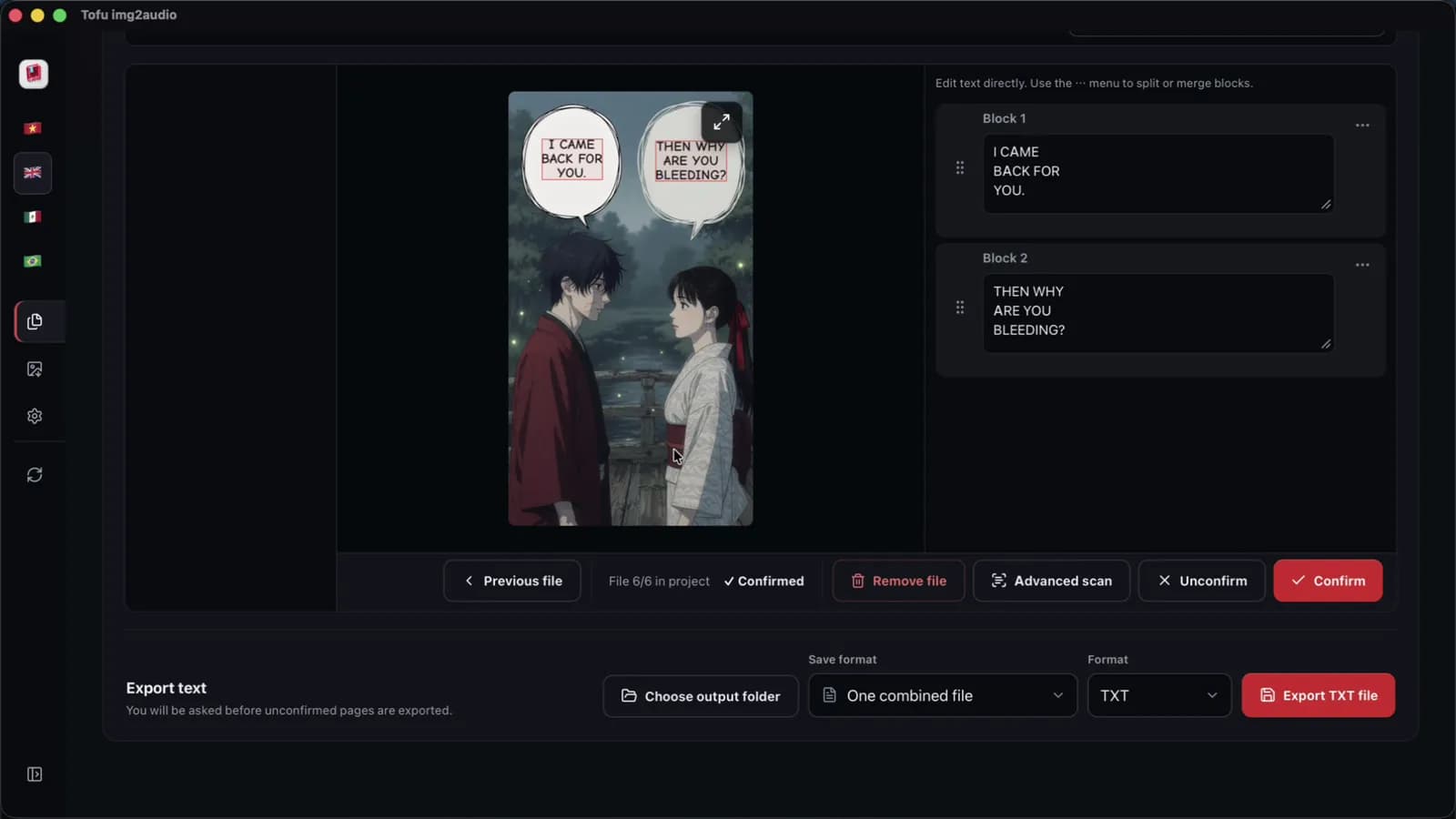
Tofu Image Text is in this group. You load a folder of pages, it reads the bubbles on your computer and shows each page beside its text so you can fix mistakes. Then it can rewrite the dialogue with your own AI key and save one audio file per chapter. It suits long narrated series. It gives you no speaker detection and no video, so you'll still edit in CapCut.
What a real scene taught us
Our scene has two characters and six bubbles, from "Who's there?" to "Then why are you bleeding?". We cast Aria as Mina and Christopher as Kang because their measured pitch sits far apart, about 205 Hz against 113 Hz. All of this comes from one run with edge-tts 7.3.1 on 5 November 2026, so treat it as a look inside one scene and not a benchmark. Five things are worth checking in any tool:
- Creating voices is not the slow part. The six lines took 6.8 seconds, though one later call took 11.3 seconds on its own. At that pace 90 lines need about two minutes of generation. The handling afterwards is the cost.
- Clips arrive full of silence. Each file opened with about 0.2 s of nothing and ended with about 0.9 s. Out of 13.07 s of files, 6.37 s was speech. Line them up as they come and every reply lands more than a second late. Trimmed, with 0.25 s between replies, the same scene ran 8.1 s, against 14.9 s untrimmed with 0.35 s gaps.
- A period is the pause you can control. "Run. Now. The gate is closing!" ran 4.90 s, with almost a full second after each word. With commas it ran 3.38 s, and an ellipsis gave no longer a pause than a comma did.
- Capital letters don't act as shouting. Comic lettering often comes out of OCR in capitals. Five of our six bubbles timed exactly the same in capitals and in sentence case. That's timing and not tone, so listen for yourself.
- Leftover tags get read aloud. "[SFX: SLASH!] Drop the blade!" ran 4.56 s against 1.97 s without the tag.
A short test to run before you pay
Demo pages are chosen to look good, so use your own. Pick one page you have the right to use, with two speakers, one sound effect, one narration box and all-caps lettering. Run it through the tool and answer these:
- Did the lines come out in reading order? Try a right-to-left page if you dub manga.
- Did the sound effect stay out of the audio?
- How many lines went to the wrong character? Count them.
- Run the next page. Do the characters keep the same voices?
- Can you change the gap between two replies without regenerating the page?
- Can you fix one wrong word and redo only that line?
- What do you get to keep? Video only, or separate audio you can re-edit?
If it fails on speakers and your series is long, stop fighting it and switch format. A narrated recap needs none of that casting logic, and we compared the options in one narrator or a full cast. If it fails on questions five and six, you'll feel that on every episode, because small fixes become full reruns.
Where Tofu Image Text fits, and where it does not
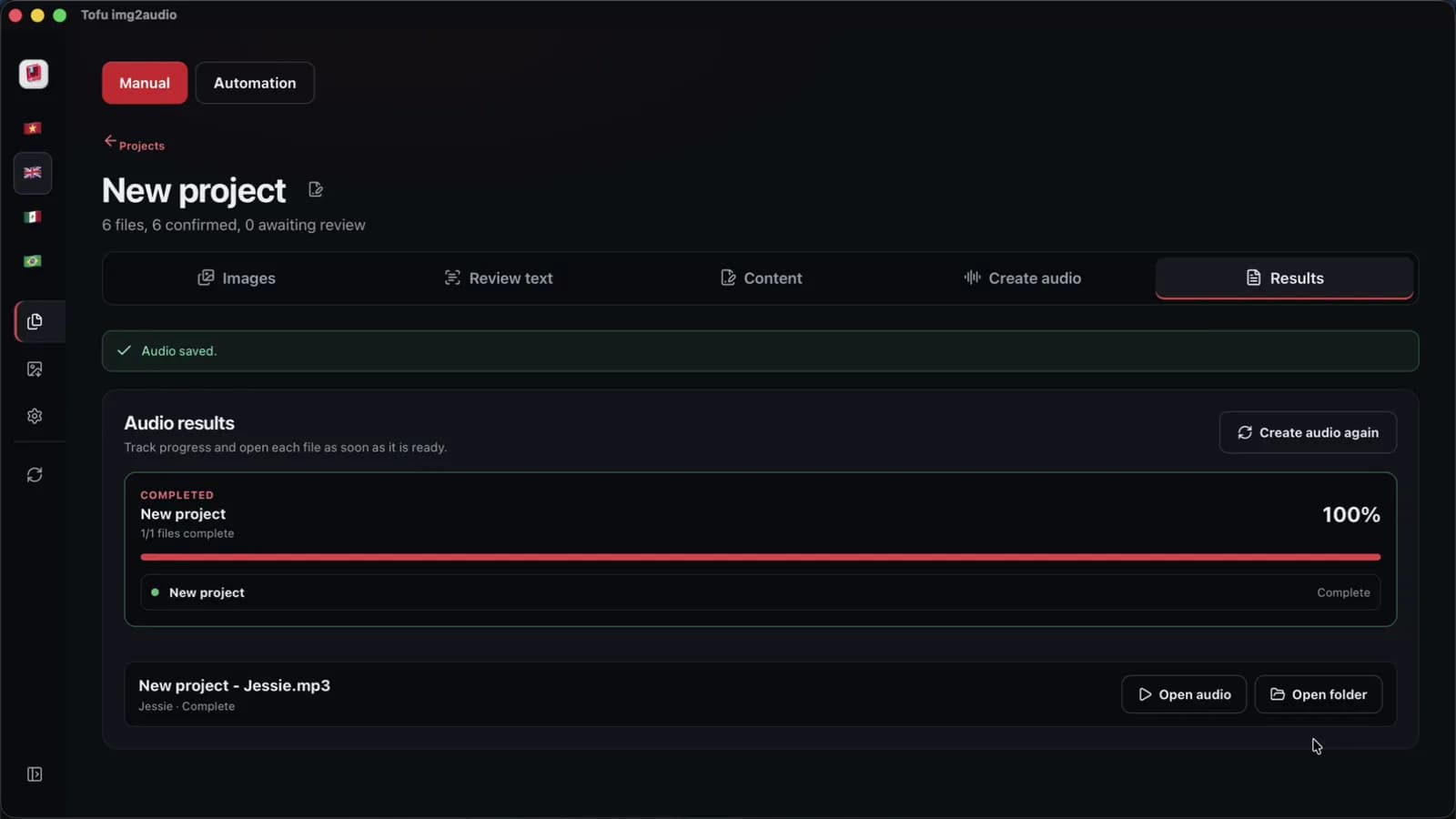
Tofu Image Text is worth buying when you narrate a long series and want a chapter of pages to become a reviewed script and one audio file. It reads PNG, JPG, WEBP, HEIC, TIFF and scanned PDF pages, lets you set the reading direction, and lets you split, merge and reorder blocks. In one recorded run on an Apple M4 Pro with short sample pages, version 0.1.33 read a 6-page chapter in about 2 seconds and made its audio in 38 seconds. We haven't measured OCR accuracy, and your provider and network will change those times.
Skip it for a character-voiced dub out of the box, or for a finished MP4. It does neither today: one audio file uses one voice, and there is no video export. You can still get a cast from it with extra work. Export the script as TXT, split it into one file per bubble, then voice each character's files separately. Tofu Voice, a separate product, turns a folder of TXT files into one MP3 per file named after the source, so 001-mina.txt stays first on the timeline.
Whose comic is it?
The tool pages we read push this question back to you, and so do we. You need the right to use the pages. That's why this test used our own comic. Voicing full chapters of someone else's series and uploading them is the riskiest version of this hobby, and rights holders can remove videos and issue copyright strikes on YouTube. No format is safe by default, ours included. Read recap videos and copyright before your first upload. It's general information and not legal advice.
FAQ
Is there a free comic dub maker?
For a first test, yes. Free voices from Microsoft Edge or CapCut and the free plan of CapCut desktop cost nothing, but you handle every bubble yourself. MemeReactor gives new accounts free credits, so check what each page costs once those run out.
Can a comic dub maker export MP4?
All-in-one online makers do, since the video is what they sell. Tofu Image Text doesn't: it gives you the script and one audio file per chapter, and you build the video in an editor. Our [CapCut walkthrough](/blog/comic-dub-video-capcut) covers that part.
Do I need a different voice for every character?
No. Short, dialogue-led scenes gain the most from a cast. On a long series one narrator is far less work, and a narrator plus two lead voices is a sensible middle.
Take one page you have the right to use and run the seven questions on whichever tool you're considering. Write the answers down, then compare. If you land on a narrated series, the Tofu Image Text page shows the whole pages-to-audio flow, and the manhwa recap guide covers the channel side.