
Image to text converter for PC: free tools vs batch OCR
Free tools from Microsoft and Apple can copy text from one image. Folders, scanned PDFs and private files need more. Here is what each image to text option does well.
An image to text converter for PC is a program that reads the letters in a photo, screenshot or scanned page and turns the letters into editable text. The technology is OCR (optical character recognition). On a computer there are three kinds of image to text tools. First, free tools from Microsoft and Apple copy text from one area of the screen. Second, cloud services such as Google Drive convert an uploaded file. Third, desktop apps read whole folders and scanned PDFs on the computer. The right choice depends on volume and privacy. For example, at a typing speed of 40 words per minute, retyping 1,500 words from 50 pages takes about 37 minutes. Free tools cut the typing for a few images. A folder of 50 pages is where a batch tool helps most. The sections below cover each option, the common errors and the checks worth doing.
Which free image to text tools do Windows and macOS offer?
The free option on Windows is a Microsoft add-on, and on a Mac the free option is part of Preview. On Windows, first install Microsoft PowerToys, which includes Text Extractor. According to Microsoft, PowerToys Text Extractor opens with `Win + Shift + T`, copies the text inside a dragged area to the clipboard, and uses the OCR language of your Windows settings. The same Microsoft page warns that the output may not be perfect and needs a quick proofread. On a Mac, Apple documents Live Text in Preview: open an image, drag across the text, then choose Copy Text. Both tools cost $0 and suit, for instance, a receipt, a slide or a single comic panel. Both work one area at a time, so a folder of 60 images means 60 captures, 60 pastes and no record of which text came from which file.
When does Google Drive work as an image to text converter?
Google Drive works as an image to text converter when files are small, clean and fine to upload. The Google Drive OCR help page lists the limits. According to Google, Drive converts PDFs and .jpeg, .png or .gif photos, the file should be 2 MB or smaller, and text should be at least 10 pixels high. To convert, first upload the file, then right-click the file in Drive and choose Open with Google Docs. The same page says lists, tables, columns, footnotes and endnotes are not likely to be detected. In practice, a two-column scan or a comic page with bubbles in several columns can come out in the wrong order. Drive also means uploading every file to Google, which matters for contracts, medical letters or unpublished work. For a few clean single-column pages, Drive is a good free choice.
What makes image to text conversion fail, and how do you fix it?
Bad input is the main reason image to text conversion fails. OCR engines from Microsoft, Apple and Google all struggle with the same four kinds of input, so the fixes work in any tool:
- Blurry or low-resolution images: rescan or recapture at a higher resolution, and avoid screenshots of screenshots.
- Tilted pages: rotate and straighten the scan before OCR, as Google Drive asks for right-side-up documents.
- Busy backgrounds and handwriting: expect more errors, and plan a careful check of those lines.
- Columns and speech bubbles: check the reading order, because simple OCR reads straight across the page.
The order is simple: first fix the input, then check the output. Numbers and names need the closest check, because one wrong letter changes the meaning. For example, read the output beside the original image with Tofu Image Text or two windows side by side. Comic pages have their own problems, covered in extract text from manga pages.
When does a batch image to text app make sense on a PC?
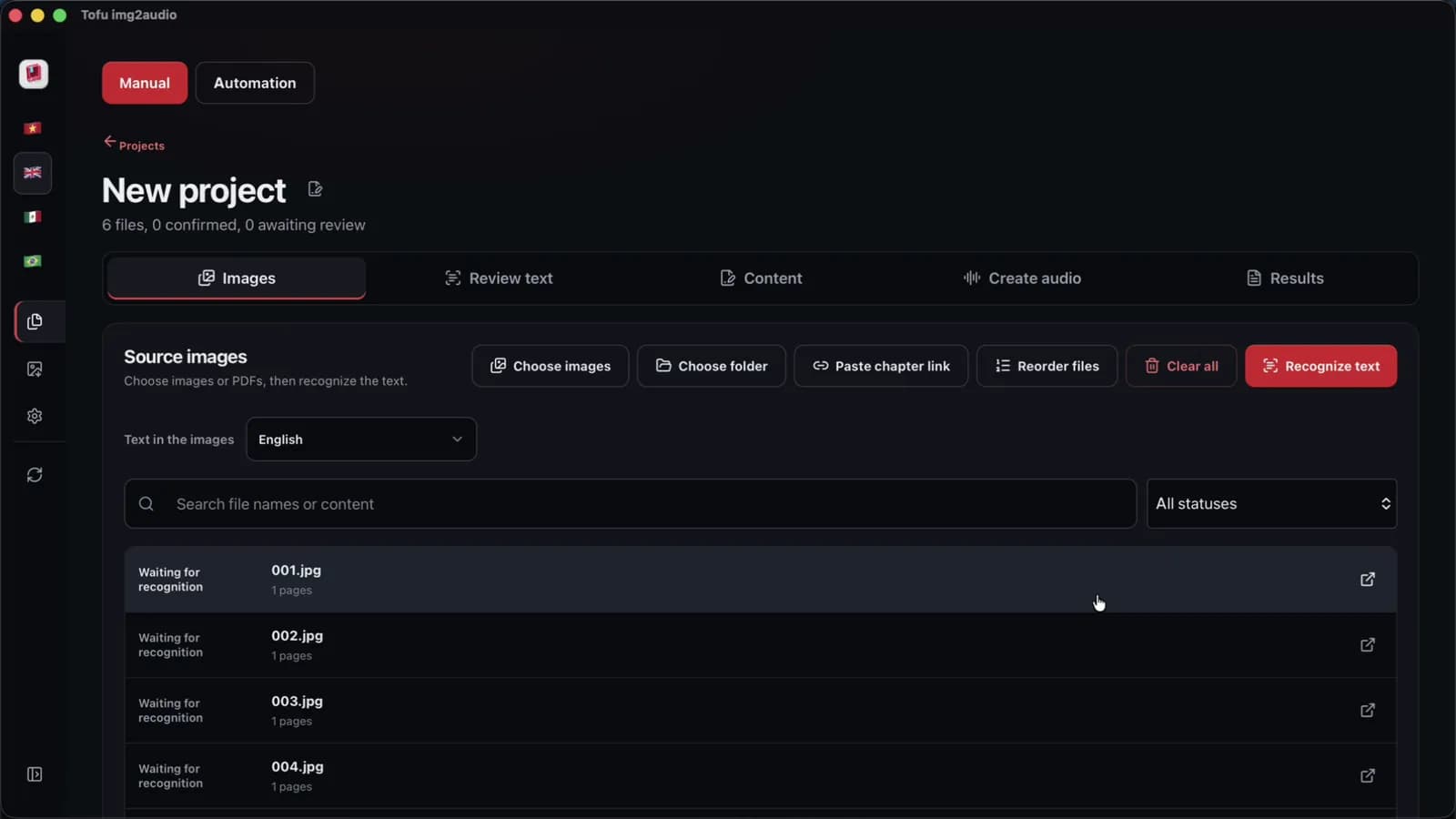
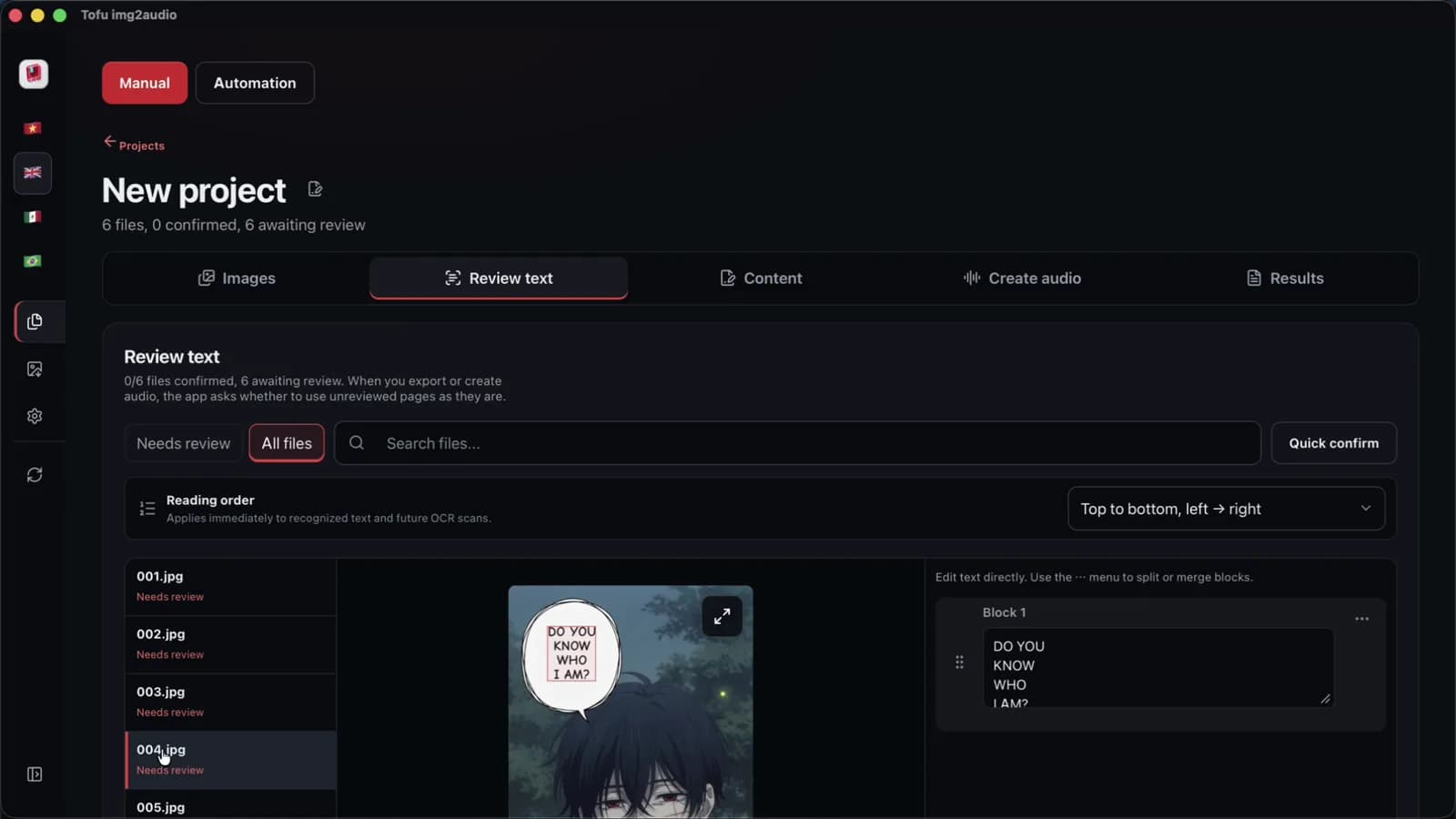
A batch image to text app makes sense when the work is a folder, not a single image. Tofu Image Text is a pay-once desktop app for Windows 10 or later and Apple silicon Macs (M1 or later). The software reads PNG, JPG, WEBP, HEIC, TIFF and scanned PDF files, a whole folder of 50 pages at a time, with OCR on the computer, so the images are not uploaded to a website for the text. Supported text covers English, Spanish, Portuguese and other Latin-alphabet languages, plus Vietnamese. Each page appears beside its text for quick fixes, and the result exports as TXT or a Microsoft Word file. On an Apple M4 Pro, we measured OCR on a short 6-page chapter at 2 seconds, in one recorded run with clean sample pages. Accuracy on real scans is not measured yet. A license check needs internet, and the optional AI and voice steps send text to those services.
FAQ
Is there a free image to text converter for PC?
The free image to text converter on Windows is Microsoft PowerToys Text Extractor, and on a Mac the free option is Live Text in Preview. PowerToys Text Extractor is a free Microsoft add-on that copies the text from any area of the screen with `Win + Shift + T`. Live Text from Apple lets you drag across text in an image and copy the text. Google Drive also converts PDFs and photos for free. Open the file with Google Docs, within limits such as 2 MB per file. For instance, a single screenshot or a short receipt works well in any of the three. Free tools get slow with folders. Each image needs a separate capture or upload. A batch desktop app such as Tofu Image Text handles whole folders and keeps every page next to the text.
Can an image to text converter turn a scanned PDF into Word?
An image to text converter can turn a scanned PDF into editable text, and some tools save the text as a Word file. In Google Drive, first open the PDF with Google Docs, then choose File, Download, Microsoft Word. Google warns that tables, columns and footnotes are not likely to be detected. Tofu Image Text reads scanned PDFs on the computer and exports TXT or Word (.docx) directly. For example, a scanned contract of 20 pages can become one Word file. Layout such as tables and exact fonts is not kept by either tool, so plan a formatting pass in Microsoft Word after the export. Check page numbers and headings in that pass as well, since OCR tools from Google and others read headings as plain lines. More detail is in [scanned PDF to Word](/blog/scanned-pdf-to-word).
Does image to text conversion work without uploading files?
Image to text conversion works without uploading files when the OCR runs on the computer. PowerToys Text Extractor from Microsoft and Live Text from Apple run as features of Windows and macOS, not as websites. Google Drive converts files only after an upload to Google. Tofu Image Text reads images and PDFs on the computer, so the images are not uploaded for OCR. The app needs internet for the license. In practice, the optional AI script step sends text to the AI provider you choose, and Edge or CapCut voices send text to that voice service. Offline voices keep the text on the computer. For private documents, check where each tool sends data first.
Next step: try PowerToys Text Extractor or Live Text on one image, then try a folder of your real files. If the folder is where the time goes, see Tofu Image Text for batch OCR with the page beside the text, and read best OCR software for PC for a wider comparison.