
Image to Word converter for PC: photos and scans to .docx
An image to Word converter reads the text in a photo or scan and saves it as an editable .docx. Here is what free tools do, what they lose, and when batch OCR helps.
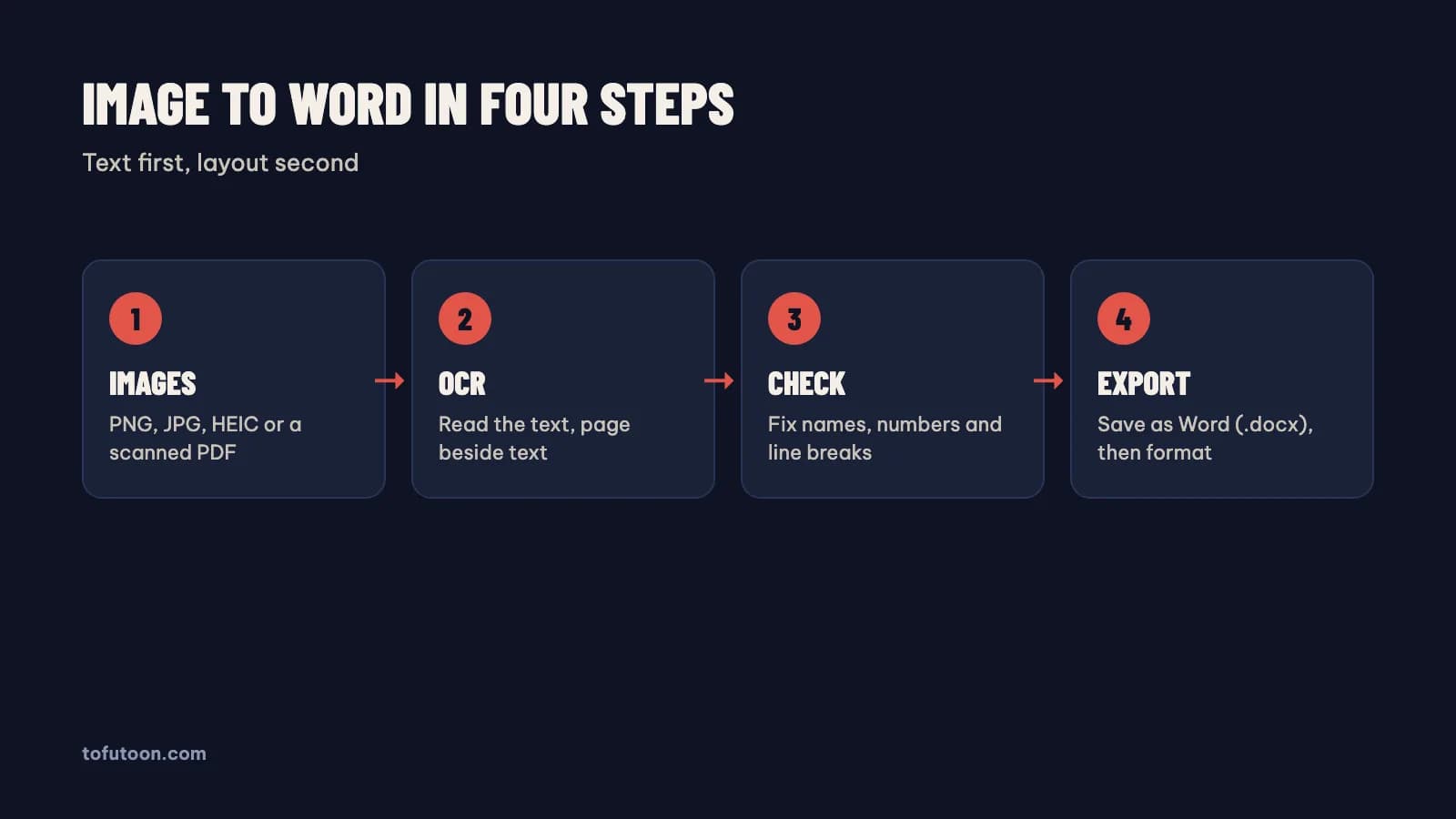
An image to Word converter is a tool that reads the text in a photo, screenshot or scan with OCR (optical character recognition) and saves the text as an editable Word (.docx) file. The text comes across; the exact layout usually does not. Fonts, columns and tables need a pass in Microsoft Word after the conversion. For example, a 20-page scanned contract can become one Word file, but the headings and tables still need formatting by hand. The guide first covers free options from Microsoft, Apple and Google, then what happens to layout. Finally, the guide explains when a batch desktop app saves the most work, using Tofu Image Text as the example. Every option below ends the same way: read the result beside the original image, because no OCR is perfect on real scans.
What free image to Word options do Windows and Mac have?
The free image to Word route is a copy and paste: an OCR tool copies the text, and Word holds the result. On Windows, PowerToys Text Extractor from Microsoft copies text from any area of the screen with `Win + Shift + T`, according to the PowerToys documentation. On a Mac, Live Text in Preview from Apple lets you drag across text in an image and copy the text. In Google Drive, opening an image with Google Docs converts the text, and Google Docs can then download a .docx file. First, check the limits: Google says files should be 2 MB or smaller and text at least 10 pixels high. Second, expect one image at a time. In practice, ten pages mean ten separate captures, ten pastes and ten chances to lose the order.
What happens to layout when an image becomes a Word file?
Layout is the part an image to Word conversion loses most. OCR reads letters and lines; OCR does not rebuild a designed page. According to Google, the Drive OCR help page says lists, tables, columns, footnotes and endnotes are not likely to be detected, while bold, italics and line breaks are likely to be kept. In practice, a two-column page can come out as one long column with the lines of both columns mixed. Tables can turn into lines of text separated by spaces. The fix is a two-step routine. First, get clean text, in the right reading order, with names and numbers checked. Finally, rebuild the layout in Microsoft Word with styles, tables and headings. Trying to keep a perfect layout from OCR alone wastes more time than formatting a clean text file with Word styles.
When does a batch image to Word converter make sense?
A batch image to Word converter makes sense when the job is a folder, not one picture. Tofu Image Text is a pay-once desktop app for Windows 10 or later and Apple silicon Macs (M1 or later). The app reads PNG, JPG, WEBP, HEIC, TIFF and scanned PDF files, whole folders at a time, with OCR on the computer, so the images are not uploaded to a website for the text. Each page appears beside its text for quick fixes, and the result exports as TXT or Word (.docx). Supported text covers English, Spanish, Portuguese and other Latin-alphabet languages, plus Vietnamese. On an Apple M4 Pro, we measured OCR on a short 6-page chapter at 2 seconds, in one recorded run with clean sample pages. Accuracy on real scans is not measured yet. For instance, a folder of 40 pages still needs a read-through for names and numbers.

How do you get a cleaner Word file from images?
The key to a cleaner Word file is a cleaner image. Many OCR mistakes come from the input, so a few minutes on the images saves more time than any setting. First, scan or photograph pages flat and straight, with even light and no shadow across the text. Second, use the original file instead of a screenshot of a screenshot, because every re-save adds blur. Third, rotate pages right side up before OCR; Google Drive asks for right-side-up documents for the same reason. Finally, name the files in order with leading zeros, from 001.jpg upward, so Windows Explorer from Microsoft and Finder from Apple keep the pages in sequence. After the export, check names, numbers and headings beside the original. For example, a figure such as 1,250 can come out as 1.250 or 1 250, and a spell checker will not catch that; a careful reader will.
FAQ
Can Microsoft Word convert an image to text by itself?
Microsoft Word is a text editor, and the dependable free route for an image is to run OCR first, then paste or open the text in Word. PowerToys Text Extractor from Microsoft copies text from an image on screen into the clipboard, and the text can then go into Word. Google Docs can also convert an image or PDF with OCR, then download the result as a .docx file. For instance, a single receipt or a one-page letter works well with either route, and both routes cost nothing. A folder of scans works better with a batch app such as Tofu Image Text, which exports a .docx file directly. Whatever the route, plan a formatting pass in Word for headings, lists and tables, since OCR keeps the words, not the design of the original page.
Is an image to Word converter accurate on phone photos?
Phone photo accuracy is a question of input: an image to Word converter works best on sharp, flat phone photos of printed text, and worse on curved book pages, shadows and handwriting. Phone photos add three problems: a tilt, a curve near the spine and uneven light. First, hold the phone parallel to the page. Second, use even light without a shadow from the phone. Finally, crop to the text before OCR. The PowerToys documentation from Microsoft warns that output may not be perfect and needs a quick proofread, and the same advice applies to every tool. In practice, check every number in an invoice photo, since one wrong digit changes the total. Accuracy for Tofu Image Text on real phone photos has not been measured yet, so read the text beside the photo before export.
Are images uploaded when converting an image to Word?
Image upload depends on the tool. Google Drive converts files after an upload to Google, which matters for contracts, medical letters and other private documents. PowerToys Text Extractor from Microsoft and Live Text from Apple run as features of Windows and macOS, not as websites. Tofu Image Text reads images and PDFs on the computer, so the images are not uploaded for OCR. The app needs internet for the license. For example, the optional AI step sends text to the AI provider you choose, and Edge or CapCut voices send text to that voice service; offline voices keep the text on the computer. For private documents, check where each tool sends data before the first file.
Next step: try the free route on one image, then try a folder of your real files and time both. If the folder is where the hours go, see Tofu Image Text for batch OCR to Word, and read scanned PDF to Word for multi-page documents.