
Comics and scanned books to audiobook on your PC
A scanned book or a comic has no text to read aloud until OCR pulls it out. Here is the full path from page images to an audiobook with one file per chapter.
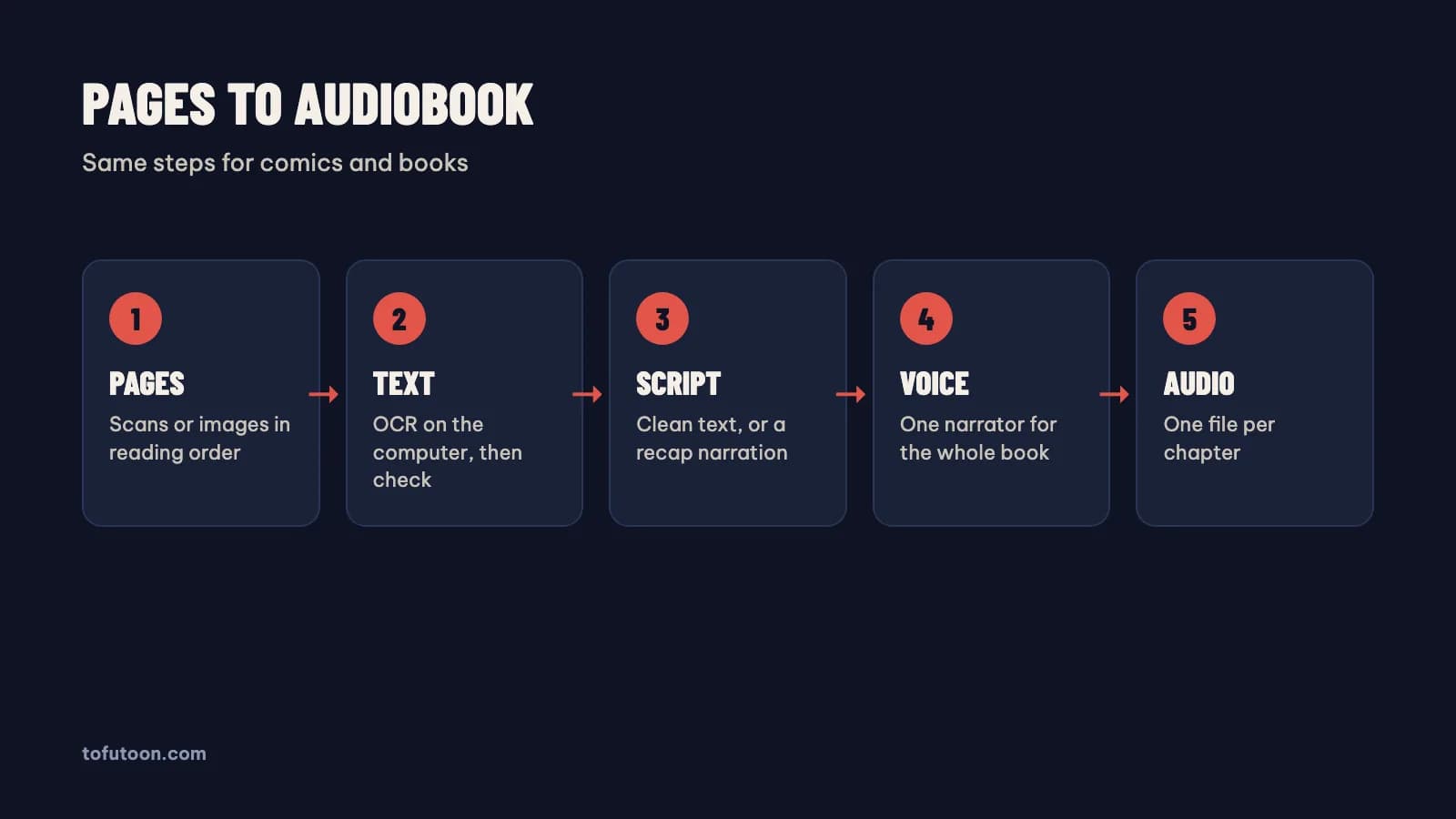
An audiobook from scanned pages is a set of audio files made from page images: the text is read with OCR, cleaned, and then spoken by a voice. Scanned books and comics share one problem: the words are part of an image, so a text-to-speech tool has nothing to read until OCR extracts the text. The path has four steps. First, put the pages in reading order. Second, run OCR and check the text beside each page. Third, clean the text, or turn comic dialogue into a narration script. Finally, generate one audio file per chapter with one narrator voice. For example, at 150 words per minute, a chapter of 4,500 words, about 15 pages of a paperback, gives about 30 minutes of audio. The guide covers each step for books and for comics, using Tofu Image Text as the example, plus the rights question, since an audiobook of someone else’s book needs permission to share.
What is the difference between a book and a comic audiobook?
A book audiobook reads the text as written, while a comic audiobook needs a script, because comic dialogue depends on pictures. In a scanned novel, the OCR text is already prose: fix the errors, remove page numbers and running headers, and the text is ready for a voice. In a comic, the bubbles are short lines with no narration. Read aloud as-is, a page of a comic sounds like a list of shouts. For instance, "Run!" followed by "KRAAK" means nothing to a listener who cannot see the panel. The comic route adds a script step: a third-person retelling or labelled dialogue, written by hand or with an AI model from Google, OpenAI or Anthropic. The app Tofu Image Text has presets such as Full narration and Dialogue to narration for that step, using your own AI key. Books skip the script step and go straight to the voice.
How do you get clean text from scanned pages?
Clean text is the base of a good audiobook, because every OCR mistake becomes a spoken mistake. First, number the page images in reading order, from 001 upward, or use a scanned PDF with pages in order. Second, run OCR on the whole chapter. Third, check the text beside each page, focusing on names, numbers and hyphenated words split across lines. Finally, remove what a listener should not hear: page numbers, running headers, footnote markers and image captions. For instance, a header such as "Chapter 3 · Page 47" repeated on every page turns into a strange refrain in audio. The PowerToys documentation from Microsoft warns that OCR output needs a proofread, and that advice applies to every tool. Tofu Image Text reads PNG, JPG, WEBP, HEIC, TIFF and scanned PDF pages with OCR on the computer and shows each page beside its text.
Which voice should narrate a long audiobook?
The narrator voice of a long audiobook should be calm, clear and the same from the first chapter to the last. A voice sounding exciting in a 30-second clip can tire a listener over ten hours. Microsoft Edge neural voices sound even over long chapters; CapCut voices are brighter and suit shorter, livelier stories. ElevenLabs voices are the most expressive, and ElevenLabs bills the usage. Offline voices keep the text on the computer but sound flatter. First, test each candidate voice on one full page, not one sentence. Second, listen at the speed you plan to use. Finally, listen to five minutes in a row, since fatigue only shows over time. In practice, Edge voices from Microsoft and CapCut voices send the text to the voice service, so choose offline voices for private material.
How do you export an audiobook one chapter at a time?
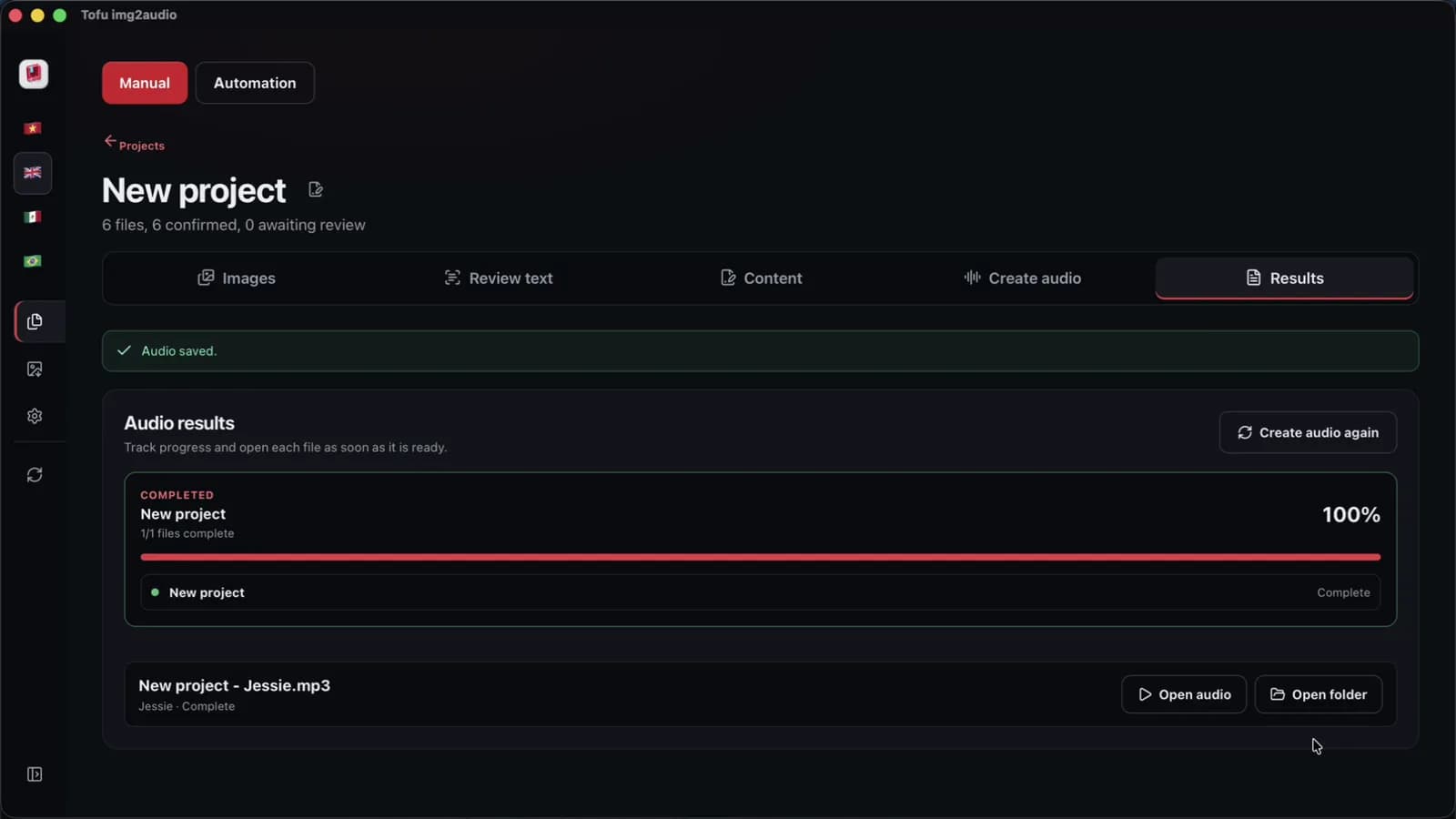
Chapter files are the standard shape of an audiobook, because listeners pause, skip and come back by chapter. Keep one source file per chapter and one audio file per chapter, named in order: 01, 02, 03. Audio from Tofu Image Text comes out as one file per chapter, named in order, from the reviewed text or script. On an Apple M4 Pro, we measured CapCut audio for a short chapter of 6 pages at 38 seconds, in one recorded run; long book chapters take longer, and online voice speed depends on the network. In practice, a book of 20 chapters becomes 20 files that any phone player can queue. If you already have clean text files, such as TXT or EPUB, a text-to-audio tool fits better: Tofu Voice turns folders of text files into MP3s. The image app is for the step before: getting text out of images and scans.
FAQ
Can I make an audiobook from a book I own?
Personal listening is a different case from sharing: sharing or selling an audiobook of someone else’s book needs the rights holder’s permission. Copyright covers the text, and an audio version is a new form of the same work. Converting a scanned textbook for your own commute is a different case from uploading the audio to YouTube. Public domain books are the safe choice for sharing. Project Gutenberg, for instance, offers over 75,000 free eBooks, according to Project Gutenberg itself, and the text files there already skip the OCR step. Rules differ by country, so first check the copyright status of each book where you live. The U.S. Copyright Office explains fair use and its four factors for the United States. This answer is general information for listeners and creators, not legal advice.
How long does it take to turn a scanned book into an audiobook?
Turning a scanned book into an audiobook is a job with three time costs: page count, scan quality and the review step. On an Apple M4 Pro, we measured OCR on a short 6-page chapter at 2 seconds, in one recorded run with clean sample pages. The review takes longer, because every page needs a check for names, numbers and headers. Audio time depends on the voice service and the network; Edge voices from Microsoft and CapCut voices run online, while offline voices run on the computer. For example, a book of 300 pages with clean scans spends most of its time in review, not in OCR, so plan the review hours first. In practice, convert one chapter first, time each step, then multiply by the chapter count for a real estimate instead of a guess.
Do comics need a different voice setup than books?
Comics often benefit from a different voice setup, because comic dialogue has several speakers and a book usually has one narrator. A comic can use one narrator voice reading a third-person script, which is the simplest setup, or several character voices for a dub. For example, a manhwa chapter can use one Microsoft Edge narrator plus two CapCut voices for the hero and the rival. Books stay with one calm narrator. First, decide between narration and dub. Then cast the voices and keep the cast the same for the whole series. The full guide to multi-voice comics is in [comic dub with AI voices](/blog/comic-dub-with-ai-voices), and the recap format is in [how to make manhwa recap videos](/blog/how-to-make-manhwa-recap-videos).
Next step: take one chapter of a book you own or a public domain scan, run OCR, review the text beside the pages, and make one audio file. Time each step before converting the rest. To do OCR, review and audio in one app, see Tofu Image Text.