
EPUBCheck: How to Validate an EPUB Before Publishing
The free conformance checker for EPUB files, explained: how to run it and what its messages mean.
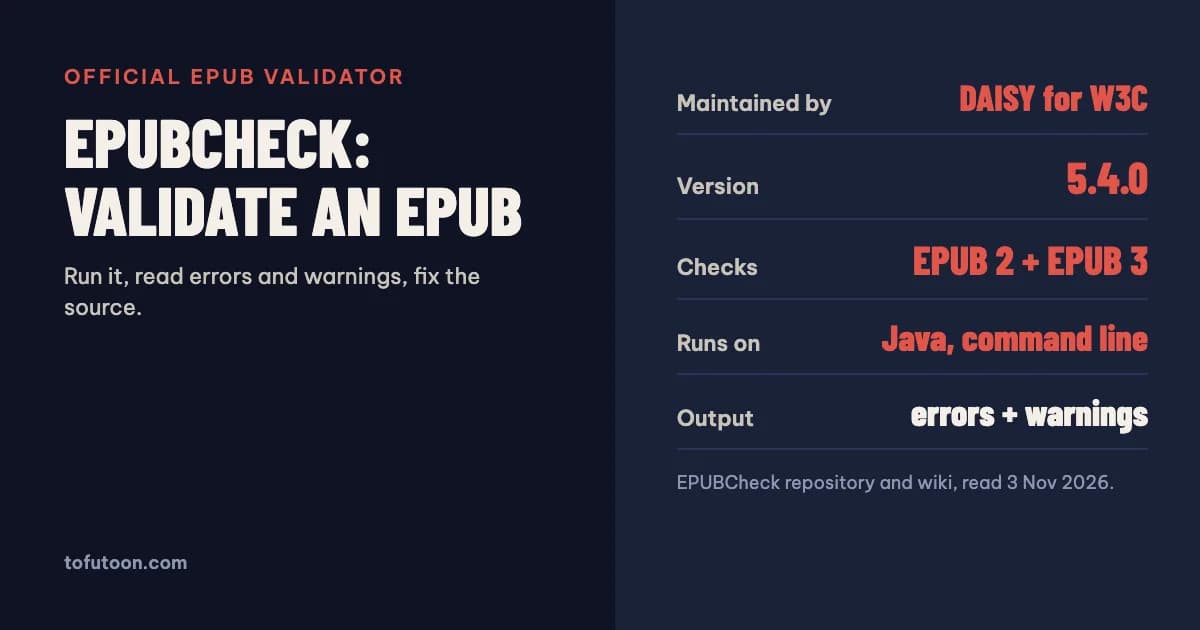
EPUBCheck is the official conformance checker for EPUB files, maintained by the DAISY Consortium on behalf of W3C. It reads an .epub file and reports every place where it breaks the EPUB specification, as errors and warnings. The current release, 5.4.0, validates both EPUB 2 and EPUB 3, and checks EPUB 3 against the EPUB 3.4 specification. It is free, open source and runs from the command line with Java.
What is EPUBCheck?
EPUBCheck is an open-source validator that tests whether an EPUB file follows the rules of the EPUB standard. According to its repository, it can run as a standalone command-line tool or be used as a Java library, and initial development was largely done at Adobe (w3c/epubcheck). Much of its checking comes from the schema validator Jing, used with schemas from the Nu HTML Checker, IDPF and DAISY. In practice it checks four layers: the ZIP container and its required files, the package document with its metadata and manifest, the navigation document, and every XHTML, SVG and CSS content file. Because it follows the specification rather than one store’s preferences, it is a neutral first check before you upload anywhere. It does not judge whether the book looks good; it judges whether the file is built correctly.
How do you run EPUBCheck?
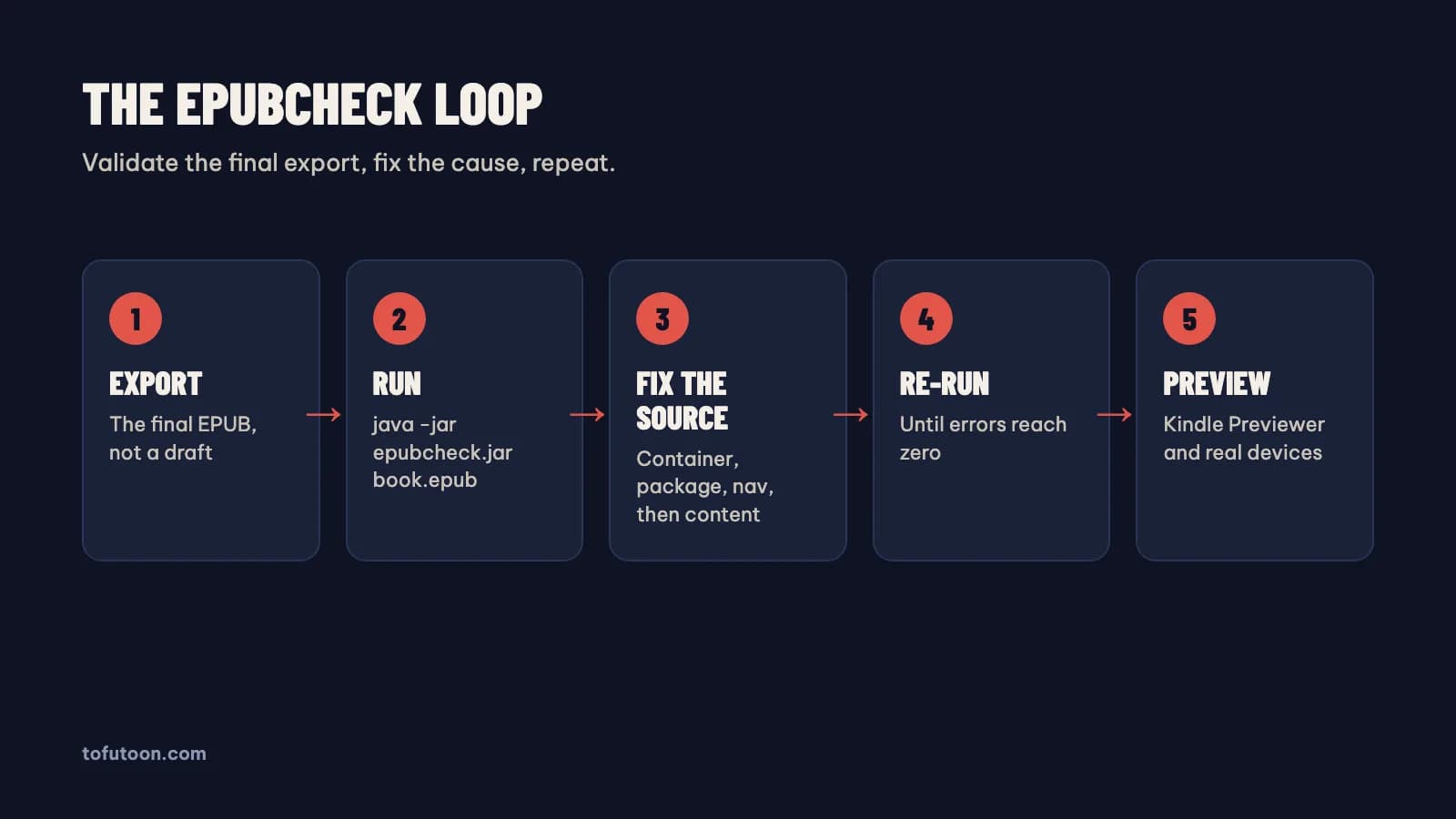
It is a command-line program; its wiki states there is no native graphical interface, though third-party apps offer one (EPUBCheck wiki: Running). Download the latest release from the GitHub releases page, unzip it, and make sure Java is installed. Then open a terminal in that folder and run java -jar epubcheck.jar mybook.epub, replacing the file name with the path to your book. Every problem it detects is printed to the screen, ending with a count of errors and warnings. The --help argument lists the options, including validation profiles for special EPUB types such as dictionaries and previews. The repository also documents a Docker image, and a --json option writes the full report to a JSON file, which is handy for keeping a record or comparing two versions of the same book. Run it on the final exported file, not on an earlier draft.
How do you read EPUBCheck errors and warnings?
Each message has a severity, a code, the file and line where it happened, and a short description. Errors (and fatal errors) mean the file breaks a rule of the specification; fix every one before you upload. Warnings point to things that are allowed but likely to cause trouble, such as deprecated features or questionable markup, and are worth reading even when you decide to keep them. The most useful habit is to find the cause, not the line. Many errors repeat across chapters because the same template produced them, so one fix in the source can clear dozens of messages. Causes worth looking for include a heading tag left unclosed, an image referenced in a chapter but missing from the manifest, a duplicate ID created when two chapters were merged, a link pointing to a file that was renamed, or metadata missing a required language or identifier.
What did EPUBCheck 5.4.0 catch in a real test?
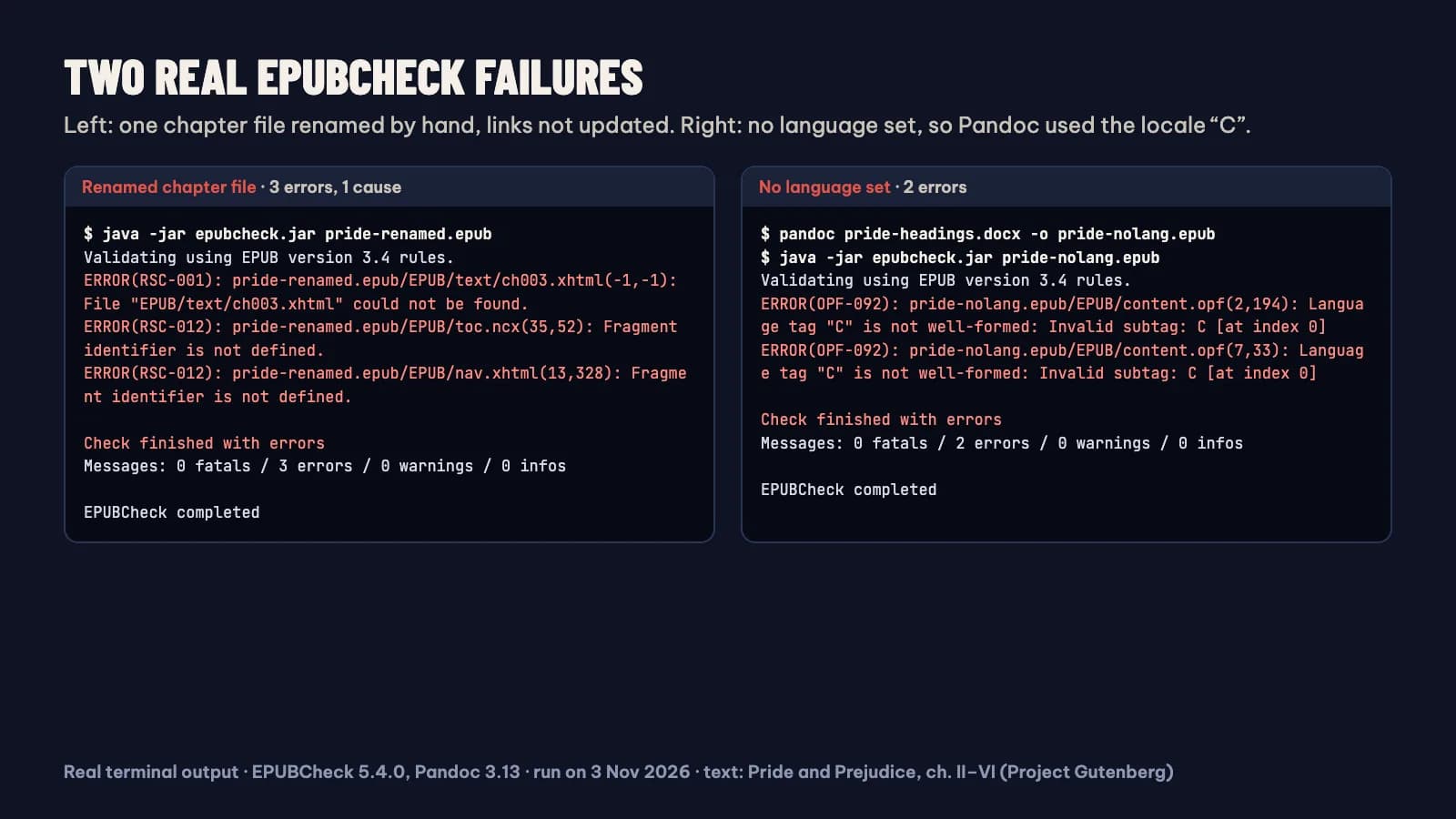
We ran EPUBCheck 5.4.0 on 3 November 2026 against small EPUBs made with Pandoc 3.13 from five chapters of Pride and Prejudice, taken from Project Gutenberg. Three results are worth knowing. First, a file converted without a language setting failed with two OPF-092 errors: the DOCX carried no language, so Pandoc took it from the shell’s locale, which was “C”, not a valid language tag. Adding --metadata lang=en to the Pandoc command fixed both. Second, renaming one chapter file by hand produced three errors from that one cause: RSC-001 for the missing file and two RSC-012 for the links to it in nav.xhtml and toc.ncx. Third, the same text with chapter titles typed in bold instead of styled as Heading 1 passed with 0 errors and 0 warnings, yet its table of contents had one entry for the whole book. A clean report is necessary, not sufficient.
What should you fix first?
Fix in the source, not in the EPUB, whenever you can. If the book came from Word or another formatter, correct the manuscript or the export setting and export again, then re-run EPUBCheck; hand-editing the EPUB only lasts until the next export. When you do need to edit the EPUB directly, calibre’s editor has a Check Book tool that reports malformed HTML, invalid CSS, broken links, unreferenced files and common OPF problems such as duplicate manifest items, and can auto-fix some of them after creating a checkpoint (calibre: Editing e-books). Work through errors in order of the container and package first, then navigation, then content, because a broken manifest can trigger many follow-on errors. For Kindle, also open the file in Kindle Previewer, which KDP recommends for EPUB uploads (KDP: supported eBook formats).
What does a clean EPUBCheck report not prove?
- That the book looks right: a valid file can still have wrong fonts, broken images or a confusing layout.
- That every store accepts it: stores add their own rules on covers, metadata and content on top of the specification.
- That the table of contents is complete: EPUBCheck checks that navigation is valid, not that every chapter is listed. Our bold-titles test file passed with a one-entry contents.
- That the text is correct: spelling, missing chapters and duplicated pages are outside its scope.
- That it is accessible: accessibility needs its own review against the EPUB Accessibility specification.
FAQ
Is there an online EPUBCheck?
EPUBCheck itself is a command-line program, and its wiki points to third-party apps for a graphical interface. Online checkers upload your file to someone else’s server, so for an unpublished manuscript, running EPUBCheck on your own computer keeps the book private.
Next step: if your EPUB fails because of messy source text, rebuild it cleanly with the free TXT to EPUB converter, or pull it back into Word with EPUB to Word and fix the manuscript. For background on the versions EPUBCheck checks, read What is EPUB 3?. We are designing the EPUB export of our own book formatter, a pay-once app for Windows and Mac, to pass EPUBCheck, so you start from a clean file. It is still in development; join the waitlist.