
AI voice over for recap videos: Edge, CapCut, ElevenLabs
Viewers forgive a slow panel, not a harsh or changing narrator. Here is how to choose one AI voice over for a whole series, test it, and keep it consistent.
An AI voice over for recap videos is a narration track made by a text-to-speech engine instead of a human narrator. A recap channel needs one voice that stays the same for every episode, reads names cleanly, and keeps a steady pace. The four common sources are Microsoft Edge neural voices, CapCut voices, ElevenLabs voices and offline voices on the computer. Length is simple math. For example, at a pace of 150 words per minute, a 900-word chapter script gives about 6 minutes of audio, so three chapters fill an 18-minute video. The guide first compares the four sources, then gives a test sentence that exposes weak voices and shows how pacing changes by genre. Finally, the guide covers the YouTube rules on AI narration. The examples use Tofu Image Text, our desktop app, but every check works with any tool.
Which AI voice over source fits a recap channel: Edge, CapCut or ElevenLabs?
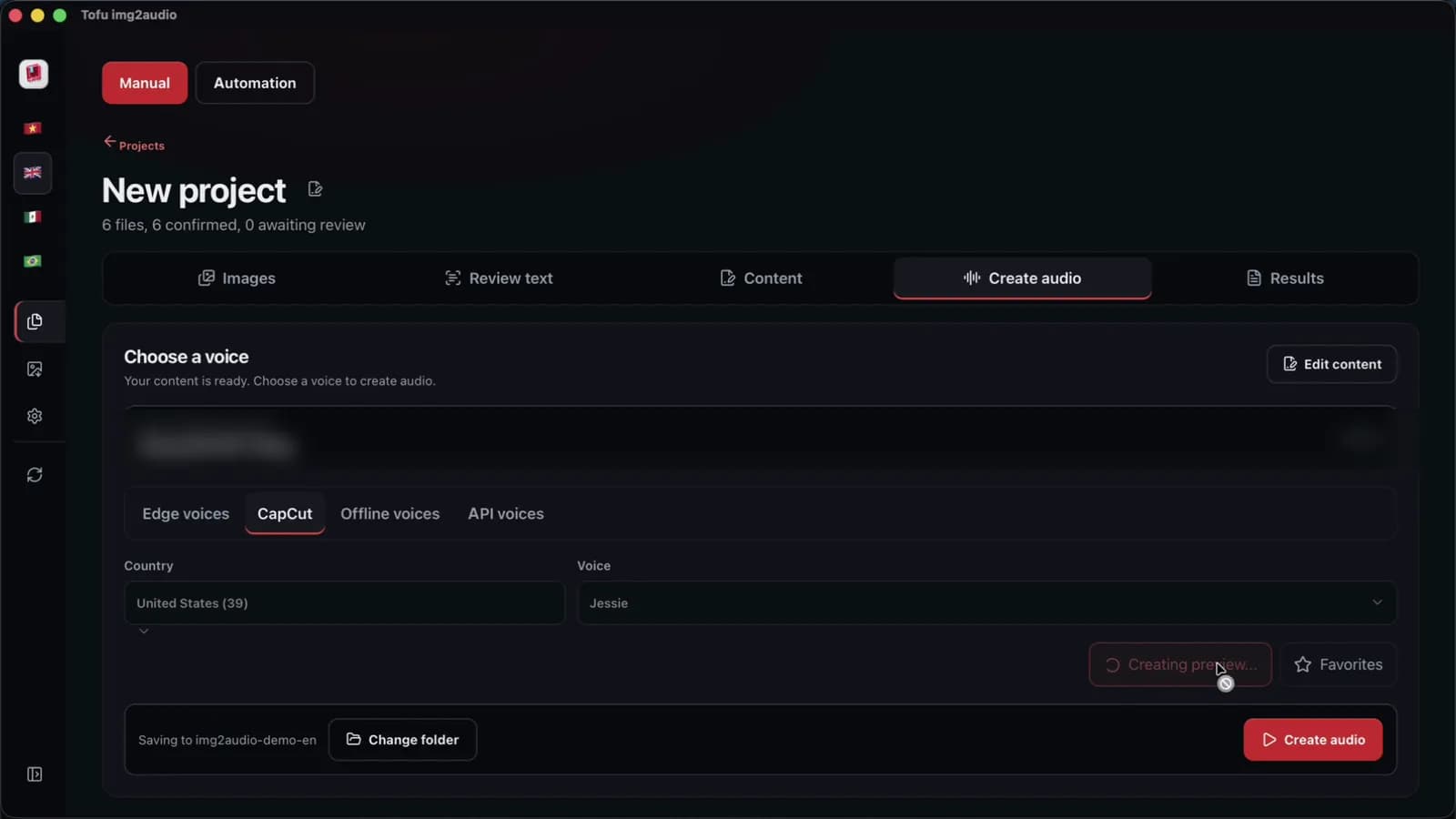
Edge and CapCut voices are the usual starting point, because both cost nothing to try and both read English clearly. Neural voices from Microsoft Edge, such as Jenny and Guy, sound calm and even over long chapters. CapCut voices are brighter and more varied, and Tofu Image Text lists 129 CapCut voices (counted on 2026-10-31). ElevenLabs voices sound the most expressive in fights and confessions. Inside Tofu Image Text, ElevenLabs voices connect through the ElevenLabs API, with ElevenLabs billing the usage in credits, as the ElevenLabs pricing page shows. Offline voices on Windows or macOS keep the script on the computer but sound flatter.
- Edge voices: steady narration for long chapters, no voice fees.
- CapCut voices: more character, handy when the edit also happens in CapCut.
- ElevenLabs voices: the most emotion, paid by usage to ElevenLabs.
- Offline voices: private, but less natural.
One voice source per series is the rule that matters most. In practice, a narrator who changes in Episode 9 sounds like a different channel.
How do you test an AI voice over before a full series?
A good test sentence is a line that holds the three things recap scripts are full of: invented names, numbers and a question. Short greetings hide flaws, because almost every engine reads "Hello, welcome back" well. For instance, try this line using Microsoft Edge, CapCut or ElevenLabs voices: `"Wait, did Kael really clear Gate 7 with twelve mana points left? Seo swore the barrier broke before dawn, but nobody believed her."` Listen for three failures. First, a voice may stress the wrong syllable in Kael or Seo. Second, a voice may read Gate 7 as "Gate seventh". Third, a voice may end the question flat, like a statement. Play the test on phone speakers too, not only headphones. When a voice trips on a number, write the number as a word in the script. When a voice trips on a name, spell the name the way the name sounds, such as Kay-el, in a voice-only copy of the script.
How should recap narration pace change by comic genre?
Narration pace is the speed and rhythm of the voice, and the right pace depends on the genre. Action and dungeon manhwa need a firm voice and short sentences, so a fight never drags. Romance reads better a little slower, with a warmer voice and longer pauses before a confession. Comedy needs quick, short lines, because a joke dies when the setup runs long. Most of the pace comes from the script, not the engine settings. For example, `"Run. Now. The gate is closing!"` sounds urgent with voices from Microsoft Edge or CapCut, while the same idea in one long sentence with three commas sounds like a weather report. A comma gives a short pause and a full stop gives a longer one. A useful habit is to read the first paragraph aloud once, then split any sentence where a breath falls in the middle. Preview the result using CapCut before a full render. The prompt rules are in the manhwa recap script guide.
When are free voice tools enough, and when does a desktop app help?
Free tools are enough for one test clip. Paste a paragraph into a browser voice tool or CapCut and download the audio. In practice, say copying the script, generating the audio and renaming the file take 20 minutes per chapter by hand. Then a schedule of 30 chapters a month means 10 hours of file handling before any editing starts.
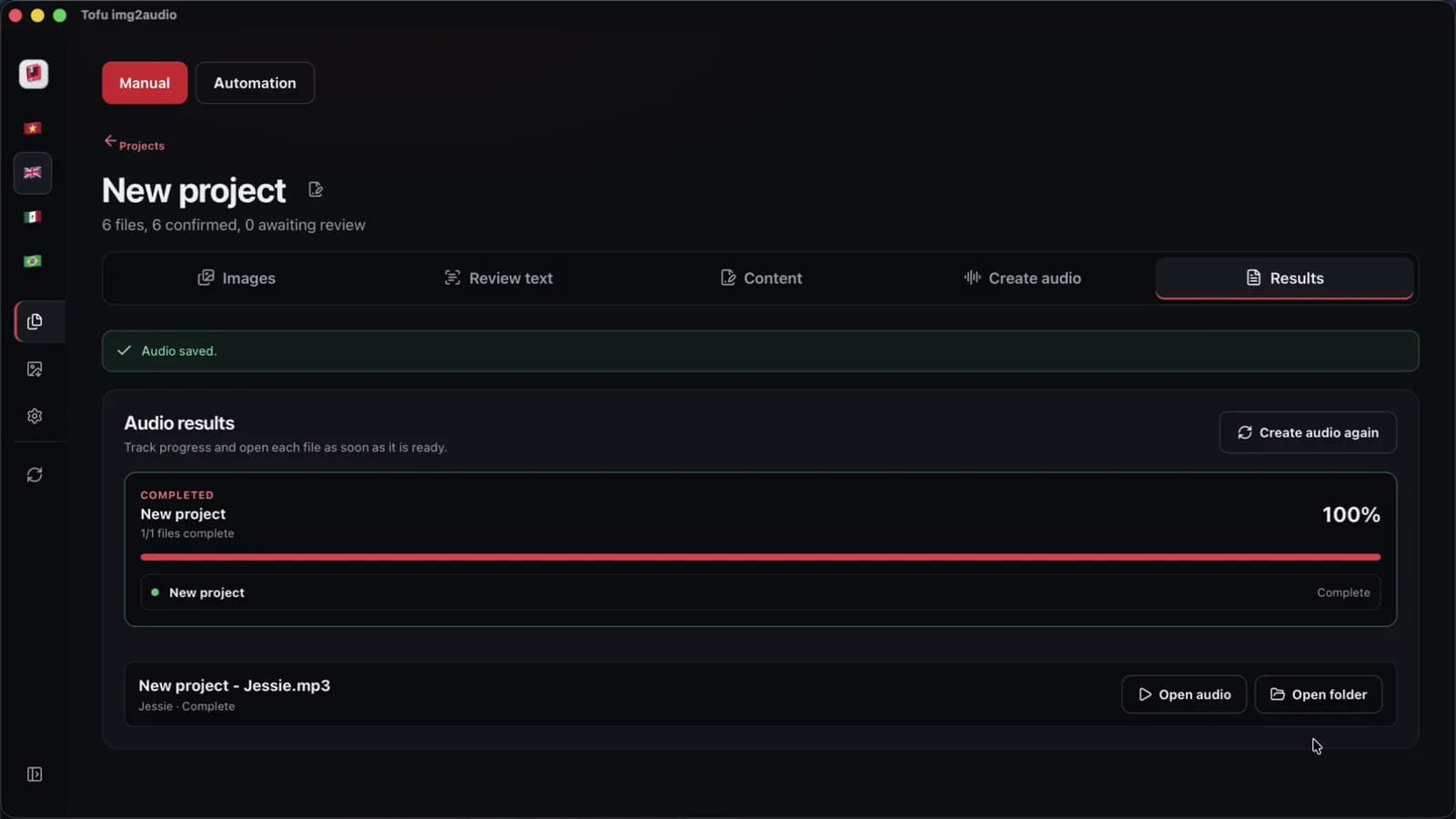
Tofu Image Text is a pay-once desktop app for Windows 10 or later and Apple silicon Macs (M1 or later). The app reads comic pages with OCR on the computer, can rewrite the dialogue with your own AI key, and saves one audio file per chapter, named in order. Edge and CapCut voices send the script text to that voice service. On an Apple M4 Pro, we measured CapCut audio for one short chapter of 6 pages at 38 seconds, in one recorded run. The app exports audio and text, not MP4 video, so the panels still go into CapCut or another editor.
What do YouTube rules say about AI voice over in recap videos?
YouTube rules do not ban AI voices. The rules focus on what the voice is reading, and two policies matter. First, according to YouTube, the "repetitious content" policy was renamed "inauthentic content" on July 15, 2025, in the YouTube channel monetization policies. The policy covers mass-produced or repetitive videos. For instance, a video that only reads the dialogue aloud over panels adds little of your own. Your own summary, opinions and editing choices add a lot. Second, YouTube asks creators to disclose realistic altered or synthetic content, such as a cloned voice of a real person, under the YouTube GenAI disclosure rules. A clearly synthetic narrator reading your own commentary is a different case from a voice imitating a real person. Copyright on the panels is its own question, covered in recap videos and copyright. This section is general information, not legal advice.
FAQ
Can a recap channel with an AI voice over be monetized on YouTube?
A recap channel with an AI voice over can apply for monetization like any other channel. YouTube reviews the content, not the type of voice. Since July 15, 2025, the YouTube channel monetization policies use the name "inauthentic content" for mass-produced or repetitive videos, and such videos are a reason a channel may not be monetized. A chapter recap built from your own summary, analysis and editing choices gives YouTube reviewers something original to look at. A video that only reads comic dialogue over panels gives reviewers very little. In practice, the safest habit is to write the commentary first, then add the voice. Voices from Microsoft Edge, CapCut or ElevenLabs all work the same way here. The AI voice over is the delivery, and the commentary is the real value of the video.
Should a beginner start with Edge voices or ElevenLabs?
A beginner is better off starting with Microsoft Edge or CapCut voices, because both cost nothing to try and both read English clearly. A new channel first needs to learn whether viewers want the series at all. ElevenLabs voices are worth testing later, for scenes where emotion matters, and ElevenLabs bills that usage directly. For instance, run the test sentence from this guide on two Edge voices and two CapCut voices, then keep the clearest one. Whatever voice you pick, keep the same narrator for the whole series. Switching from an Edge voice to an ElevenLabs voice in the middle of a season sounds like a new channel to returning viewers. A short cast note with the voice name and speed setting keeps every episode consistent. Testing with CapCut voices first also keeps the edit simple.
How many words does a 15-minute recap script need?
A 15-minute recap script needs about 2,250 words at a narration pace of 150 words per minute. The math is 15 × 150 = 2,250. A chapter script of 750 to 900 words gives 5 to 6 minutes, so a 15-minute video usually covers two or three chapters. Real voices read at slightly different speeds. For example, a fast CapCut voice may finish the same script sooner than a calm voice from Microsoft Edge. Time the first chapter with the voice you chose, then adjust the word target for the next scripts.
Next step: take one chapter script, run the test sentence on two or three voices, and pick one narrator for the whole series. Then produce a full chapter and time it. To read the pages, write the script and make one audio file per chapter in one app, see Tofu Image Text, and for the full workflow read how to make manhwa recap videos.