
CapCut text to speech on PC: save the voice as MP3
Text to speech in CapCut is quick for one clip. Long scripts and many files need a different routine. Here is how to get clean MP3 files from CapCut voices.
CapCut text to speech is a feature of the CapCut video editor from ByteDance that reads on-screen text aloud with a synthetic voice. On a computer, the feature lives in CapCut desktop for Microsoft Windows and macOS: add a text layer, choose a voice, and the editor creates an audio clip on the timeline. CapCut voices are popular for short videos because the voices are lively and easy to try. The trouble starts with volume. For example, a 3,000-word chapter at 150 words per minute is about 20 minutes of audio, which means many text layers and many clips. The guide first shows the basic steps in CapCut desktop, then how to get the voice out as an MP3 file. Finally, the guide covers long scripts and batch conversion with Tofu Voice from TofuToon, which can use CapCut voices for whole folders of text.
How do you use CapCut text to speech on a PC?
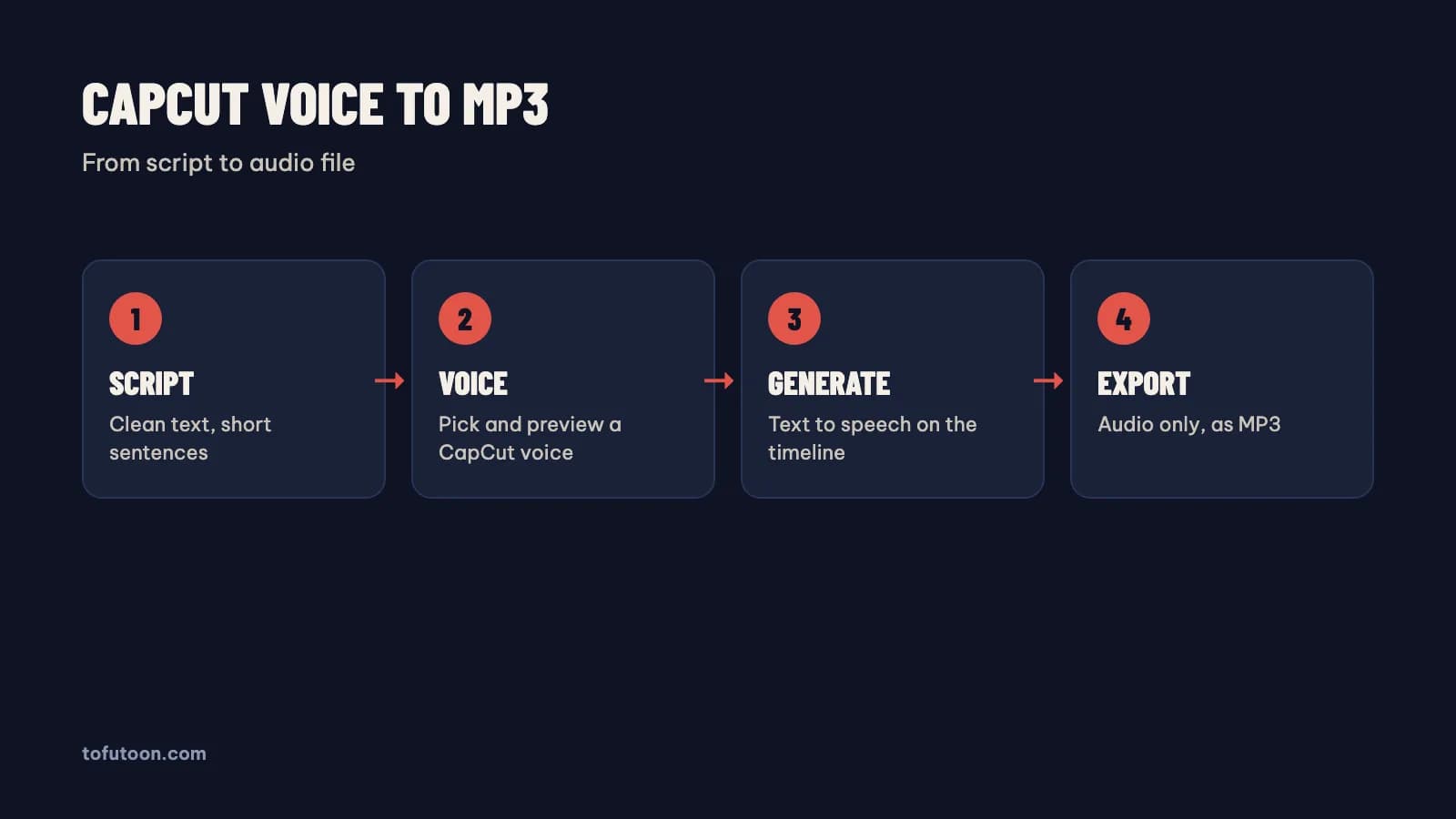
Text to speech on a PC is a four-step routine inside CapCut desktop from ByteDance. First, create a project with CapCut desktop and add a text layer from the Text panel. Second, paste the script into the text layer, or one paragraph per layer for long scripts. Third, open the Text to speech tab, preview a few voices and pick one. Finally, apply the voice, and CapCut adds an audio clip that matches the text. In practice, a 60-word intro becomes a clip of about 25 seconds at a normal pace. Menu names can change between CapCut versions, so look for "Text to speech" in the text settings if the layout differs. The voice list depends on the language and region settings of the account. Delete or hide the text layer after creating the audio if the video should not show the script on screen.
How do you save a CapCut voice as an MP3 file?
Saving a CapCut voice as an MP3 means exporting only the audio from the project, without the picture. First, keep only the voice clip on the timeline, or mute every other track. Second, open the export dialog. Third, turn off video export and turn on audio export, choosing MP3 if the format list offers it. Finally, name the file after the chapter or scene. For instance, a voice-only project for chapter 7 exports as one MP3 that any editor, such as Clipchamp from Microsoft, or any phone can play. Export options differ between CapCut versions, so check the dialog in your own version; some versions export audio as a separate file next to the video. In practice, keep one project per script using CapCut projects, since mixing several scripts on one timeline makes exports confusing. The voice audio stays subject to the CapCut terms from ByteDance, so read the terms before commercial use.
Why do long scripts get hard with CapCut text to speech?
Long scripts get hard because the editor from ByteDance is built for video clips, not for chapter files. Every paragraph becomes a text layer and an audio clip, and every clip needs checking. First, long text in one layer is hard to edit and slow to regenerate after a typo. Second, a script split into many layers needs every layer set to the same voice and speed, with Microsoft Word or a notes app holding the master copy. Third, a series of 30 chapters means 30 projects and 30 exports by hand. Fixing one name in chapter 12, for example, means regenerating that clip, checking the timing and exporting again. The editor shines for a short voice-over inside a video. A folder of chapters is a different job, better suited to a batch tool that writes one MP3 per text file. The next section covers the batch route, which still uses CapCut voices.
How do you batch CapCut voices into many MP3 files?
Batch CapCut voices means turning a folder of text files into one MP3 per file with a CapCut voice, without a timeline. Tofu Voice is a pay-once desktop app for Windows 10 or later and Apple silicon Macs (M1 or later) that offers Edge and CapCut voices in Base, with 170+ natural voices in total, according to TofuToon. First, save each chapter as a TXT file named in order: 001, 002, 003. Second, open the folder using Tofu Voice and preview CapCut voices on a sample line. Finally, convert the folder in one run; failed files can be retried without redoing the rest. In practice, a folder of 30 chapters becomes 30 MP3 files that drop straight onto a CapCut timeline. CapCut voices are online voices, so the text goes to the voice service and the computer needs internet while generating.
FAQ
Is CapCut text to speech free on PC?
Text to speech is available in CapCut desktop, and some voices and features may sit behind the paid Pro plan from ByteDance, depending on the version and region. The safest answer comes from the app itself: open the Text to speech tab and look for a Pro label on each voice. For instance, a creator testing a 30-second intro can see in a minute whether the chosen voice needs Pro. The terms from ByteDance also cover how the generated audio may be used, including commercial use, so read them before monetizing. Plans and voice lists change over time, so check again before a long project or a new series. Tofu Voice from TofuToon is a separate, pay-once app that offers CapCut voices for batch MP3 export, and CapCut voices there still send text to the voice service.
Which CapCut voices speak Vietnamese?
Vietnamese CapCut voices are voices tagged with the vi-VN language code, and the catalog bundled with Tofu Image Text lists 24 of them (counted on 2026-10-31). Names include "Nhỏ Ngọt Ngào", "Giọng Nữ Phổ Thông", "Giọng Nam Trầm", "Nam bản tin" and "Thanh Niên Tự Tin", plus Hoai My and Nam Minh. First, write a test paragraph with tone marks, a name and a number. Second, run the paragraph through three or four voices. Finally, keep one voice for the whole series. For example, a news-style voice suits explainers, while a calm voice suits long stories. The full list by language, including English, Japanese and Chinese, is in [CapCut text to speech voices](/blog/danh-sach-giong-doc-capcut). Voice names inside CapCut itself can differ by version and region, so check the list in your own copy of the app before a long project.
Can CapCut text to speech read a whole book?
A whole book is possible in theory, but the video editor makes the job slow: every chapter becomes text layers, clips and a separate export. A batch tool writing one MP3 per chapter file fits a book better. First, split the book into one TXT file per chapter. Second, choose one voice and test it on a real page. Finally, convert the folder in one run. For example, a 40-chapter novel becomes 40 MP3 files in Tofu Voice, ready to listen to or to place under panels in CapCut. Tofu Voice Base reads TXT files; Pro also opens EPUB, PDF and DOCX, according to TofuToon. Only convert books you have the right to use.
Next step: make one short voice clip in CapCut desktop and export the audio, then try a folder of three chapter files in a batch tool and compare the time. For whole folders with CapCut or Edge voices, see Tofu Voice, and read batch text to speech for folder preparation.