
PDF to audiobook on your PC: text PDFs, scans and MP3
A PDF can be a real text file or a stack of page images. Here is how to tell which one you have, and how to turn each kind into MP3 audio on your computer.
PDF to audiobook is the job of turning the text of a PDF into spoken MP3 files, usually one file per chapter. The first question is the kind of PDF. A text PDF has real characters inside and can go straight to a text-to-speech tool. A scanned PDF is a stack of page images, so OCR has to read the text first. For example, a PDF exported from Microsoft Word is a text PDF, while a book scanned on a copier is a scan. At 150 words per minute, a 300-page book of about 90,000 words gives roughly 10 hours of audio. The guide first shows how to check the PDF, then how to clean the text. Finally, the guide covers voices and batch export, using Tofu Voice and Tofu Image Text as examples: the first for text PDFs, the second for scans.
How do you check whether a PDF has a text layer?
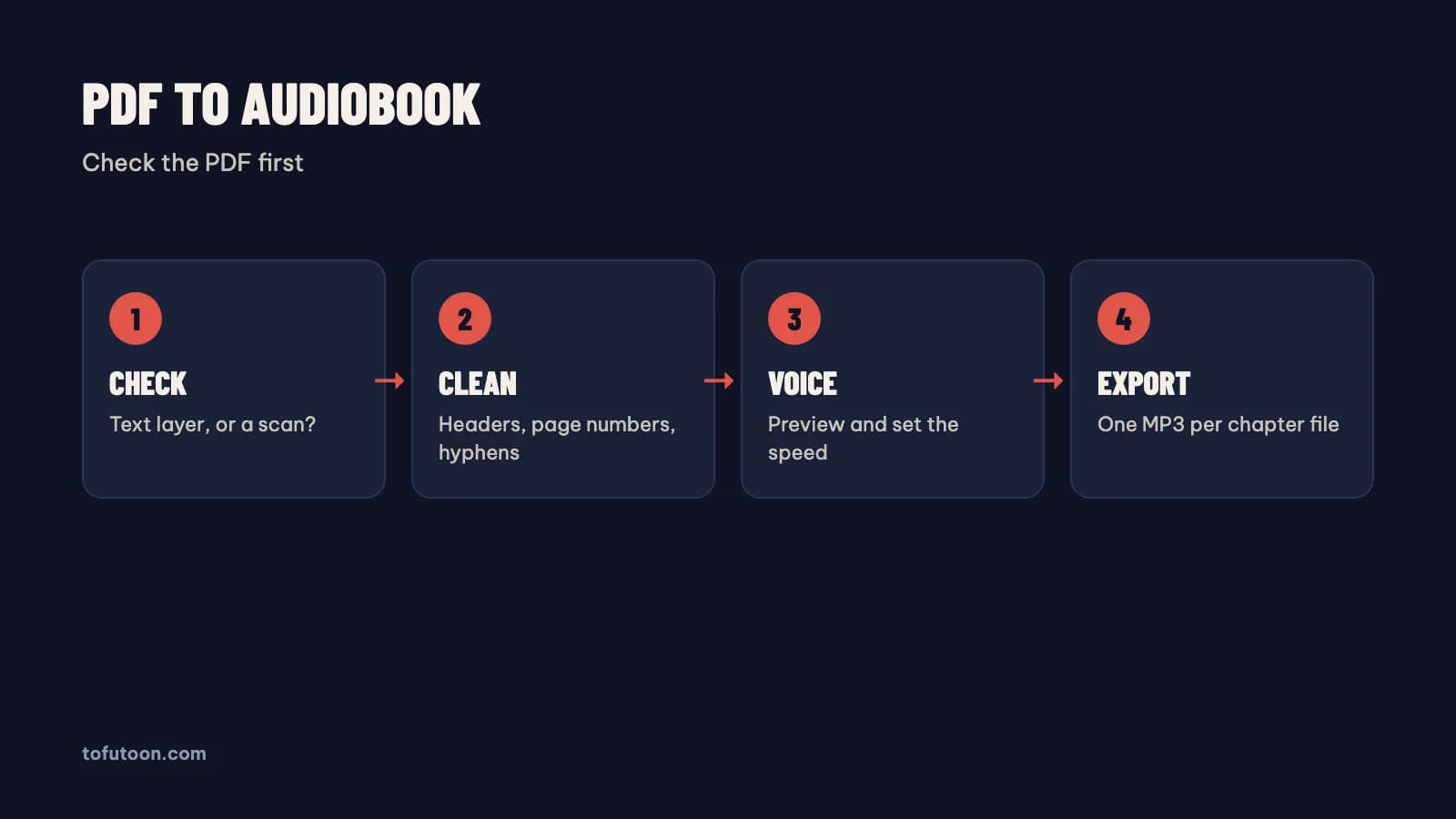
A text layer is the hidden set of real characters in a PDF that lets you select, copy and search words. The check takes ten seconds. First, open the PDF with Microsoft Edge or the free reader from Adobe and try to highlight one word with the mouse. Second, search for a word you can see on the page. If both work, the PDF has a text layer and can go straight to text to speech. If nothing highlights and search finds nothing, the PDF is a scan and needs OCR. For instance, a contract printed, signed and scanned is a scan even when the file name ends in .pdf. Check two or three pages from different parts of the file, because some PDFs mix typed pages with scanned ones. Note that scanned pages inside a text PDF come out as silence in text to speech, so a mixed file needs OCR on the scanned pages.
What should you clean in a PDF before text to speech?
PDF text needs cleaning because a PDF is built for the eye, not the ear. A voice reads everything in the text layer, including parts a reader skips without noticing. First, remove running headers and footers, such as the book title or chapter name at the top of every page. Second, remove page numbers, which turn into stray numbers in the middle of sentences. Third, fix hyphenated words split across lines, such as "impor- tant". Finally, decide what to do with footnotes, tables and figure captions, which break the flow when read aloud. For instance, a 300-page textbook with a header on every page adds 300 repeated lines to the audio. Paste the text using Microsoft Word or a text editor, use Find and Replace for the repeated lines, and save one chapter per TXT file. Clean text once, and every voice test afterwards is fair.
How do you turn a text PDF into MP3 files?
A text PDF turns into MP3 files in a text-to-speech app that opens PDFs directly. Tofu Voice is a pay-once desktop app for Windows 10 or later and Apple silicon Macs (M1 or later). The Pro edition opens PDF files with a text layer, plus EPUB and DOCX, and Base reads TXT files, according to TofuToon. First, open a single PDF or a folder of PDFs. Second, preview a voice on a sample sentence and set the speed. Finally, export: each file becomes its own MP3, named after the source, and failed files can be retried. In practice, a folder of 12 chapter PDFs becomes 12 MP3 files in order. Online voices, such as Edge voices from Microsoft, need internet while generating, and the text goes to that voice service; offline voices in Pro run on the computer. A whole book in one PDF works better split into chapter files first.
How do you turn a scanned PDF into an audiobook?
A scanned PDF needs OCR before any voice can read the pages. Tofu Image Text is a pay-once desktop app that opens scanned PDFs and image folders, reads the pages with OCR on the computer and shows each page beside its text for quick fixes. The reviewed text can go straight to audio in the same app, one file per chapter, or out as TXT and Word (.docx) files for another tool. Supported text covers English, Spanish, Portuguese and other Latin-alphabet languages, plus Vietnamese. On an Apple M4 Pro, we measured OCR on a short 6-page chapter at 2 seconds, in one recorded run with clean sample pages. Accuracy on real scans is not measured yet. A scan of 30 pages, for example, still needs a read-through for names and numbers, because every OCR mistake becomes a spoken mistake in the audiobook.
FAQ
Can Tofu Voice Base read PDF files?
Tofu Voice Base reads TXT files only; PDF, EPUB and DOCX support belongs to the Pro edition, according to TofuToon. With Base, a text PDF needs converting to TXT first. Open the PDF and select all. Copy the text into Microsoft Word or a text editor. Clean the headers and page numbers, then save as TXT. A short report of 20 pages, for instance, converts well this way in a few steps. Pro saves the conversion step and opens the PDF directly, which matters for many files or long books. Both editions export one MP3 per file and allow retries for failed files. A scanned PDF needs OCR in either case, since neither edition reads text from images; Tofu Image Text covers the OCR step on the same computer, with each page shown beside the text.
Why does a PDF read aloud with strange numbers and repeats?
Page furniture is the cause: page numbers, running headers and footers sit in the text layer of the PDF and get read aloud. A voice reads every character it receives, so a page number between two halves of a sentence breaks the sentence in the audio. First, look at the copied text, not the PDF view in the reader from Adobe, since the copied text shows exactly what the voice will read. Second, remove repeated header lines with Find and Replace in Microsoft Word. Finally, rejoin words hyphenated at line ends. For example, a book with "Chapter 3" at the top of every page repeats the phrase dozens of times in one chapter of audio. Cleaning one chapter first shows which patterns repeat across the whole book, so the rest of the book goes faster.
Can I listen to a PDF audiobook offline on a phone?
A PDF audiobook in MP3 plays offline on any phone once the files are copied, from Apple iPhones to Android phones from Samsung or Google. Online voices need internet only during generation. Offline voices in Tofu Voice Pro generate audio without a connection at all. First, copy the chapter files with a cable or a cloud drive. Second, keep one folder per book. Finally, name the files with leading numbers, such as 01, 02 and 03, so the player keeps the chapters in order. For example, a 20-chapter PDF book becomes 20 MP3 files that a podcast-style player can resume. Keep the original PDF too, in case a chapter needs fixing and converting again.
Next step: check your PDF for a text layer, clean one chapter, and convert the chapter with two voices to compare. For text PDFs and folders, see Tofu Voice; for scanned PDFs, see Tofu Image Text. Read scanned PDF to Word for the OCR side in detail.