
EPUB to MP3: turn an ebook into an audiobook on your PC
An EPUB already keeps its chapters apart, which makes EPUB to MP3 simpler than PDF. Here is how to check the book, pick a voice and batch the chapters.
EPUB to MP3 is the job of turning an ebook into spoken audio files, usually one MP3 per chapter. EPUB is a good starting format, because an EPUB is a package of chapter files with real text inside, so no OCR is needed. The text reflows, the chapter list exists, and headers or page numbers rarely get in the way. Three things still need care. First, the book must be DRM-free; protected ebooks from stores such as Amazon or Google Play Books cannot be opened by third-party apps. Second, front matter such as copyright pages and long tables of contents should not become audio. Finally, one voice should read the whole book. For example, at 150 words per minute, an 80,000-word novel gives close to 9 hours of audio. The guide walks through each step, using Tofu Voice from TofuToon as the example.
Which EPUB files can be converted to MP3?
A convertible EPUB is a DRM-free EPUB that you own or have the right to use. DRM (digital rights management) locks a purchased ebook to the store’s own apps, and removing DRM breaks the store terms. DRM-free EPUBs come from several places. First, publishers and authors who sell DRM-free books, often marked as such on the store page. Second, public domain libraries such as Project Gutenberg, which offers over 75,000 free eBooks, according to Project Gutenberg itself. Third, your own writing, exported using Microsoft Word, Google Docs or a writing app. In practice, a novel you wrote and exported as EPUB is the simplest case of all. Sharing an MP3 version of someone else’s book needs the rights holder’s permission, even when the EPUB itself was free to read. Personal listening of a book you own is a different case from publishing the audio.
What should you check inside an EPUB before converting?
The chapter list is the main thing to check inside an EPUB, because each chapter usually becomes one MP3. Open the book in a reader such as Calibre, Apple Books or the reader in Microsoft Edge, and look at the table of contents. First, check that chapters are separate entries, not one giant section. Second, mark the front matter you do not want as audio: cover page, copyright notice, dedication and long tables of contents. Third, check the back matter: notes, acknowledgements and adverts for other books. Finally, skim one chapter for footnote markers and image captions, which a voice reads aloud. For instance, a web novel packed into an EPUB by a script can carry site names inside every chapter. Calibre, a free ebook manager, can edit the book and remove such lines before the audio step.
How do you convert an EPUB to MP3 by chapter?
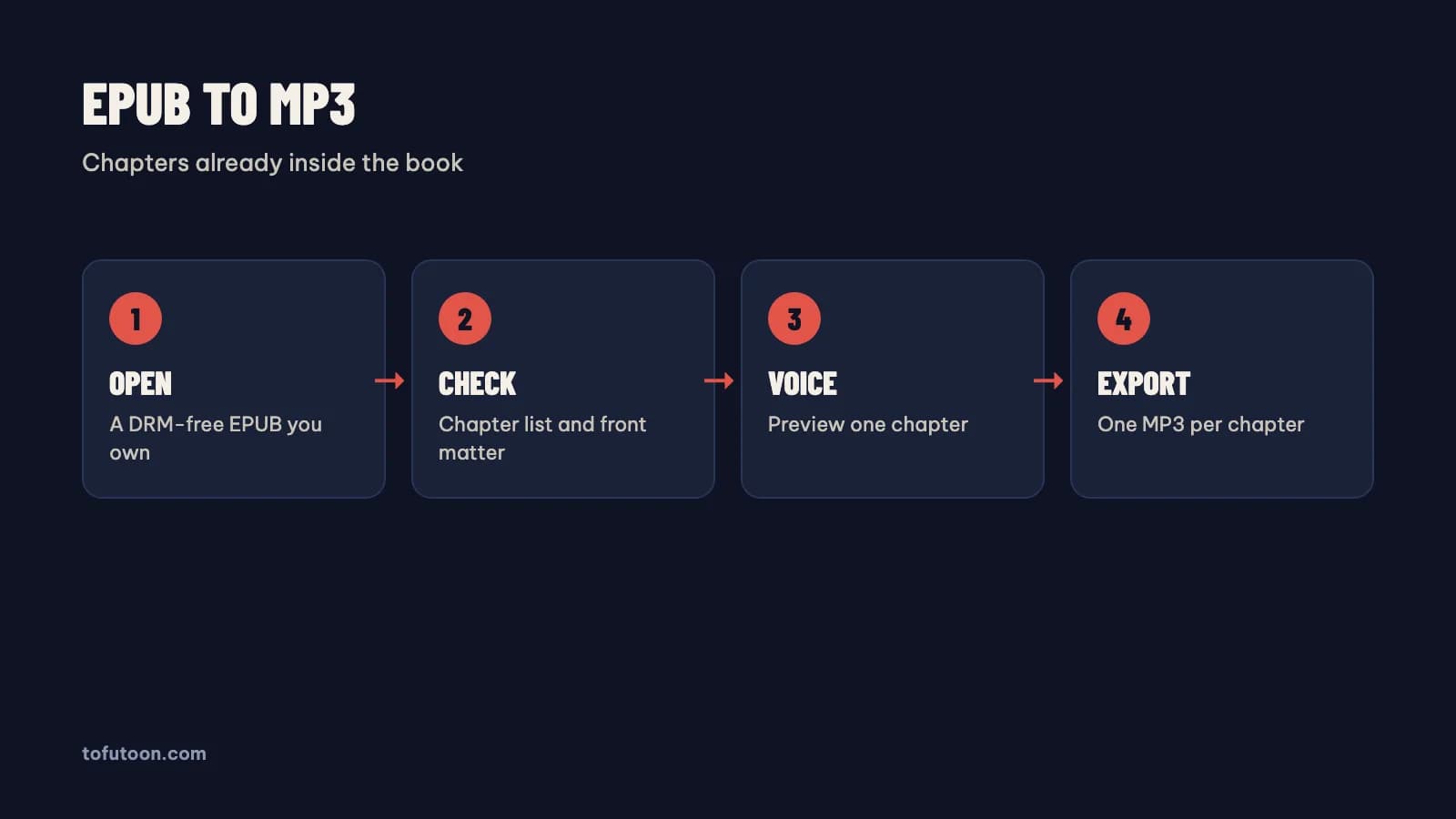
A chapter-by-chapter conversion is the cleanest way to turn an EPUB into MP3, because listeners pause and skip by chapter. Tofu Voice is a pay-once desktop app for Windows 10 or later and Apple silicon Macs (M1 or later). The Pro edition opens EPUB files directly, plus PDF with a text layer and DOCX, according to TofuToon; Base reads TXT files. First, open the EPUB using Tofu Voice Pro. Second, preview a voice on a sample sentence and set the speed. Finally, export and listen to the start of the first file. Failed files can be retried without redoing the finished ones. A 40-chapter EPUB, for instance, can become 40 MP3 files in order. Online voices, such as Edge voices from Microsoft, need internet while generating, and the text goes to that voice service; offline voices in Pro run on the computer.
Which voice suits an EPUB audiobook?
The right voice for an EPUB audiobook is a calm, clear voice staying pleasant for hours. A voice sounding exciting in a short sample can tire a listener over a whole book. Tofu Voice Base includes 170+ natural voices across many languages, according to TofuToon, and Microsoft lists two Vietnamese neural voices, HoaiMy and NamMinh, among its Azure voices. First, test two or three voices on one full page with dialogue and numbers, using the preview button. Second, listen at the planned speed. Finally, listen for five minutes in a row, since fatigue only shows over time. In practice, keep the same voice for the whole book, and note the voice name and speed in a text file next to the EPUB. A personal voice is an option too: Tofu Voice Pro can clone your own voice from a recording, which suits authors reading a book of their own.
FAQ
Can I convert a Kindle book to MP3?
A Kindle book from Amazon is protected by DRM, so third-party apps cannot open the book, and removing the DRM breaks the store terms. The legal routes are different, and three of them work well. First, check whether the book has an official audiobook edition. Second, use the text to speech feature inside the store’s own app where the store offers one. Finally, for your own writing, export a DRM-free EPUB from Microsoft Word and convert the file using Tofu Voice Pro. For instance, an author with a manuscript can make an MP3 review copy from the EPUB for listening checks. Public domain books from Project Gutenberg are another DRM-free source. Tofu Voice opens DRM-free EPUB, PDF and DOCX files in the Pro edition and TXT files in Base, and does not remove DRM from any file.
Why does my EPUB audio read the copyright page and table of contents?
The copyright page and table of contents are sections of the EPUB like any chapter, so a converter treats them as text to read. A voice reading a long table of contents sounds like a list of numbers and titles, which no listener wants. First, look at the chapter list before converting. Second, skip or delete the front matter sections you do not want. Third, check the end of the book for notes and adverts. Say a 30-chapter novel opens with five short sections of front matter from Penguin, HarperCollins or another publisher: and five extra MP3 files of legal text add nothing for a listener. Calibre, a free ebook manager, can remove sections from a DRM-free EPUB in a few clicks. In practice, convert one chapter first and listen to the opening seconds, then convert the rest.
Is EPUB better than PDF for making an audiobook?
EPUB is usually the better source for an audiobook, because an EPUB is built from reflowing text with separate chapters. A PDF is built for fixed pages, so running headers, page numbers and hyphenated line ends sit inside the text and get read aloud.For example, the same novel as an EPUB converts chapter by chapter with little cleanup, while the PDF version needs header and page number removal first, in Microsoft Word or a text editor. With both formats available, choose the DRM-free EPUB. With only a PDF, check for a text layer and clean the text; steps are in [PDF to audiobook](/blog/chuyen-pdf-thanh-giong-noi). Both formats open in Tofu Voice Pro.
Next step: pick a DRM-free EPUB you own, check the chapter list, and convert one chapter with two voices to compare. Keep the better voice for the whole book. For EPUB, PDF and DOCX files, see Tofu Voice, and read make an audiobook from TXT files for plain text sources.