
Make an audiobook from TXT files on your computer
Plain text files are the simplest source for an audiobook. Here is how to split, name and clean TXT chapters, then turn a whole folder into MP3 files.
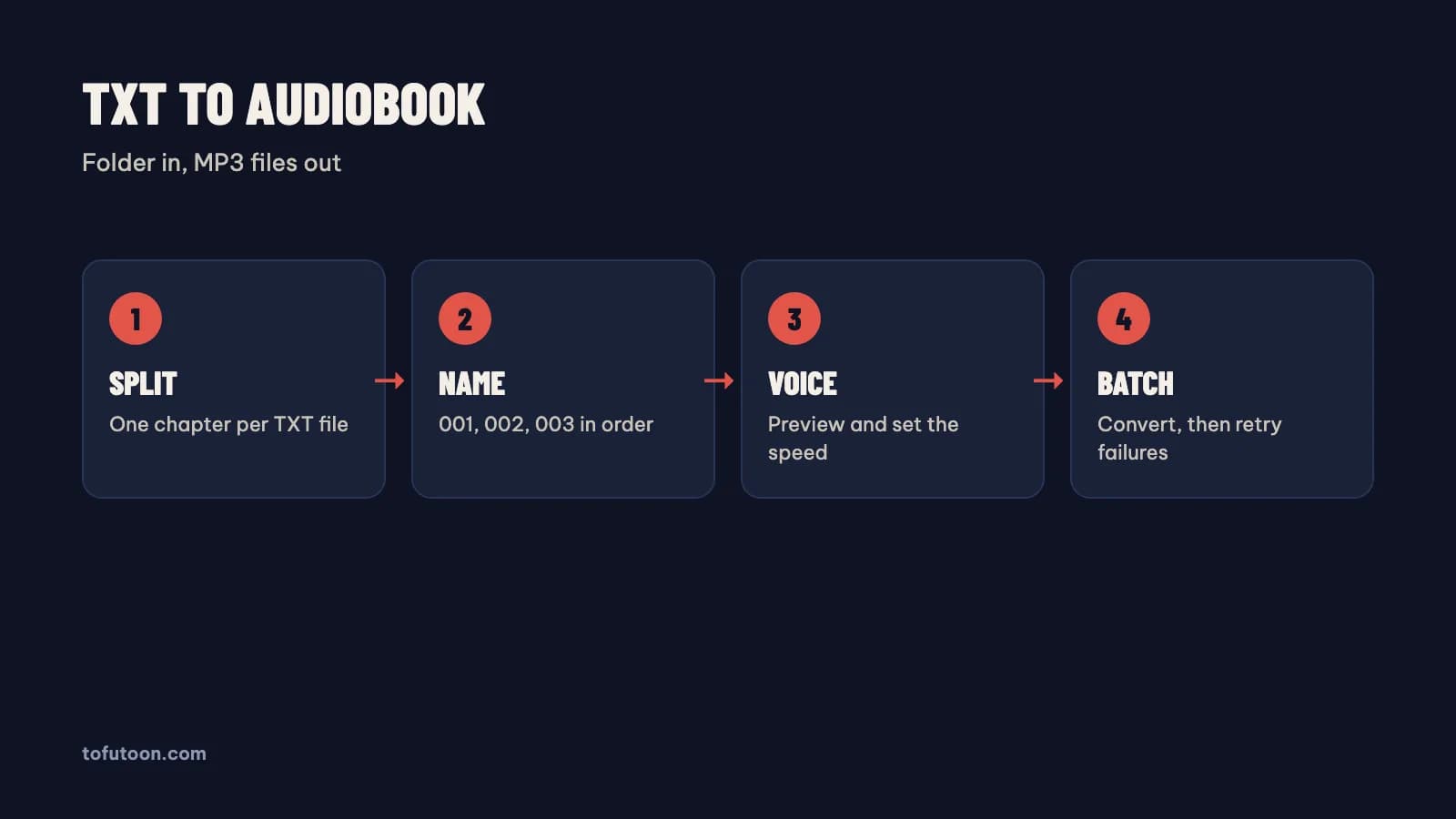
An audiobook from TXT files is a set of MP3 files, one per chapter, made by a text-to-speech app from plain text. TXT is the simplest source format: no layout, no DRM and no OCR, just characters. The work is in the preparation. First, split the book into one file per chapter. Second, save every file as UTF-8 and name the files in order. Third, test one voice on a real page. Finally, convert the whole folder in one batch and spot-check the audio. For example, at 150 words per minute, a 2,500-word chapter gives about 17 minutes of audio, so 60 chapters make roughly 17 hours. The guide covers each step on Windows or Mac, using Tofu Voice from TofuToon as the example, since Tofu Voice Base turns TXT files and folders into MP3. Only convert texts you wrote, own or have the right to use.
How do you split a long TXT book into chapter files?
Chapter files are the right shape for an audiobook, because listeners pause and skip by chapter, and a failed file only costs one chapter. A single giant TXT file makes one giant MP3 that is hard to navigate. First, find the chapter markers, such as "Chương 1" or "Chapter 1", with the search box of a text editor. Second, cut each chapter into its own file. Third, keep chapter titles at the top of each file, so the voice announces the chapter. A 600 KB web novel file with 120 chapters, for instance, becomes 120 small files. Splitting by hand is slow for long books; a text editor with regular expressions, such as Notepad++ on Windows from Microsoft or BBEdit on a Mac, can split at every "Chương" line. In practice, split ten chapters first and convert those ten files before splitting the rest.
Why do encoding and file names matter for TXT audiobooks?
Encoding is the way a TXT file stores characters, and the wrong encoding turns Vietnamese tone marks into garbage. UTF-8 is the safe choice for every language. Old files from Windows editors are sometimes saved in a legacy code page, and a voice may read the broken characters as noise or skip them. First, open a file and look at a line with tone marks, such as "Hải hỏi". Second, if the marks look broken, use Save As and pick UTF-8 in Notepad from Microsoft or any modern editor. File names matter for order: name files 001.txt, 002.txt, 003.txt, with leading zeros. Without the zeros, simple apps sort 10.txt before 2.txt. For instance, a folder of 120 chapters named 1 to 120 can play chapter 100 right after chapter 10. Leading zeros fix the order in Windows Explorer, Finder from Apple and phone music players alike.
How do you turn a folder of TXT files into MP3?
A folder batch turns every TXT file into its own MP3 without copy and paste. Tofu Voice is a pay-once desktop app for Windows 10 or later and Apple silicon Macs (M1 or later). Base turns TXT files and folders into MP3 with 170+ natural voices, batch conversion and retries for failed files, according to TofuToon. First, open the chapter folder using Tofu Voice. Second, preview a voice on a sample sentence and set the speed. Finally, start the batch: each file becomes an MP3 named after the source file. In practice, a folder of 60 chapter files becomes 60 MP3 files in the same order. Online voices, such as Edge voices from Microsoft, need internet while generating, and the text goes to that voice service. Offline voices are part of Pro. Listen to the first, middle and last file before trusting the whole batch.
What should a TXT file contain before conversion?
A ready TXT file is a file with only words meant for the ear. A voice reads every character, so anything a listener should not hear has to go. First, remove site names, "next chapter" links and translator notes copied from Wattpad or other websites. Second, replace symbols and emoji, which a voice may read aloud or skip awkwardly. Third, write numbers and abbreviations the way they should sound, such as "TP.HCM" as "Thành phố Hồ Chí Minh". Finally, split very long sentences at a natural breath, since full stops give the voice room to pause. For instance, a chapter copied from a reading site can carry the same promo line at the top and bottom; Find and Replace in Microsoft Word or Notepad++ removes the line from every file in one pass. Clean ten files, convert them, and listen before cleaning the whole book with the same rules.
FAQ
Which Tofu Voice edition handles TXT files?
Every Tofu Voice edition handles TXT files, and Base is the edition built for TXT only. Base turns TXT files and whole folders into MP3 with 170+ natural voices, batch conversion and retries for failed files, according to TofuToon. Pro adds EPUB, PDF with a text layer, DOCX, SRT and VTT subtitles, offline voices and voice cloning from your own recording, all in the same app. For example, a writer who keeps chapters as TXT files only needs Base, while a reader with EPUB ebooks needs Pro. Both editions run on Windows 10 or later from Microsoft and on Apple silicon Macs, and one license works on one computer at a time. Both are pay-once licenses with no subscription. First check the product page for the current edition list before buying, since editions and features can change over time.
How long does it take to turn TXT files into an audiobook?
TXT to audiobook time is mostly preparation and listening, not conversion. Splitting chapters, fixing encoding and cleaning promo lines take the most hands-on time. Conversion time depends on the voice service, the network and the text length, so no single number fits every book. First, prepare ten chapters. Second, convert the ten files and note the time. Finally, multiply by the chapter count for a real estimate. For example, if ten chapters take a known time on your computer and connection, a 100-chapter book takes roughly ten times longer, plus the listening checks. Online voices from Microsoft need a stable connection for long batches of chapters. Retries cover failed files, so a dropped connection does not mean starting over. Listen to samples as the batch runs, not only at the very end of the book.
Can I use TXT files from web novel sites for an audiobook?
TXT files from web novel sites are someone else’s work, so an audiobook needs care: personal listening is one thing, publishing is another. Sharing or selling an MP3 version needs the rights holder’s permission. Some sites also forbid copying in their terms. For personal listening of a story you have the right to read, clean the files first: site names, links and notes inside chapters will be read aloud. For instance, a line such as "Read more at …" repeated in every chapter adds noise to every MP3. Public domain books from Project Gutenberg come as clean TXT files and are free to convert and share. The guide in [recap videos and copyright](/blog/recap-videos-copyright) explains fair use in more detail.
Next step: split ten chapters into numbered UTF-8 files, test one voice on a page, and convert the ten files. Listen on a phone before preparing the rest. For folders of TXT files, see Tofu Voice, and read novel to audio for voices and organization.