
Novel to audio: turn a Vietnamese novel into MP3 on a PC
A novel becomes good audio chapter by chapter, not in one giant file. Here is the workflow: clean chapters, one tested voice and a batch of MP3 files.
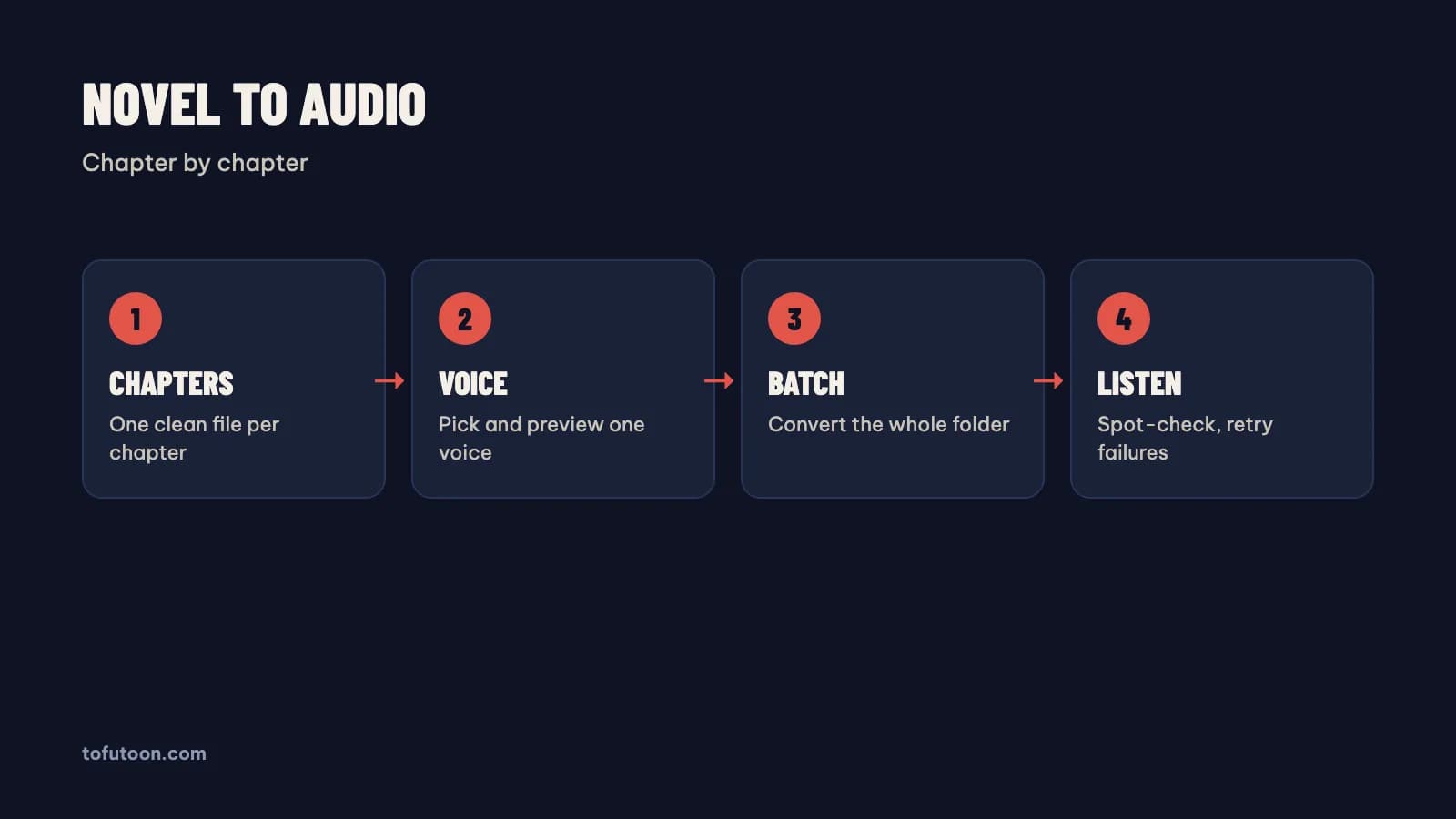
Novel to audio is the job of turning a written story into spoken MP3 files, usually one file per chapter. A Vietnamese web novel can run to hundreds of chapters, so the workflow matters more than any single setting. Four steps cover the job. First, split the novel into one clean text file per chapter. Second, choose one voice and test the voice on a real paragraph. Third, convert the whole folder in one batch. Finally, spot-check the audio and retry any failed files. For example, at 150 words per minute, a 3,000-word chapter gives about 20 minutes of audio, so 100 chapters make more than 30 hours. The guide walks through each step on Windows from Microsoft or on a Mac, using Tofu Voice from TofuToon as the example. Only convert novels you own or have the right to use, and keep the audio for personal listening unless the rights holder agrees.
How do you prepare novel chapters for audio?
Chapter preparation means cleaning the text before any voice reads the text, because a voice reads everything it gets. First, save each chapter as its own TXT file in UTF-8, named in order: 001, 002, 003. Leading zeros keep Windows Explorer from Microsoft and Finder from Apple sorting the files correctly. Second, remove what a listener should not hear: site names, "next chapter" links, translator notes in brackets and rows of symbols. Third, fix tone marks broken by copying, since a broken character can be read as noise. For instance, a chapter copied from a website can contain a line such as "Đọc truyện tại …" at the top and bottom; delete the line in every file with Find and Replace in Microsoft Word or a text editor. An EPUB file can skip some of this work, because the chapters are already separate inside the book; Tofu Voice Pro opens EPUB directly.
Which voice should read a Vietnamese novel?
The right voice for a Vietnamese novel is a calm, clear voice a listener can bear for many hours. A voice that sounds exciting in a 30-second sample can tire a listener over a long book. Microsoft lists two Vietnamese neural voices, HoaiMy and NamMinh, in the Azure Speech language list, and Tofu Voice Base includes 170+ natural voices, according to TofuToon. First, test each candidate voice on one full page with dialogue, names and numbers, using HoaiMy or NamMinh as a baseline. Second, listen at the speed you plan to use, not the default. Finally, listen for five minutes in a row, since fatigue only shows over time. In practice, the only real test is your own ears on your own book, with a scene of dialogue and a scene of action. Keep the same voice for the whole novel, because a change halfway breaks the story for the listener.
How do you convert a whole novel folder into MP3?
A folder batch is the fastest way to convert a novel, because every chapter file becomes its own MP3 without copy and paste. Tofu Voice is a pay-once desktop app for Windows 10 or later and Apple silicon Macs (M1 or later). Open the chapter folder with Tofu Voice, choose the tested voice, set the speed and start the batch. Each file becomes an MP3 named after the source file, and failed files can be retried without redoing the finished ones. In practice, a folder of 50 chapters becomes 50 MP3 files in the same order. Online voices, such as Edge voices from Microsoft, need internet while the audio is generated, and the text goes to that voice service; offline voices in Pro run on the computer without a connection. The finished MP3 files play offline either way. Listen to the first, middle and last file before trusting the whole batch.
How should novel audio be organized for listening?
Organized audio means a listener can pause, skip and return by chapter without hunting for files. First, keep one folder per novel and one MP3 per chapter, with the chapter number at the start of each file name. Many phone music players sort files by name, so 001 comes before 010 only when the zeros are there. For long novels, split the files into volumes of 50 or 100 chapters, which keeps each folder easy to scroll. For instance, a 300-chapter novel becomes six folders of 50 files, each named "Volume 1", "Volume 2" and so on. Copy the folders to a phone with a cable or a cloud drive from Google or Microsoft. For example, a podcast-style player with "remember position" works better for long books than a music player that restarts each file. Keep the source TXT files too, in case a chapter needs fixing and re-converting later.
FAQ
Do I need a website account to turn a novel into audio?
No website account is needed to turn a novel into audio with a desktop app. The desktop app from TofuToon runs on the computer: you buy a license once, paste the key, open a folder of chapters and export MP3 files. The app needs internet to check the license, and online voices need internet while generating audio. Offline voices in Pro work without a connection. Web text to speech tools are different: some need an account, and a free plan may cap the characters per day, so a long novel takes many sessions. Say a novel has 100 chapters: that means 100 paste-and-download rounds on a website and one batch in a desktop app. In practice, test a voice on a free website such as Google Translate first, then move to a desktop app once the novel has more than a few chapters.
Can I feed an EPUB novel directly into the audio tool?
An EPUB novel can go directly into the Pro edition of Tofu Voice, which reads EPUB, PDF with a text layer and DOCX files, according to TofuToon. Base reads TXT files only, so an EPUB needs converting to TXT first for Base, for instance with the free Calibre ebook manager. An EPUB keeps chapters as separate sections inside the book, which makes one MP3 per chapter natural. A 40-chapter EPUB, for example, can become 40 MP3 files without splitting the text by hand. Clean the book first if the EPUB came from a web scrape. Site names and notes inside the chapters will be read aloud. DRM-protected ebooks from Amazon Kindle, Google Play Books and similar stores cannot be opened by third-party apps. Removing DRM breaks the store terms. Use DRM-free books you own or public domain books.
What happens if the internet drops during a novel batch?
A dropped connection is a pause, not a loss: online voices stop generating, the files in progress fail, and the finished MP3 files stay on the computer. A retry runs only the failed files instead of the whole folder. For example, if the connection drops at chapter 37 of 80, the first 36 files stay done, and the retry starts from the failed chapter. First, check the connection. Second, retry the failed files. Finally, listen to the first seconds of each retried file to confirm the audio is complete. Offline voices in Pro avoid the problem entirely. Online voices from Microsoft need a stable connection, so a wired connection helps for long books.
Next step: clean three chapters of a novel you own, test two voices on one page, and convert the three files. Listen on a phone before converting the rest. For folders of chapters, see Tofu Voice, and read Vietnamese text to speech for the voice test.