
Batch text to speech: make audio from many TXT files at once
Pasting chapters into a text box one by one does not scale. Here is how batch text to speech turns a folder of TXT files into MP3s in one run.

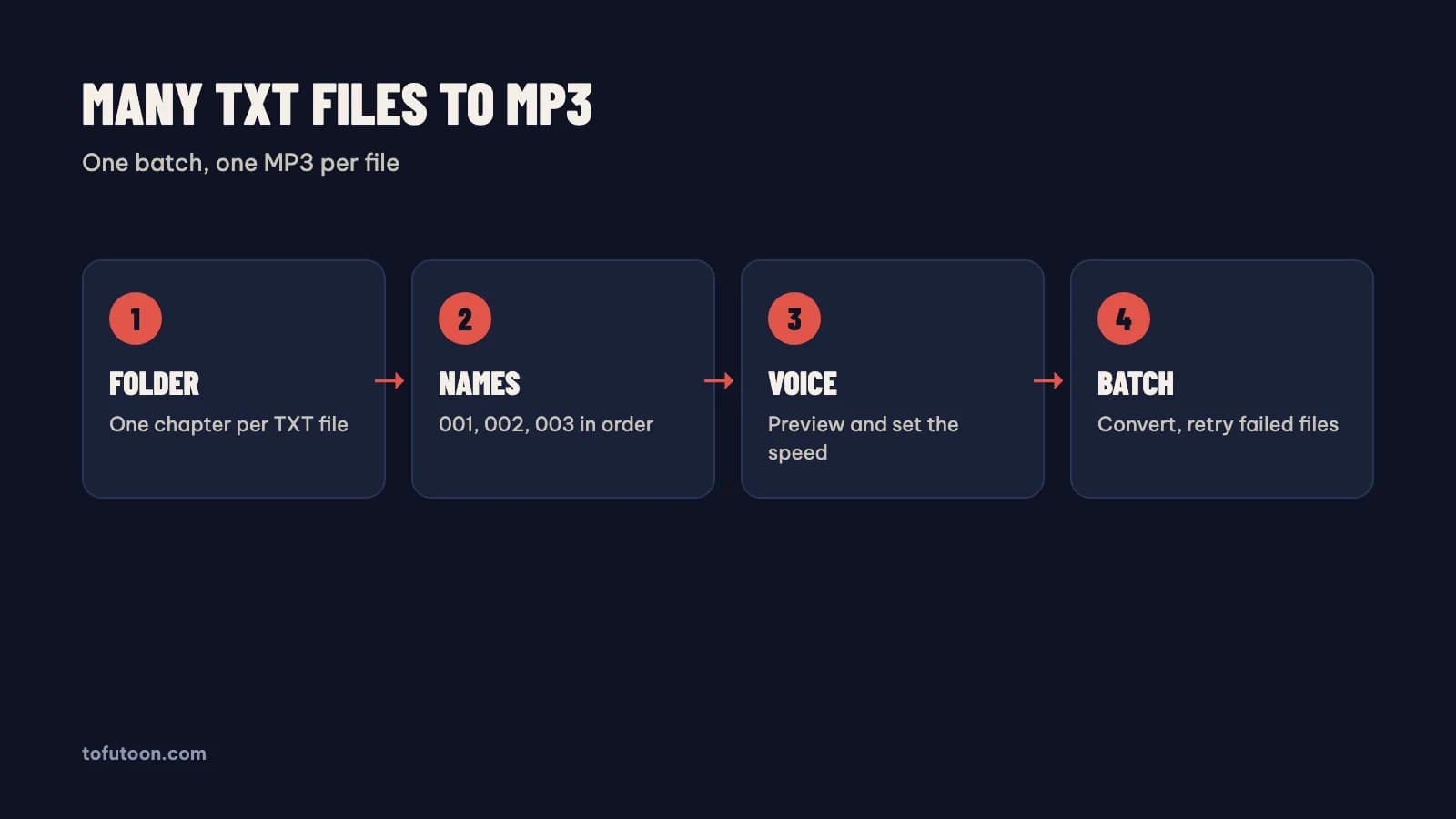
Batch text to speech is a way of turning many text files into audio in one run, with one MP3 per file, instead of pasting text into a box piece by piece. A batch matters once the work has more than a few files: a novel with 80 chapters, a course with 30 lessons or a folder of articles. The batch itself is easy. Most problems come from the folder: wrong encoding, files out of order or junk lines inside the text. For example, at 150 words per minute, 80 chapters of 2,500 words each give more than 22 hours of audio, so a mistake in the setup repeats 80 times. The guide first covers the folder, then the voice test. Finally, the guide walks through the batch and the retry step, using Tofu Voice from TofuToon as the example, since Tofu Voice Base turns TXT folders into MP3 files.
How should a folder be prepared for batch text to speech?
A prepared folder is a folder where every file is one clean chapter, saved as UTF-8 and named in reading order. First, put one chapter or lesson per TXT file. Second, name the files with leading zeros, such as 001, 002 and 003. Without the zeros, simple apps sort file 10 before file 2. Third, save every file as UTF-8, so tone marks and accents survive; Notepad from Microsoft offers UTF-8 in the Save As dialog. Finally, remove what a listener should not hear: site names, links, page numbers and rows of symbols. For instance, a line such as "Read more at …" repeated in 80 files adds 80 pieces of noise to the audiobook. Find and Replace in Notepad++ or Microsoft Word removes such lines from every open file. Keep the original files in a separate folder, so a cleaning mistake never destroys the source.
Why test one voice before a batch text to speech run?
A voice test is a short check on one real file before the batch, because every flaw in the voice repeats across every file. First, pick a page with dialogue, names and numbers, not a greeting. Second, listen at the speed you plan to use. Third, play the test on phone speakers as well as headphones. Finally, listen for five minutes in a row, since a voice that sounds fine for ten seconds can tire a listener over an hour. In practice, Edge voices from Microsoft such as Jenny or HoaiMy sound calm over long chapters, while some CapCut voices sound livelier for short pieces. Write the chosen voice name and speed in a text file next to the folder. A series that changes voice in chapter 40 sounds like a different book, so the test decides the next 40 chapters as well.
How do you run a batch text to speech job on a PC?
A batch job on a PC is one run that reads every file in the folder and writes one MP3 per file. Tofu Voice is a pay-once desktop app for Windows 10 or later and Apple silicon Macs (M1 or later). Base turns TXT files and folders into MP3 with 170+ natural voices, batch conversion and retries for failed files, according to TofuToon. First, open the folder using Tofu Voice. Second, choose the tested voice and speed. Finally, start the batch: each MP3 takes the name of its source file. For instance, a folder of 80 chapter files becomes 80 MP3 files in the same order. Online voices, such as Edge voices from Microsoft, need internet while generating, and the text goes to that voice service. Offline voices are part of Pro. Listen to the first, middle and last file before trusting the whole batch.
What should you do when some files fail in a batch?
A failed file is a file the voice service could not finish, usually because of a dropped connection or a broken character in the text. The finished files stay finished. First, look at which files failed and open one of them. Second, check the text for strange characters, an empty file or a huge chapter. Third, fix the text if needed. Finally, retry only the failed files, which Tofu Voice allows without redoing the rest of the folder. For example, if chapter 37 of 80 fails, the retry touches chapter 37 alone. Online voices from Microsoft need a stable connection for long runs, so a wired connection helps for books with hundreds of chapters. In practice, split very long chapters into two files before the run, since one huge file is more likely to fail than two normal ones.
FAQ
How many TXT files can one batch text to speech run handle?
The useful limit for one run is the folder you can check afterwards, not a number in the app. The Tofu Voice landing page lists no character limits and no subscription, according to TofuToon. A long run depends on the voice service and the connection, so a very large folder takes hours with online Edge voices from Microsoft. A 300-chapter novel, for example, works better as three folders of 100 files, each converted and spot-checked before the next. Smaller runs also make problems easier to find: a broken encoding shows up in the first folder instead of the last. First, convert ten files as a test. Then run the rest in groups of about 100 files. Keep the voice and speed the same across every group, so the whole book sounds like one single recording.
Does batch text to speech keep the chapter order?
File naming is the key to order: a batch keeps the chapter order when the file names sort in the right order. Tofu Voice names each MP3 after its source file, so file 001 stays file 001. The order breaks only when the names break: 1, 10, 11 and 2 sort that way in simple apps. Leading zeros fix the problem for Windows Explorer from Microsoft, Finder from Apple and phone music players alike. In practice, a folder named 001 to 120 plays in the right order on a phone, while a folder named 1 to 120 can jump from chapter 1 to chapter 10. Rename the files before the batch, not after, because renaming 120 MP3 files by hand is slow. A bulk rename tool, such as PowerToys PowerRename from Microsoft, can add the zeros in one pass.
Is batch text to speech better than a free website?
A free text to speech website works for a quick test, and a desktop batch works for many files. A website is a text box: paste, wait, download, rename, repeat. Some websites cap the characters per request or per day, so a long chapter needs splitting first. For example, an 80-chapter novel means 80 rounds of paste and download on a website, against one run in a desktop app. Online voices, on a website or from Google and Microsoft in an app, send the text to a voice service; offline voices in Pro keep the text local. Test voices on a free website first, then move to a desktop app for real projects.
Next step: put ten chapters in a folder, name them 001 to 010, save as UTF-8, and test one voice on a real page. Convert the ten files and listen on a phone. For whole folders, see Tofu Voice, and read make an audiobook from TXT files for chapter splitting.