
Comic to video: turn comic pages into a narrated video
A comic to video project does not need generated animation. Real panels, a clean script and one voice track make a better video. Here is the full workflow.
Comic to video is the job of turning static comic pages into a video with a voice that reads the story, while the original panels stay on screen. The result is a narrated comic video: a recap, a dub or a read-along. Asking an AI tool to animate the pages is tempting. In a story video, animation is the wrong goal, because the art and the lettering are the reason anyone watches. A narrated video keeps the art exactly as drawn and adds three things: a script, a voice track and timing. For example, a chapter of 12 pages with a 900-word script gives about 6 minutes of video at a narration pace of 150 words per minute. The guide first explains why generated animation is the wrong fit, then what a narrated video needs. Finally, the guide walks through the workflow from panels to an edit using CapCut.
Why is AI animation the wrong fit for a comic to video project?
AI animation is the wrong fit because generated video makes new frames, and new frames change the art. A generative tool predicts motion from a single image, so faces, outfits and speech bubble lettering can drift from the original panel within a few seconds. Lettering is the worst case: generated frames can blur or rewrite the words in a bubble. In a comic to video project, the viewer came for the story and the artist’s panels, so a warped face on the hero breaks the episode. For instance, a scar on the hero’s face can move or vanish between generated frames. Generated clips can also be short, while a chapter runs for minutes. A narrated video avoids all of that. First, the panels stay untouched. Second, motion comes from simple camera moves, such as a slow zoom or a pan across a wide panel, made with CapCut from ByteDance or most other editors. Finally, the voice carries the pacing, and the panels follow the voice.
What does a narrated comic video need?
A narrated comic video is a sequence of five parts, built in this order, for example for one chapter of 12 pages:
- Panels: cropped images, numbered in reading order from 001 upward.
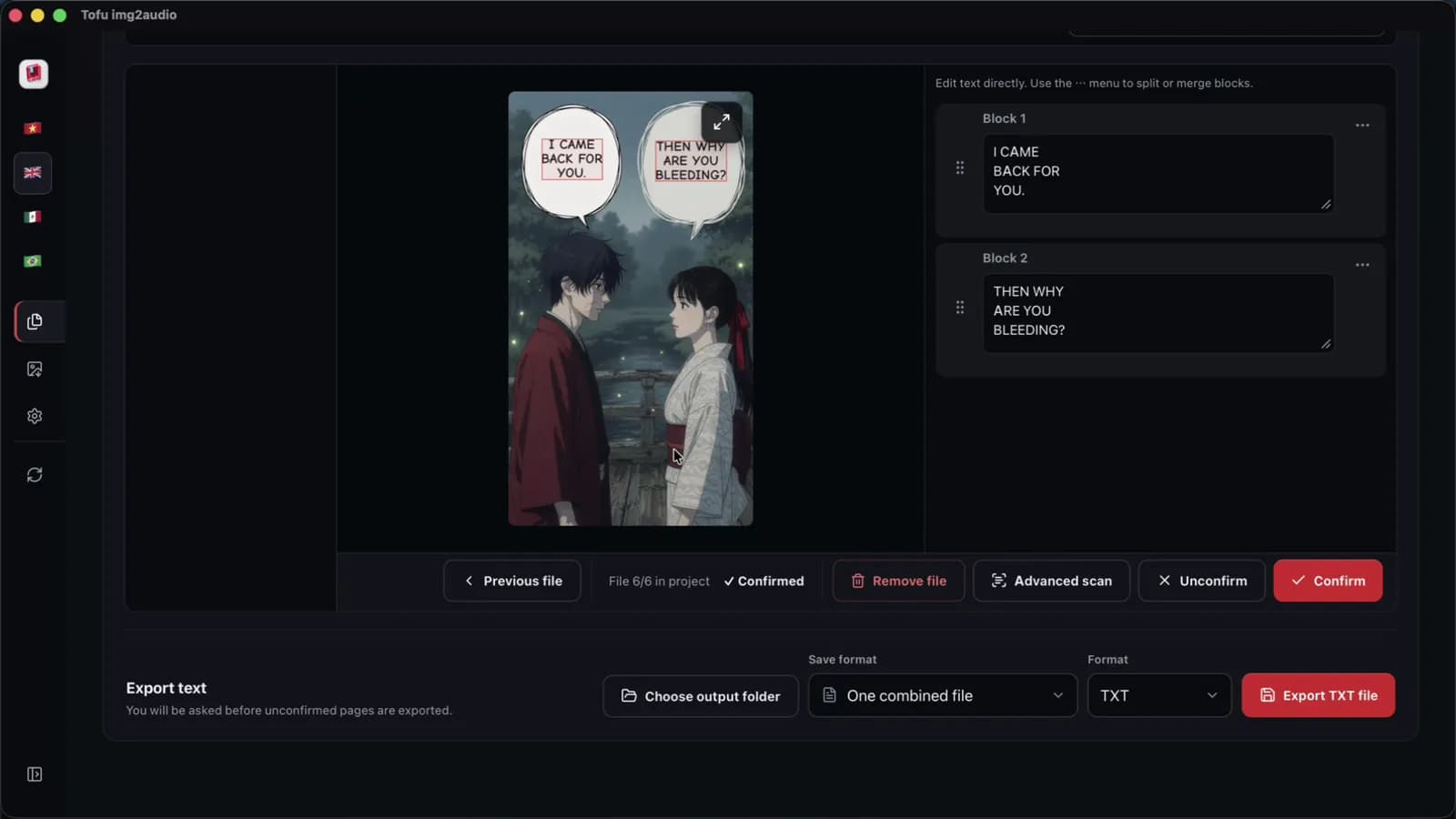
- Text: the speech bubbles extracted with OCR, using Tofu Image Text or another tool, and checked beside the art.
- Script: a narration in third person, or cleaned dialogue with speaker labels for a dub.
- Voice: one audio file per chapter, read by one narrator voice for the whole series.
- Video: the panels timed to the voice track in an editor such as CapCut from ByteDance.
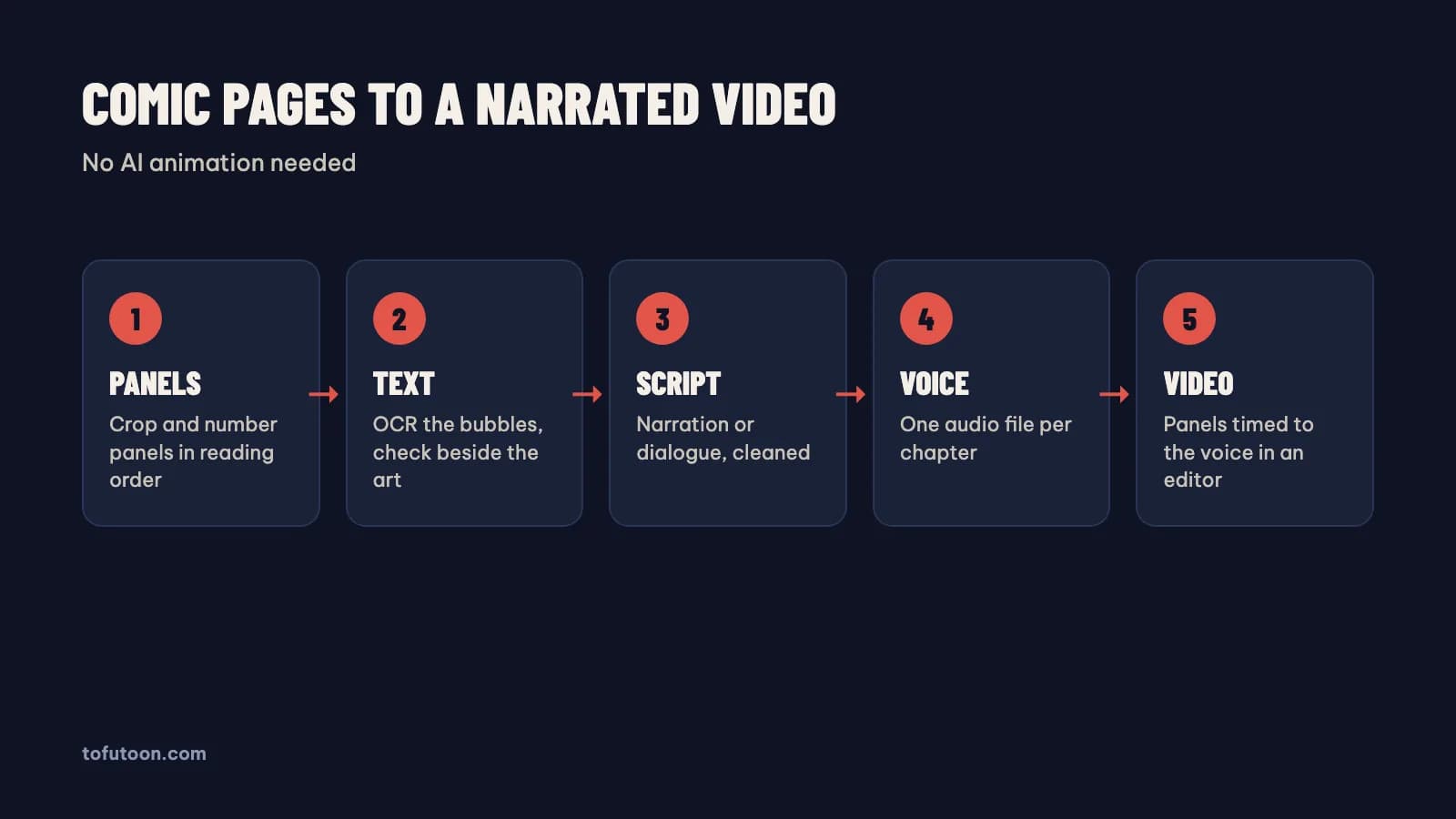
In practice, the text and voice steps take the most handling, because every bubble has to be read and every chapter voiced. Only use comics you have the right to use, such as your own work, licensed chapters or purchased copies for commentary, and read recap videos and copyright before uploading.
How should comic panels be prepared for a 16:9 video?
Panel preparation is the cropping, sizing and ordering of panels before any edit, and good preparation makes the edit fast. According to YouTube, the standard aspect ratio on a computer is 16:9, so a 1920 × 1080 canvas is a safe default. Comic pages are tall, so a full page on a 16:9 canvas leaves wide black bars. The fix comes first: crop single panels or panel groups and let each one fill more of the frame. With a tall strip from Webtoon, slice at the white gutters between panels, never through a speech bubble. Number every file with leading zeros, from 001.jpg upward. Then CapCut, Windows Explorer from Microsoft and Finder from Apple all sort the files in order. For instance, a chapter of 12 pages can split into 25 to 40 panels, depending on the layout. Keep the original files in a separate folder, in case a crop needs redoing.
How do you turn comic text into a voice track?
A voice track is the narration audio for one chapter, and the voice track decides the timing of the whole video. Getting there takes three steps. First, extract the text of every bubble in reading order. Second, turn the raw lines into a script: a third-person narration for a recap, or labelled dialogue for a dub. Finally, generate the audio with one voice. Tofu Image Text is a pay-once desktop app for Windows 10 or later and Apple silicon Macs (M1 or later) that runs all three steps. The app reads the pages with OCR on the computer, rewrites the script with your own AI key, and saves one audio file per chapter. Edge voices from Microsoft and CapCut voices send the script text to that voice service. On an Apple M4 Pro, we measured OCR on a 6-page chapter at 2 seconds, in one recorded run with clean sample pages.
Where does motion still help in a comic to video edit?
Motion helps when the motion is simple and serves the story. A slow zoom on a reaction panel, a pan across a wide battle panel and a quick cut on an impact frame keep still art from feeling frozen. Using CapCut keyframes, each move takes a start point and an end point. Captions also count as motion, and captions help viewers who watch with the sound off. For example, a confession scene can hold one panel for the full line with a slow push-in, while a fight can cut every one or two seconds. Vertical cuts work too. According to YouTube, the three-minute Shorts rules count square or vertical uploads up to three minutes as Shorts, for videos uploaded on or after October 15, 2024. A tall comic panel fits a 9:16 frame well. Skip heavy effects such as shakes, glows and transitions on every cut, since effects pull attention from the art.
FAQ
Can one app turn comic pages into a finished video?
No single step handles everything well, so a comic to video workflow usually uses two tools. Tofu Image Text handles the text and the audio: OCR on the computer, an AI script with your own key, and one audio file per chapter. The app exports TXT, Word (.docx) and audio, not MP4 video. The edit happens in a video editor such as CapCut from ByteDance, where the panels are timed to the voice. In practice, a chapter of 12 pages becomes one MP3 file in Tofu Image Text, then the panels go on the CapCut timeline over that MP3. Keeping the steps separate also means you choose the zooms, cuts and captions. That choice is where your own editing shows, and where the video stops looking like every other recap on the platform today.
What resolution should comic panels be for a narrated video?
The right resolution is a panel at least as tall as the video frame. Panels at that size stay sharp when they fill the whole screen, even with a zoom. A 1920 × 1080 canvas at 16:9 matches the standard aspect ratio on YouTube, according to YouTube upload guidance. A panel shorter than 1080 pixels gets upscaled and looks soft, most of all with a slow zoom across a chapter of 12 pages. For example, first check the height of the smallest panel, then scan or export at the largest size available, since a larger scan leaves room to zoom in without blur. Keep the original files in PNG or high-quality JPG. Avoid screenshots of screenshots, because each re-save adds compression. For vertical Shorts, a 1080 × 1920 frame works, and a tall panel from Webtoon often fills the frame without any bars.
How do you handle long vertical webtoon strips in a comic to video edit?
Long vertical webtoon strips work best when sliced into separate panels before the edit. A strip from Webtoon is one very tall image, and an edit with CapCut handles a sequence of normal images more easily than one giant file. First, slice the strip at the white gutters between panels, never through a speech bubble. Second, number the slices with leading zeros, so the order stays right. Finally, run OCR on the slices, then time each slice to the voice. For instance, one long strip can become 12 pages or more of slices. In a 16:9 video, pan down a tall slice slowly; in a vertical Short, show each slice full frame.
Next step: take one chapter you have the right to use, crop and number the panels, and make one voice track. Then time the panels to the voice in CapCut. To get the text and the chapter audio without retyping, see Tofu Image Text, and read comic dub video in CapCut for the edit routine.