
Convert SRT to voice: create an MP3 timed to subtitles
A subtitle file already holds the script and the timing. Here is how to turn SRT or VTT subtitles into a voice-over that follows the video timeline.
SRT to voice means turning a subtitle file into spoken audio following the subtitle timing, so the voice-over lines up with the video. An SRT file is a plain text file of numbered cues, each with a start time, an end time and one or two lines of text. VTT (WebVTT) is a similar format used on the web, and the World Wide Web Consortium (W3C) publishes the standard. With the timing already in place, a subtitle file is a ready script for a translated or narrated version of a video. In practice, a 10-minute video with 150 cues gives 150 short voice lines, each placed at its own start time. The guide first explains the format, then the cleanup that keeps lines inside their time slots. Finally, the guide covers voices and export, using Tofu Voice Pro from TofuToon as the example.
What does an SRT file contain for SRT to voice?
An SRT file is a list of cues in a fixed pattern, and each cue gives the voice one line and one time window. Each cue has three parts. First, a number, counting up from 1. Second, a time range such as 00:01:12,500 --> 00:01:15,200, written as hours, minutes, seconds and milliseconds. Finally, one or two lines of text, followed by a blank line. For example, a cue with a 2.7-second window and 12 words is tight for any voice, while a cue with 6 words fits easily. Subtitles exported from YouTube, CapCut or Adobe Premiere Pro all follow this pattern. VTT files add a WEBVTT header and use a dot instead of a comma in the times. In practice, open the file in Notepad from Microsoft or any text editor and check a few cues by eye before converting: broken numbering or overlapping times cause problems later.
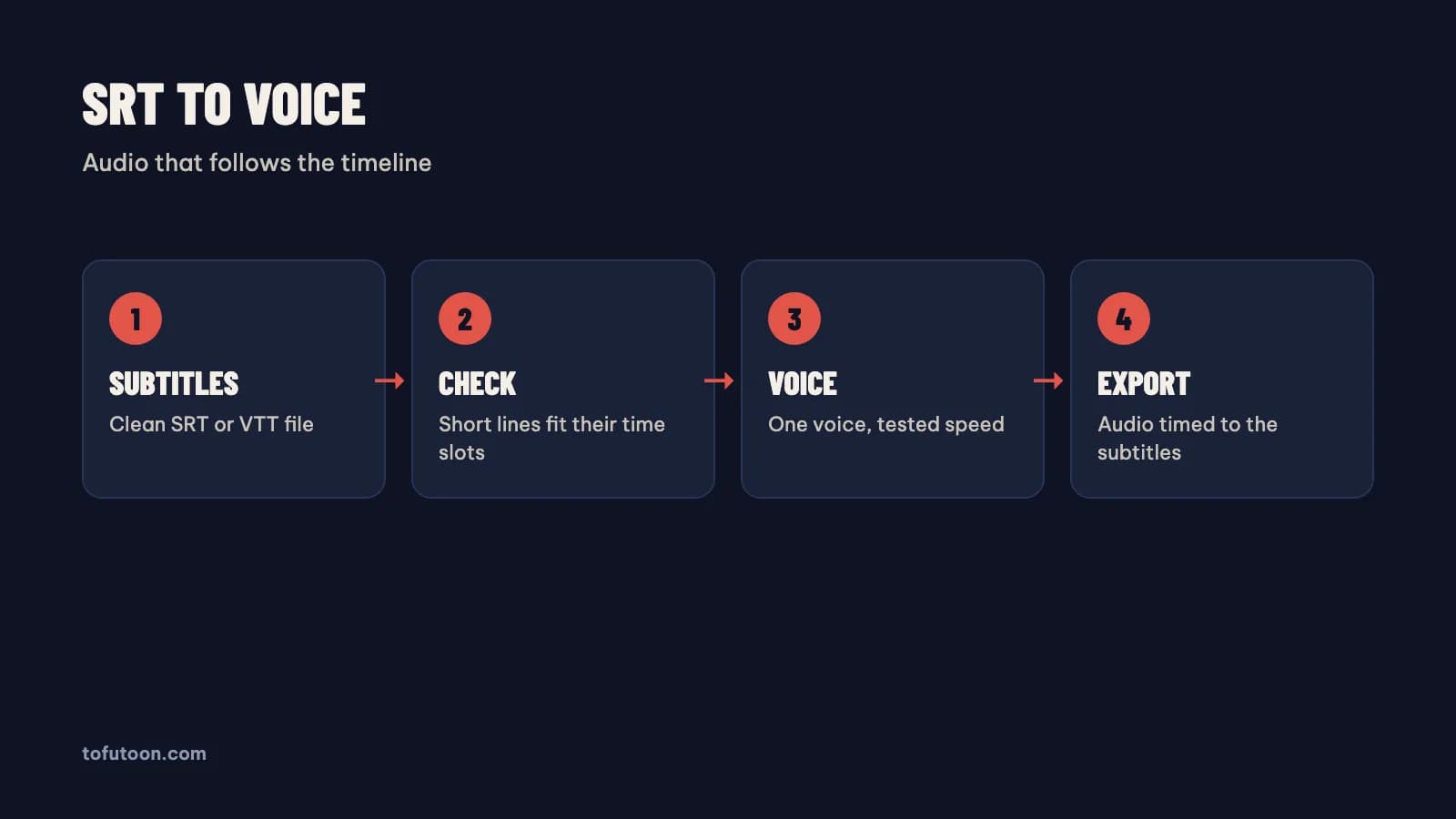
How do you keep voice lines inside their subtitle time slots?
A time slot is the window between the start and end of a cue, and a voice line that runs longer than the slot overlaps the next line. Subtitles are written for reading, and people read faster than a voice speaks. First, find tight cues in a text editor such as Notepad from Microsoft: divide the word count by the seconds in the window. At about 2.5 words per second, a natural pace of 150 words per minute, a 3-second cue holds roughly 7 or 8 words. Second, shorten tight lines without changing the meaning. Third, merge two short cues from the same speaker when the gap is small. Finally, raise the voice speed slightly only if the whole file is tight. For instance, "I really don't think that we should go there tonight" can become "We shouldn't go tonight" in a short window. Subtitle editors such as Subtitle Edit show the characters per second for every cue.
How do you convert SRT to voice on a PC?
Converting SRT to voice on a PC takes a text-to-speech app that reads subtitle files and keeps the timing. Tofu Voice is a pay-once desktop app for Windows 10 or later and Apple silicon Macs (M1 or later). The Pro edition turns SRT and VTT subtitles into audio timed to the video, according to TofuToon; Base reads TXT files only. First, open the cleaned subtitle file using Tofu Voice Pro. Second, preview the voice on a sample line and set the speed. Finally, export the audio and place the file on the video timeline at 00:00. For instance, the audio for a 10-minute video goes on its own track in CapCut or Adobe Premiere Pro, under the original sound or instead of it. Online voices, such as Edge voices from Microsoft, need internet while generating; offline voices in Pro run on the computer.
Which voice suits an SRT voice-over?
The right voice for an SRT voice-over is a clear voice at a steady pace, because subtitle windows leave little room for slow delivery. Short cues favour brisk voices; a slow, dramatic voice overruns more windows. First, test two or three voices on the ten tightest cues in the file, not the easy ones. Second, listen for clipped words at the end of each line. Finally, keep one voice for the whole video, or one voice per speaker for a dub. Edge voices from Microsoft, such as Jenny and Guy in English or HoaiMy and NamMinh in Vietnamese, sound even and clear. In practice, a tutorial translated from English to Vietnamese fits a calm, neutral voice better than an expressive storytelling voice. Tofu Voice Base and Pro include 170+ natural voices, and Pro adds offline voices and a voice clone from your own recording.
FAQ
Can SRT to voice translate subtitles into another language?
SRT to voice reads the language that is already in the file, so translation is a separate step before the voice. First, translate the subtitle file with a translation tool or an AI model from Google, OpenAI or Anthropic, keeping the cue numbers and times unchanged. Second, read the translated lines aloud and shorten any line that is too long for its window, since translations often run longer than the original lines. Finally, convert the translated file to voice. For example, English subtitles translated into Vietnamese can grow by a few words per line, which overruns tight cues. Subtitle editors such as Subtitle Edit can show the reading speed of every cue after translation. Keep the original subtitle file too, so the timing can be checked against the source video later in the edit.
What happens when a subtitle line is longer than its time slot?
A subtitle line longer than its time slot is a timing conflict from the start: the voice needs more time than the cue allows, so the line either overlaps the next cue or needs a faster voice. Results differ by tool and settings, so the safe fix is in the text, not in the app. First, find tight cues by dividing words by seconds. Second, shorten those lines or merge neighbouring cues. Finally, export again and listen to the busiest scenes. For instance, say a 2-second cue holds 10 words: the cue needs about 5 words per second, twice a natural pace of 150 words per minute. Raising the voice speed for the whole file helps a little, but every other line then sounds rushed. Editing ten tight lines usually fixes more than changing any setting, with Subtitle Edit or a plain text editor from Microsoft.
Does SRT to voice need Tofu Voice Pro or Base?
SRT to voice needs Tofu Voice Pro, since Base reads TXT files only, according to TofuToon. Pro reads SRT and VTT subtitles, plus EPUB, PDF with a text layer and DOCX. Pro also adds offline voices and a voice clone. Both editions are pay-once licenses for Windows 10 or later and Apple silicon Macs, and one license works on one computer at a time. First, list the file types you use. For example, a creator converting only TXT files can use Base; an editor dubbing tutorials from subtitles needs Pro. Check the product page for the current edition list before buying, since editions and features can change. Online voices need internet while generating audio.
Next step: open one subtitle file, find the ten tightest cues, shorten them, and convert a short sample to voice. Place the audio on the timeline and watch the busiest scene. For SRT and VTT files, see Tofu Voice, and read batch text to speech for plain text folders.