
Split an audiobook into YouTube episodes with chapters
One 20-hour upload is hard to follow and hard to finish. Here is how to split an audiobook into episodes, add YouTube chapters and keep the series in order.
Splitting an audiobook into YouTube episodes means grouping book chapters into videos of a steady length, each with its own timestamps. A long book does not fit one video well: YouTube allows uploads of up to 12 hours or 256 GB, whichever is less, according to Google on the YouTube upload help page, and accounts need verification for videos longer than 15 minutes. Even within the limit, a 20-hour video is hard to navigate. For example, at 150 words per minute, a 180,000-word novel gives about 20 hours of audio, enough for a long series of episodes. The guide first covers episode length, then how to group chapters. Finally, the guide covers YouTube chapters, titles and playlists, using Tofu Voice from TofuToon for the audio files. Only publish books you wrote, have permission to narrate or that are in the public domain.
How long should each audiobook episode be on YouTube?
A good episode length is a length your listeners can finish in one sitting and you can produce every week. No single number fits every channel, so pick a range and keep the range steady. First, look at the natural breaks in the book: chapters, parts and scene changes. Second, choose a target such as 30 to 60 minutes, about the length of a commute or a workout. Third, group chapters until each episode lands inside the target. In practice, a book with 3,000-word chapters gives about 20 minutes per chapter, so two or three chapters make one episode. Finally, keep the same range across the series, so listeners know what to expect from every episode. YouTube Studio from Google shows the watch time and audience retention of each video. Adjust the range after five or six episodes, using your own numbers rather than a rule of thumb.
How do you group book chapters into YouTube episodes?
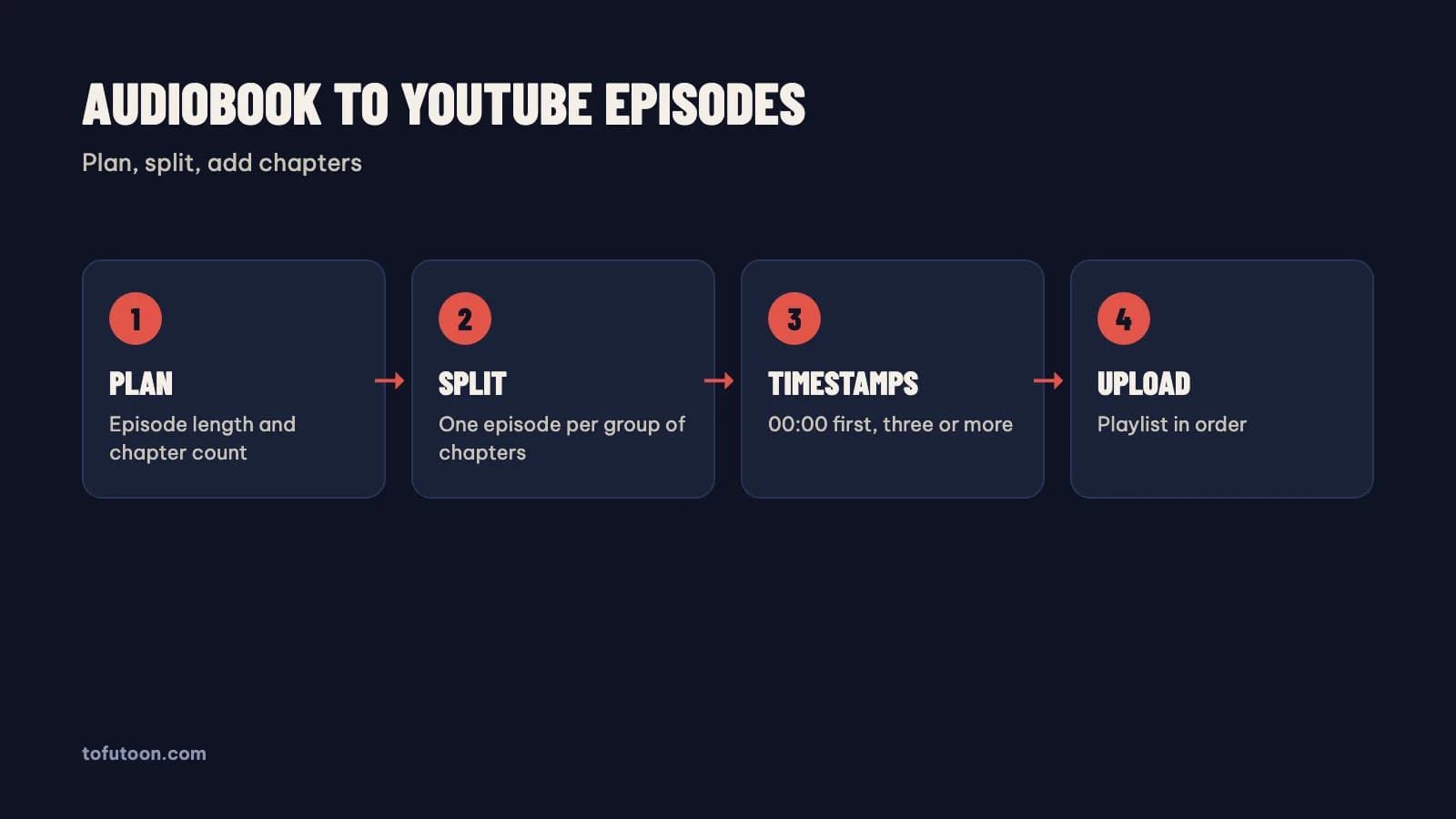
Grouping chapters is the planning step between the book and the upload, and a simple table keeps the plan honest. First, make one MP3 per chapter, so every chapter has an exact length. Tofu Voice is a pay-once desktop app for Windows 10 or later and Apple silicon Macs (M1 or later) that turns a folder of chapter TXT files into one MP3 per file. Second, list each chapter with its length in a spreadsheet from Google or Microsoft, such as Google Sheets or Excel. Third, mark where each episode starts and ends, never in the middle of a chapter. Finally, join the chapter files of each episode on a video timeline using CapCut or another editor. For instance, chapters 1 to 3 together can make episode one. Keep the chapter MP3 files after upload, since the files are the source for fixes and re-uploads.
How do you add YouTube chapters to an audiobook episode?
YouTube chapters are clickable sections in the video progress bar, created from timestamps in the description. The first timestamp must be 00:00, according to YouTube in the video chapters help page, the video needs at least three timestamps in ascending order, and each chapter must be at least 10 seconds long. First, take the start time of each book chapter from the editing timeline. Second, write one line per chapter in the description, such as "00:00 Chapter 1: The Gate". Third, check the chapters in the progress bar after upload, using a phone as well as a computer. For example, an episode with three book chapters gets three timestamps, such as 00:00, 18:02 and 39:10. Chapter titles help listeners return to a scene, and the titles also tell YouTube what each section contains. Keep chapter names short and identical to the chapter titles in the book.
How should audiobook episodes be titled and ordered?
Episode titles and playlists are the navigation of an audiobook series, so both need a fixed pattern. First, put the book name and the episode number in every title, such as "The Silent Gate, Part 4 (Chapters 10 to 12)". Second, create one playlist per book using YouTube Studio and add every episode in order. Third, link the previous and next episodes in each description. Finally, use the same thumbnail style across the series in YouTube Studio from Google, with the part number large enough to read on a phone. Say a listener finds Part 7 through search: the listener can jump to Part 1 from the playlist link in one tap. A pinned comment with the playlist link helps too. Upload episodes in order and on a schedule, because a series with gaps loses listeners who wait for the next part. In practice, prepare three or four episodes before the first upload, so a busy week never breaks the schedule.
FAQ
Is one long audiobook video better than many YouTube episodes?
One long video is a simple archive, and many episodes are a better series for regular listeners on phones. The upload limit from YouTube is large enough for a short book to fit one video. A long single video is hard to navigate on a phone, and a listener who stops halfway has to find the spot again. Episodes give each listening session a clear start and end, and YouTube Studio from Google shows which episodes keep listeners. First, think about how people will listen: in one go, or across a week of commutes? Second, consider both formats: a full-length video as an archive, plus episodes for regular listeners. For example, a 6-hour book can go up as one video with chapters and as six weekly episodes, each linked to the next. Chapters with timestamps help both formats.
Do YouTube chapters work on long audiobook videos?
Chapters are a standard YouTube feature, and chapters work on long videos as long as the description follows the rules from Google. The first timestamp must be 00:00, the video needs at least three timestamps in ascending order, and each chapter must last at least ten seconds, according to the YouTube video chapters help page. First, copy the start time of every book chapter from the editing timeline. Second, paste the list into the description, one line per chapter. Finally, open the video after upload and check the progress bar. In practice, a 3-hour episode with nine book chapters gets nine clickable sections in the progress bar. YouTube also offers automatic chapters, but manual timestamps from the book are more accurate for an audiobook. Keep the titles short, because long chapter names get cut off in the player.
Can I upload an audiobook of any book to YouTube?
An audiobook of a book is an adaptation, and adaptations need the copyright holder’s permission unless the book is your own or in the public domain. Buying a book gives the right to read the copy, not to publish audio. Under the copyright strike rules from YouTube, owned by Google, three strikes in 90 days can end a channel. First, use your own writing, which is the safest source. Second, ask web fiction authors for written permission. Third, use public domain works, such as books from Project Gutenberg, which offers over 75,000 free eBooks. For instance, classic public domain novels avoid the claims current bestsellers meet. This is general information, not legal advice.
Next step: list the chapters of one book with their lengths, group them into episodes of a steady length, and write the timestamps for the first episode. For one MP3 per chapter, see Tofu Voice, and read YouTube story channel with AI voice over for the channel rules.